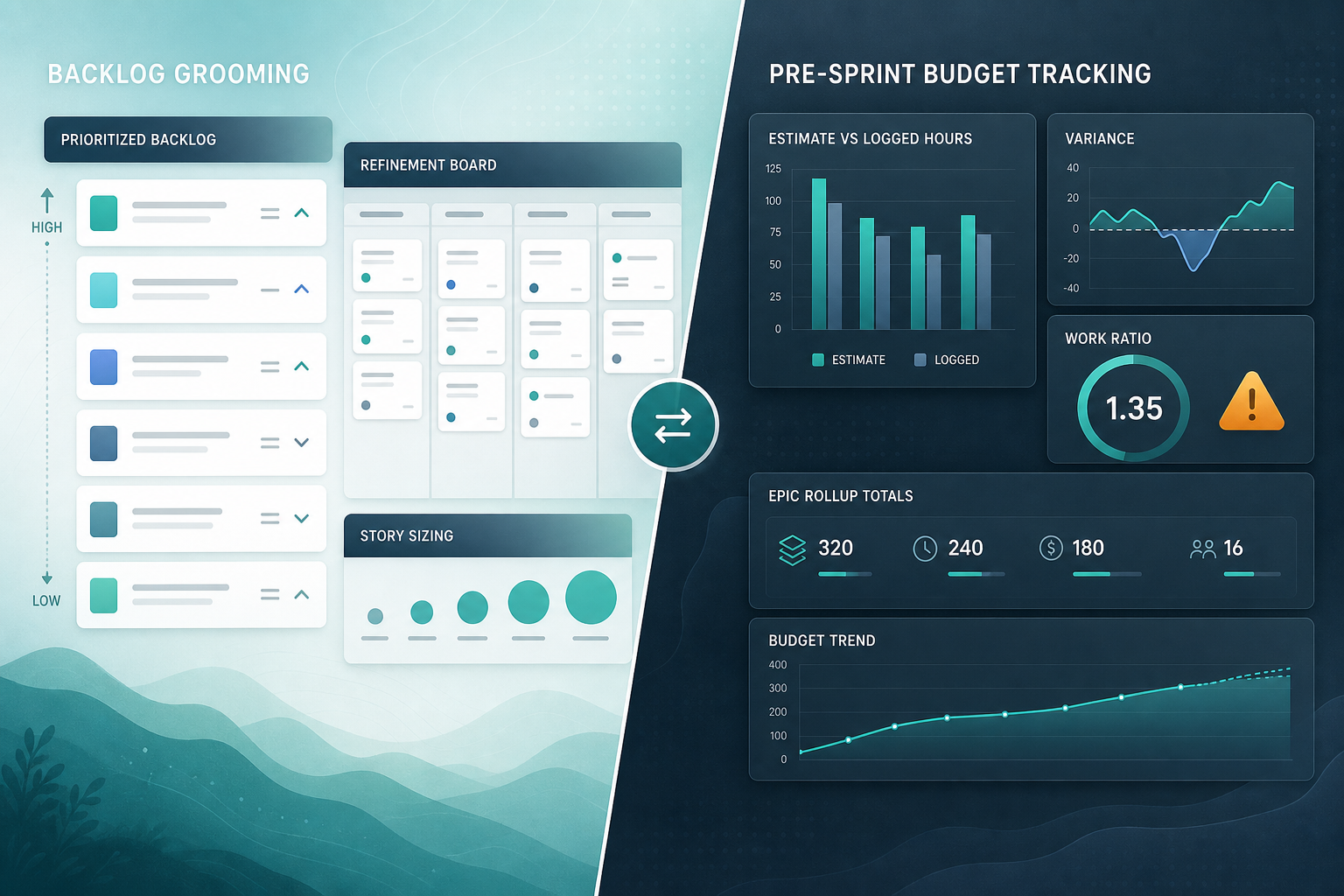
The backlog grooming session went well.
Stories were clarified. Acceptance criteria were added. Most top-priority items had Jira backlog estimates. The product owner could explain why each item was ready for the next sprint. When sprint planning started, the team committed the work with confidence.
Then the project manager opened the release budget view and found a different story:
"We groomed twelve stories totaling 96 hours. The epic already has 84 hours logged from last sprint, three carry-over items still show old estimates, and the integration story has no estimate at all. How did we commit to this sprint without seeing the gap?"
That is the trap behind Jira backlog grooming. Grooming prepares work for planning. It does not automatically give product owners and project managers a budget-ready rollup before Jira sprint commitment.
For post-commitment sprint reporting gaps, see Jira sprint reports and budget overruns. For estimation feedback loops, see Why your team will never get better at sprint estimation until you fix this. For issue-level warning filters, see Jira work ratio: the over-budget signal hiding in plain sight.
Quick Answer
Jira backlog grooming answers:
"Are these items clear, prioritized, and sized enough to plan?"
Jira budget tracking before sprint commitment answers:
"Do the groomed estimates, logged-time trends, and parent rollups still fit the approved budget?"
Those are related preparation questions. They are not the same inspection.
Quick Decision Flow
- If the team plans in story points and stakeholders do not track hour budgets → grooming readiness may be enough before commitment.
- If sponsors approve hours, cost, or forecast variance → add estimate, logged time, remaining estimate, and rollup checks to the last grooming session.
- If carry-over items, partial logging, or subtasks are common → inspect work ratio and parent totals before planning, not after commitment.
- If the PM rebuilds the same epic rollup in Excel every sprint → treat that as a pre-sprint visibility gap, not a grooming success metric.
Grooming Readiness vs Budget Tracking
| Dimension | Backlog grooming | Pre-sprint budget tracking |
|---|---|---|
| Primary question | "Is this work ready to plan?" | "Will this commitment fit the budget?" |
| Typical owner | Product owner, delivery lead | Project manager, sponsor-facing PM |
| Main signals | Clarity, priority, item-level estimates | Original estimate, logged time, remaining estimate, variance, rollups |
| Native home | Backlog view, refinement board | Issue time panel, JQL, exports, epic/project rollups |
| Partially done work | May look "in progress" and groomed | Logged time and work ratio may already warn of overrun |
| Parent scope | Often reviewed story by story | Epic, release, or project totals may tell a different story |
| Best use | Pre-planning readiness | Pre-commitment budget defense |
This table is a question split, not a criticism of grooming.
What Backlog Grooming Prepares
Atlassian describes grooming your backlog as reviewing, prioritizing, and preparing work items so the team can plan sprints effectively.
That ritual focuses on readiness:
- Is the story understandable?
- Is it prioritized correctly?
- Does it have an estimate?
- Are dependencies visible?
- Is it small enough to commit?
Atlassian also describes estimation in Jira as a way to assess backlog size and infer reasonable completion dates.
For a product owner, a groomed backlog feels like progress. Items move from vague to plannable. The team can discuss scope without reopening every detail in sprint planning.
That is valuable work.
It is not the same as confirming that the release slice, epic, or client budget still holds before the team commits — especially when sponsors track hours while the team grooms in points.
Where the Budget Signal Hides During Grooming
A groomed story list can look budget-ready while the hours story is still incomplete.
Carry-over work with stale estimates
Items carried from the previous sprint may still show original estimates from planning day one. If the team logged significant time last sprint, the remaining forecast and variance may have moved — but the backlog card still looks "ready" because grooming focused on new items.
Logged time on partially complete stories
Atlassian's time tracking documentation says logging time lets teams compare the original estimate with the actual time taken. That comparison is useful before commitment when in-progress backlog items already have worklogs.
A story estimated at 16 hours with 14 hours logged and 10 hours remaining is not a grooming-fresh 16-hour item. It is a forecast variance problem waiting for sprint commitment.
Missing estimates on "ready" items
Grooming can mark an item ready while the estimate field is still empty. Sprint planning may absorb that gap under time pressure. The budget conversation then starts after commitment, not before.
Parent and child mismatch
Product owners often groom at story level. Sponsors often track budget at epic or release level. If child worklogs sit on subtasks or stories while the epic shows zero or incomplete rollup, grooming can feel complete while the parent budget view is wrong. See Why your Jira epic always shows 0 hours.
Subtasks added after the parent estimate
Atlassian documents that estimates on subtasks are not included in the sprint report. The same blind spot affects pre-sprint views when QA, review, or deployment subtasks appear after the parent story was sized during grooming. See Why Jira subtasks make sprint time reports harder than they look.
Early Warning Signals Before Sprint Commitment
If budget gaps keep appearing at sprint planning, inspect these signals during grooming — not after commitment.
Work ratio on in-progress backlog items
Atlassian's JQL fields reference defines workRatio as timeSpent / originalEstimate x 100. Filter groomed or in-progress items before planning:
status != Done AND workRatio >= 80
High work ratio on items you plan to carry forward is an early overrun signal. See Jira work ratio for threshold policy.
Logged time without a baseline
status != Done AND originalEstimate IS EMPTY AND timeSpent > 0
These items have consumption but no plan number. They will distort sprint totals unless grooming assigns a baseline or excludes them from the budget slice.
Stale remaining estimates on carry-over items
If your process uses remaining estimate for forecast variance, carry-over items with large remaining values despite heavy logging deserve a grooming review. See Jira remaining estimate reporting and original estimate vs time spent in Jira.
Epic or project totals that do not match story sums
Before commitment, ask:
"If I sum the groomed stories, add logged time from in-progress work, and include carry-over, do I still fit the approved budget?"
If that answer requires a manual export, grooming did not finish the budget part of the job.
Pre-Sprint Grooming Checklist for POs and PMs
Use this checklist in the last grooming session before sprint planning. It extends Jira backlog estimates review with Jira budget tracking signals:
- Every candidate sprint item has an original estimate or an explicit decision to estimate in points only.
- Carry-over items have updated remaining estimates if forecast variance matters.
- In-progress items with logged time have work ratio reviewed — not just story status.
- Subtasks with meaningful effort are visible before commitment, not discovered mid-sprint.
- Epic or release parent totals include child logged time, not only newly groomed story estimates.
- The board filter matches the budget boundary the sponsor cares about.
- Items with
workRatio > 100are flagged, re-estimated, split, or excluded before commitment. - Someone can explain forecast variance:
time spent + remaining estimate - original estimatefor the commitment scope.
Example narrative a PM can prepare before planning:
"We are considering 104 hours of groomed new work. Carry-over adds 38 hours of remaining forecast. The epic already has 72 hours logged against a 200-hour release slice, so forecast variance is +14 hours before we commit. The integration story and two QA subtasks explain most of the gap."
That is grooming that protects the budget conversation.
When Native Jira Is Enough
Native Jira may be enough for pre-sprint budget checks when:
- The team grooms and commits at the same hierarchy level the sponsor tracks.
- Estimates and worklogs live on the same issues grooming reviews.
- Carry-over is minimal or re-estimated every grooming session.
- Subtasks are not carrying hidden effort.
- Epic and project totals are visible without manual exports.
- Hour budgets are not part of the commitment conversation.
In that case, add budget inspection to grooming: run saved JQL filters for work ratio and missing estimates, and review the time tracking panel on in-progress items before planning.
When the Spreadsheet Rebuild Is the Warning Sign
If the product owner grooms in Jira but the project manager rebuilds the same epic rollup in Excel before every sprint planning session, the spreadsheet is the missing visibility layer.
Look for these patterns:
- Grooming checks story readiness; budget totals are calculated separately.
- The PM exports the same epic filter every sprint to sum logged time.
- Different people produce different totals from the same groomed backlog.
- Sprint commitment happens before the rollup is finished.
- Sponsors hear "we'll confirm hours after planning."
At that point, the process is telling you something. Grooming is not wrong. The budget inspection point is too late.
Rollup Visibility Before Commitment
Before adding tooling, use native paths:
Epic-scoped JQL with time columns
Use the parent field or epic link to list child work, add original estimate, time spent, and remaining estimate columns, then export when the meeting needs a sum. Atlassian documents search exports to CSV and Excel.
Jira Plans rollups
On Premium and Enterprise, Plans roll up estimates for planning conversations. That can help forecasting during grooming. It may still differ from the operational hours report a PM needs before commitment. See Jira Plans rollups vs project reporting.
If the recurring question is:
"Grooming looks ready at story level — can I open this epic or project and defend estimate, logged time, variance, and child breakdown before we commit?"
Then rollup category tools are worth evaluating.
TimePillar public materials position live project and epic rollups of estimated vs logged time, variance, percent of budget used, child-work visibility, and PDF/CSV export from the Jira issue sidebar. The product page states it reads native Jira time-tracking fields and does not use a separate data store — verify in trial and on the Marketplace Privacy & Security tab.
At the time of prior verified research on this site (June 2026), the TimePillar Marketplace listing described Jira Cloud rollups; the product page also mentions Data Center — verify your hosting path before rollout. Prior public-source review on this site did not find support for remaining-estimate rollups at parent scope; verify in trial if forecast variance matters.
TimePillar is not a grooming tool. It addresses epic- and project-level rollup visibility when story-level grooming looks ready but parent totals are still rebuilt manually before commitment.
For category context, see The 5 Jira time reports every project manager asks for and TimePillar vs Jira time tracking Marketplace apps.
Make Grooming Budget-Aware
Jira backlog grooming earns its place in delivery. It turns vague work into plannable items with estimates the team can discuss.
It does not, by itself, prevent a budget surprise at Jira sprint commitment — especially when carry-over work, logged-time trends, subtasks, and parent rollups tell a different story than the groomed story list.
Product owners can keep grooming focused on readiness. Project managers can add budget inspection before commitment: work ratio, missing baselines, forecast variance, and parent totals.
When story-level grooming looks ready but epic-level totals still require a spreadsheet rebuild, see how TimePillar Jira reporting helps teams bring estimate, logged time, variance, and rollup visibility closer to the pre-sprint conversation — before the sprint is committed.