The portfolio dashboard shows a green initiative across three projects. The delivery lead still exports worklogs before the steering call.
Before a cross-project review, the portfolio manager opens Jira Plans. The initiative rollup reflects remaining planned work — estimates that have already moved because teams logged time underneath. That is useful Jira portfolio management signal for capacity and roadmap shape.
Then the executive asks:
"Across these projects, what did we plan in hours, what did we actually log, and where is the gap?"
One dynamic planning total is not the same as a defended pair of numbers. Jira portfolio reporting needs planned effort and logged time visible together — and native views often make one easy and the other painful to explain after the meeting.
Short Answer: Portfolio Reporting Needs Two Numbers
Jira portfolio management works when you treat planned effort and logged time as separate metrics that belong in the same conversation:
- Planned effort — original estimates and rolled-up baselines that define the budget
- Logged time — worklog-backed actuals stakeholders expect in steering updates
Jira Plans and hierarchy tools help with planning shape and dynamic estimate rollups. They do not automatically give portfolio owners an audit-ready logged-time story with child breakdown at delivery scope. That gap is why delivery leads still export search results before portfolio meetings — and why buyers evaluating rollup tools should name the reporting job first.
What Planned Effort Means in Jira
Planned effort is the baseline side of the portfolio conversation.
In Jira, it usually comes from:
- Original estimate on epics, stories, tasks, or subtasks
- Rolled-up planning totals in Jira Plans (Premium/Enterprise), which Atlassian documents as dynamic estimates that decrease as time is logged to child work items
- Sum columns in hierarchy tools when admins configure aggregators on estimate fields
According to Atlassian's time estimate documentation, original estimate can serve as the baseline for time-based progress when boards are configured that way.
For portfolio managers, planned effort answers:
- How much work did we budget across this initiative?
- How much capacity does this branch still consume in the plan?
- Are we comparing the same estimate rules across projects?
What Logged Time Means in Jira
Logged time is the actuals side.
It comes from worklogs on issues — stories, tasks, bugs, and subtasks. Atlassian's time tracking documentation says Jira can show logged and remaining time on work items.
Portfolio stakeholders usually want logged time because it is defensible:
- Who recorded the hours?
- On which issues?
- In which period?
- Can a second manager reproduce the total after the meeting?
That is a different job from a planning rollup that moved because logging happened somewhere underneath. See Why Jira worklogs look complete until you try to roll them up.
A Simple Example: Why One Number Is Not Enough
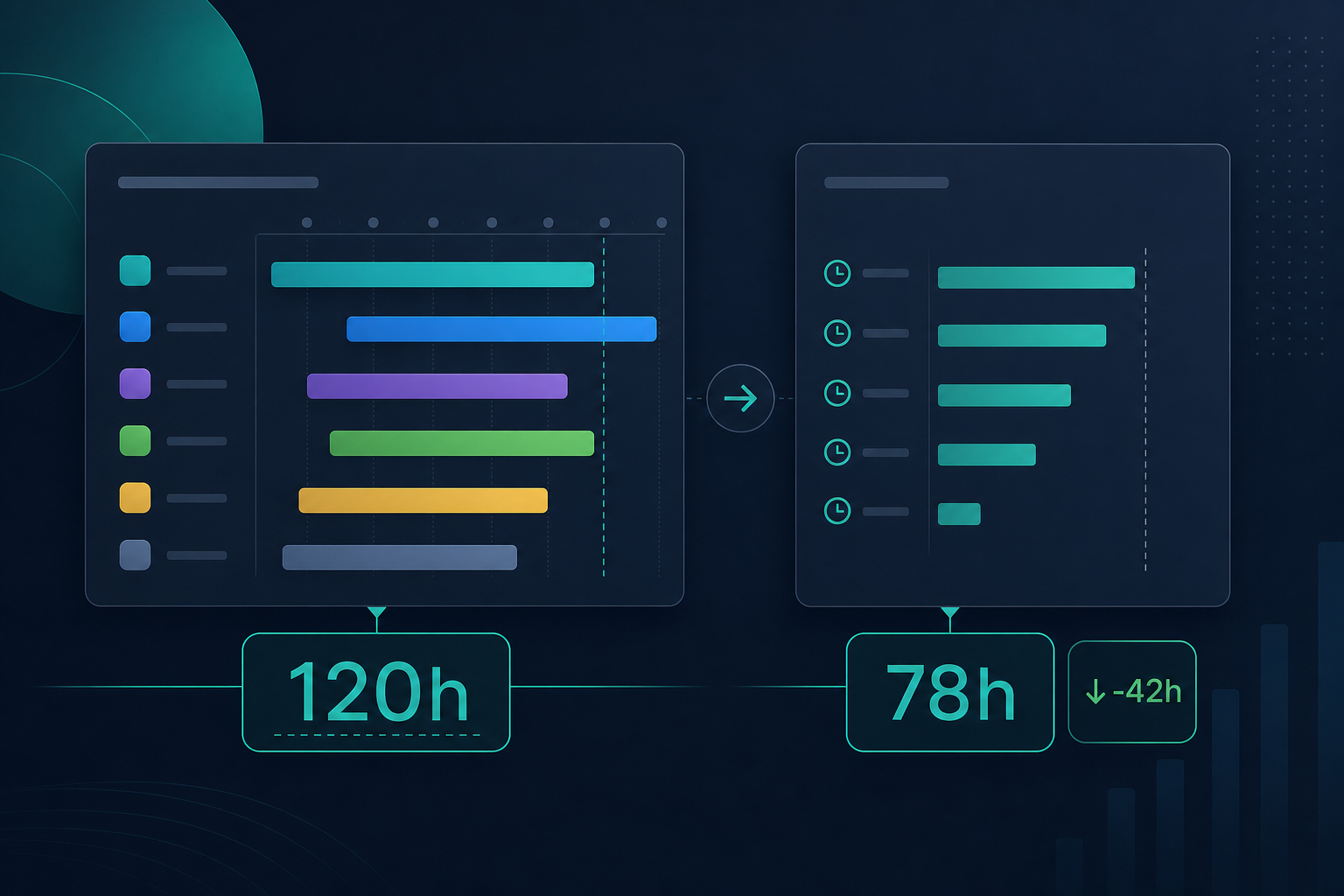
Imagine initiative PORT-12 spans three projects. Epic PAY-40 carries 120 hours original estimate on the parent. Child stories and subtasks have logged 78 hours so far across named issues.
Plans may show a sensible remaining planning total for the initiative branch. The steering question still needs both sides readable:
- Planned effort: 120 hours baseline on PAY-40 (per your written estimate rule)
- Logged time: 78 hours on scoped child work with issue names behind the total
- Variance: 42 hours of budget headroom — or an overrun if logging accelerates
If the deck shows only the planning rollup, finance may ask where the 78 hours went. If the deck shows only exported logged time, planning may ask why the baseline disappeared. Jira planned effort and Jira logged time portfolio visibility are both required — not interchangeable.
Where Native Portfolio Views Emphasize One Metric
Before buying another app, map what each native path actually shows.
Jira Plans / Advanced Roadmaps
Plans is built for cross-team planning in Premium and Enterprise. Atlassian's rollup documentation says plan estimates aggregate from child work and stay dynamic as teams log time.
Strength for planned effort: initiative shape, capacity, dependencies, scenario thinking.
Limit for dual-metric reporting: the planning view optimizes forecast and remaining planning totals. It is not a separate logged-time audit report with issue-level breakdown for a named delivery scope. Plans responds to logged work in rollups; it does not replace the operational report managers defend in client updates. See Jira Plans rollups vs project reporting and Advanced Roadmaps vs time spent reports.
Dashboards and portfolio gadgets
Dashboards excel at visibility across projects. They are weaker when the question is "show me planned vs logged with child issues behind both totals" for a specific portfolio branch. See dashboard time rollup limits.
Search, JQL, and export
JQL exposes originalEstimate, timeSpent, and related fields at the issue level. Atlassian's JQL fields reference documents those fields, but JQL returns rows — not summed hierarchy totals. Exporting search results to CSV or Excel remains the manual dual-metric path many portfolio teams still run.
Hierarchy tools
Tools such as Structure for Jira can sum estimate and time-spent columns on configured trees — a related portfolio path with its own setup and export habits. At the time of research on July 19, 2026, this run did not live-fetch the current Structure Marketplace listing; verify feature names, pricing, and aggregator setup before procurement. See Structure for Jira vs time rollups.
Where Dual-Metric Portfolio Reporting Breaks Down
Even mature portfolio setups hit the same friction:
- Planning totals conflate metrics. A dynamic Plans rollup responds to logged work, but stakeholders may still ask for planned baseline and logged actual as two readable numbers.
- Logging happens below the level stakeholders name. Teams log on subtasks; the portfolio conversation names the epic or initiative.
- Estimate rules differ by project. Parent estimates, child-only estimates, or both — portfolio totals disagree without a written rule.
- Native reports are context-bound. Sprint reports are board-specific; subtask estimates are excluded per Atlassian's sprint report documentation.
- Large hierarchies need caution. Atlassian documents limits when work items have very large numbers of children in some time-tracking contexts.
The result: the portfolio manager sees a planning number in one screen and rebuilds logged-time math in a spreadsheet before the steering deck is final. That pattern connects to the five Jira time reports project managers ask for — especially epic estimate vs logged and over-budget work.
Lock Estimate Rules Before Portfolio Comparisons
Write the rule before comparing planned effort and logged time across projects:
"Original estimate comes from parent issues only, and subtasks explain execution — unless the parent estimate is empty."
Or:
"We estimate lowest-level work only; parent totals are rollups, not separate baselines."
Without that rule, Plans rollups, Structure sums, and exported CSV totals will disagree. See original estimate vs time spent in Jira.
Quick Comparison: Portfolio View vs Dual-Metric Need
| Dimension | Typical native portfolio/planning view | Dual-metric portfolio reporting need |
|---|---|---|
| Primary numbers | Rolled-up planned/remaining work | Planned effort and logged time side by side |
| Data source | Plan logic, gadgets, hierarchy sums | Baselines + worklogs with agreed scope rules |
| Audience | PMO, planning leads, portfolio owners | Portfolio managers, delivery leads, finance |
| Scope | Initiatives, cross-project plans | Named epic, project, client slice, or filter |
| Explainability | Planning-level totals | Issue-level breakdown managers can audit |
| Best for | Roadmap and capacity conversations | Steering updates, budget variance, client reporting |
| Common gap | Logged-time audit trail at delivery scope | Consistent estimate rules across projects |
This is a job comparison, not a verdict that native portfolio tools fail.
Which Portfolio Conversation Are You Preparing For?
Name the meeting before opening Plans or exporting search results:
- Portfolio planning review: capacity, dependencies, release timing, initiative totals — Plans rollups are often the right starting point for planned effort.
- Executive steering update: planned baseline vs logged actual vs variance on named work — dual-metric report with child breakdown.
- Client or program check-in: stable scope definition and explainable hours on a feature epic — operational rollup, not plan shape alone.
- Budget or finance review: scope rules, forecast variance, audit trail — dual-metric report; export may still be the deliverable finance accepts.
If the meeting is in the second, third, or fourth group, a planning rollup alone may not be the report you send afterward.
When Native Portfolio Views Are Enough
Native paths may be enough when:
- Stakeholders accept portfolio-level planning totals without issue-level logged-time audit every cycle.
- Estimation rules are consistent across parent and child work in every project in scope.
- Subtasks are not where most time is logged, or rollups match how the team estimates.
- The recurring question is "Are we still inside the plan?" rather than "Which issues consumed the hours?"
- Excel or Plans export is an acceptable final deliverable for finance.
When You Still Need Dual-Metric Rollups
You still need a separate dual-metric path when:
- Steering calls repeat the planned-vs-logged question across multiple projects.
- Delivery leads export Jira search results before every portfolio meeting.
- Finance asks for baseline and actual as two columns, not one blended planning total.
- Child-issue breakdown is required to explain variance on a named epic or client feature.
- Two managers cannot reproduce the same totals from native views alone.
Must-Have Features for Portfolio Time Reporting Buyers
If you are evaluating how to show both numbers, prioritize:
- Separate visibility for baseline and actuals — not one blended total without explanation
- Hierarchy rollup that matches your written estimate rules
- Child-issue breakdown behind both totals
- Scope that matches the stakeholder question — epic, project, or saved filter
- Export path for steering decks and finance
- Permission-safe totals — viewers must see worklogs in scope
- Repeatability — a second manager can reproduce the numbers without private spreadsheet formulas
Native Jira covers pieces. The buyer question is which gaps still force manual math every cycle.
Marketplace Checks for Rollup Tools
If native portfolio views leave you exporting before every steering call, evaluate Marketplace reporting apps by job — not by generic "time tracking" labels.
For issue-level rollups of estimate and logged time, TimePillar is one option worth trialing on a real multi-level epic before you trust it for executive reporting.
At the time of prior site research in June 2026, the TimePillar Marketplace listing described Jira Cloud compatibility and live rollups with variance and export. The TimePillar product page states the app reads native Jira time-tracking fields, aggregates child Stories and Sub-tasks, requires no configuration, and does not use a separate data store. Verify current hosting, pricing, permissions, and security tabs before procurement — those details can change.
Do not assume a rollup app replaces Jira Plans or hierarchy planning. Compare whether it answers the delivery-scope dual-metric question Plans was never designed to own.
For broader jobs — timesheets, billing, capacity planning — see TimePillar vs Jira time tracking Marketplace apps.
Security and Permissions Notes
Portfolio totals fail quietly when permissions fail loudly.
Atlassian's time tracking administration documentation says users need Work On Work Items permission to log work, and admins control field visibility.
Check:
- Can portfolio viewers see every worklog in scope?
- Do rollup tools request only read scopes they need?
- Does the vendor describe external data storage — or read native Jira fields only?
According to TimePillar product materials, calculations use native Jira records without a separate data store. I did not find public SOC 2 or GDPR certification claims to cite here — verify on Marketplace and vendor privacy pages before procurement.
What to Verify Before Installing
Portfolio and PMO checks
- Can we state planned effort and logged time as two numbers today without export?
- Do all projects in the portfolio follow the same estimate rule?
- Does the recurring question need plan shape, dual-metric accountability, or both?
- Will a planning rollup alone satisfy finance and client stakeholders?
Admin checks
- Is time tracking enabled and visible where teams log work?
- Can report viewers see every worklog in scope?
- Do trial rollups match native issue fields for the same epic?
- If forecast variance uses remaining estimate, does the tool surface it — or only original estimate and logged time?
Trial checks for rollup apps
- Open a real epic with subtask-heavy logging and compare totals to a manual export.
- Ask a second manager to reproduce the numbers without your spreadsheet.
- Confirm hosting model (Cloud vs Data Center) on the current Marketplace listing.
Where TimePillar Fits
TimePillar is Backlog Bridge's product for teams that need explainable rollups of planned effort and logged time inside Jira at issue level — epic, project, or parent — rather than in the planning view alone.
According to the vendor's public product page, TimePillar adds a live rollup panel on the Jira issue sidebar showing estimate, logged time, variance, and child-work visibility using native Jira time-tracking fields. It does not read Jira Plans forecast data or replace portfolio planning views.
It complements Jira Plans and hierarchy tools. It does not replace portfolio roadmaps, dependency management, or capacity scenarios.
One caution from prior public-source review on this site: TimePillar's public materials support estimated time, logged time, and variance. I did not find public support for a remaining-estimate rollup. If forecast variance using remaining estimate is part of your portfolio definition of planned effort, verify that in a trial.
The use case is narrow: when the portfolio conversation names an epic or project and the manager needs both numbers with child visibility before opening Plans or exporting search results again.
See TimePillar Jira time rollups for vendor-published setup and feature details.
Keep Both Numbers in the Portfolio Conversation
Jira portfolio management breaks when teams treat a planning rollup as the only number executives see. Planned effort and logged time answer different questions — budget shape versus delivery accountability.
Use Plans and hierarchy tools where portfolio planning lives. Put dual-metric reporting where delivery leads defend baseline and actuals with named child work.
That is not two tools fighting. It is two numbers Jira portfolio reporting actually needs.