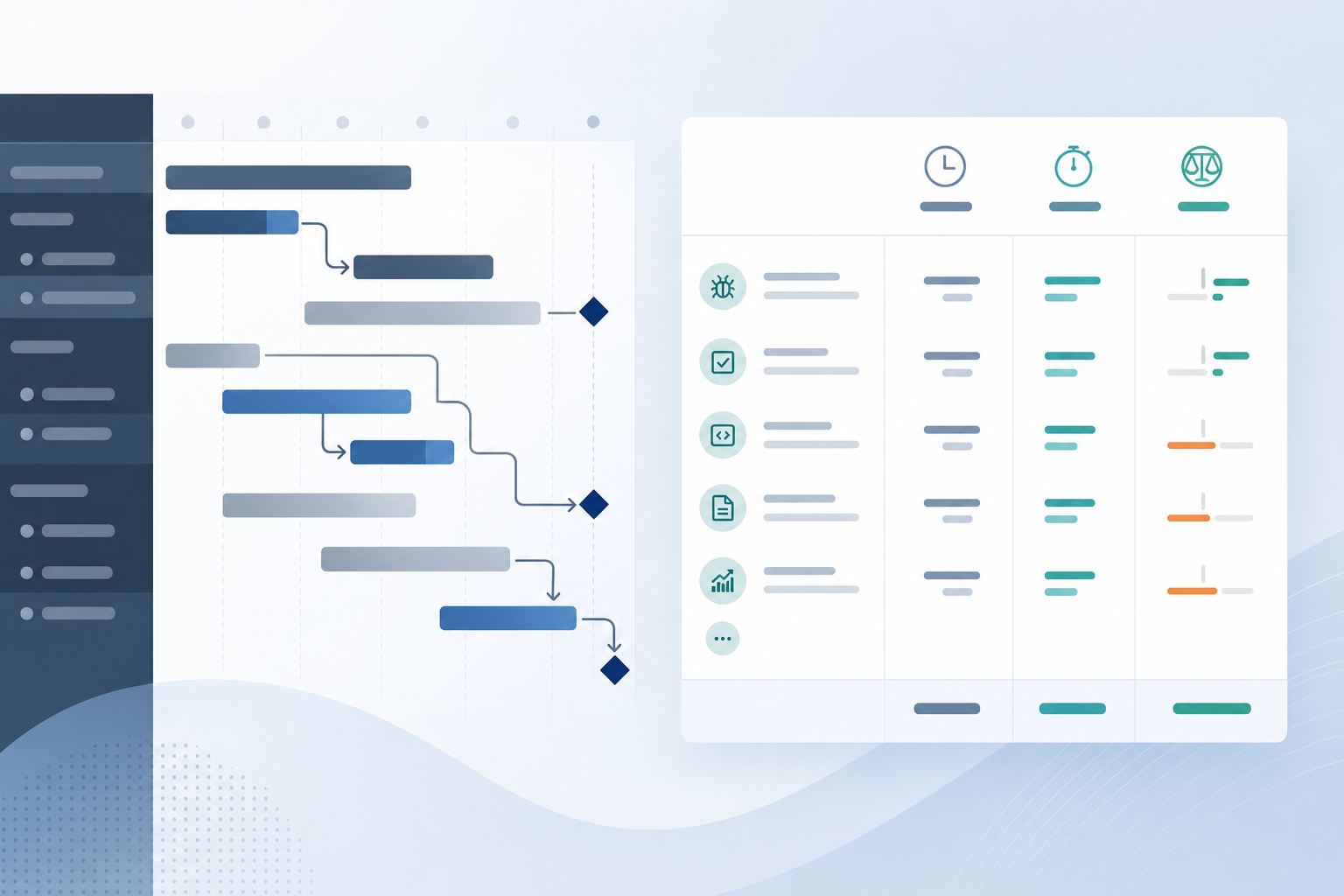
The Gantt chart looks healthy. The hour answer still lives in a spreadsheet.
The delivery lead opens Structure Gantt before the steering call. Bars line up across epics and stories. Dependencies show what blocks what. Milestones sit where the release plan expects them. On paper, the Jira Gantt chart is doing its job — and the team feels ready to talk about schedule.
Then the project manager gets the operational question:
"For this feature, what did we estimate, what have we logged, what is left, and which child issues explain the variance?"
Someone points at progress shading on a bar. Someone else exports worklogs to Excel. The schedule was never the problem. The Jira Gantt time reporting gap still is — because Gantt answers timing, not hour accountability.
That is the use case this article is about. Gantt views show when work is planned to happen — not where logged hours went or how budget variance breaks down at delivery scope.
Short Answer: Schedule Planning and Time Reporting Are Different Jobs
Structure Gantt — and Gantt-style timeline views in Jira generally — excel at scheduling: start dates, due dates, durations, dependencies, and milestone placement across a work hierarchy.
That is valuable planning signal.
Operational time reporting is the recurring answer project managers prepare for delivery accountability:
- What was the approved baseline?
- What has been logged so far?
- What remains?
- Where is the variance?
- Which child work explains the gap?
A Gantt bar sliding right because due dates moved is a schedule update. It is not the same report as "62 hours logged against an 80-hour baseline, with these three stories driving forecast variance."
Gantt can inform both conversations when progress columns are configured carefully. It does not automatically replace the operational time report managers run every sprint review, client update, or budget check.
Quick Decision Flow
- If stakeholders ask when work finishes, what is blocked, or whether milestones still fit → lead with Structure Gantt Jira or your timeline view; hour detail can wait.
- If stakeholders ask how many hours logged, what remains, or which issues drove overrun → prepare an operational time report; do not substitute a Gantt screenshot.
- If the Gantt bar shows 70% progress → verify what that percentage measures before calling it "70% of budget spent."
- If every steering call ends in a worklog export → the timeline tool is fine; the rollup workflow is what needs a repeatable path.
What Structure Gantt Does Well
Structure by Tempo — commonly called Structure for Jira — includes a Gantt view on Structure boards. Public Structure materials describe timeline visualization across flexible work hierarchies.
At the time of research on July 17, 2026, this run did not live-fetch the current Marketplace listing or Tempo documentation pages. Verify feature names, pricing, and compatibility on the listing before procurement. The capabilities below reflect publicly documented Structure Gantt patterns teams commonly rely on:
- Timeline bars driven by scheduling fields such as start date, due date, and duration
- Dependencies between issues for sequencing and critical-path style conversations
- Milestones and release markers when configured in the tree
- Hierarchy context so scheduled work sits inside the same Structure board used for portfolio planning
- Progress display on bars when configured — often tied to estimate completion, status, or logged ratios depending on column setup
- Export paths for sharing timeline views outside Jira
Those features support questions like:
- When is this epic scheduled to finish?
- What work is blocked by dependencies?
- Does the release timeline still fit the milestone plan?
- How does schedule slippage on one branch affect downstream work?
For organizations already living in Structure, Structure Gantt Jira views reduce one common planning pain: stakeholders trying to infer sequence and timing from flat backlogs alone.
That is real value. Gantt is not the wrong tool when managers still export time data. It is the right tool for a different meeting.
What Operational Time Reporting Needs
Project managers running delivery operations usually need a narrower, repeatable report.
The scope is often:
- one epic or client feature
- one sprint slice
- one assignee or team for a review period
- one saved filter representing billable or approved work
The report must usually show, in one place:
- original estimate or agreed baseline
- time spent from worklogs
- remaining estimate, when the team maintains it
- spent variance and forecast variance
- child issues that explain the numbers
Atlassian's time tracking documentation says Jira shows logged time and remaining time on work items. Teams log on stories, tasks, bugs, and subtasks — often not on the parent container the stakeholder names in the meeting.
Imagine epic PAY-40 estimated at 80 hours. Three child stories log 6, 10, and 4 hours — so far, so good. Then QA files three bugs under the epic and logs 18 hours across them. The Gantt bars still end on their due dates. The steering deck still shows green schedule progress. Finance's question, however, is about Jira schedule vs time spent: baseline 80, logged 38 and climbing, forecast variance widening — with bugs PAY-41 through PAY-43 explaining most of the gap.
That creates an operational gap even when the timeline looks current:
- The Gantt answers schedule shape and dependency risk.
- The stakeholder question asks for audit-ready hour totals at delivery scope.
See Why Jira worklogs look complete until you try to roll them up for the logging-vs-rollup distinction. See Structure for Jira vs time rollups when the hierarchy tool is right but the budget answer still exports to Excel.
Schedule Slippage Is Not the Same as Budget Variance
Teams often conflate two signals on the same screen.
Schedule slippage means planned dates moved — a bar extends, a dependency chain lengthens, a milestone shifts.
Budget variance means logged time, remaining work, or forecast totals diverge from the approved baseline — regardless of whether the bar still ends on the original due date.
A story can finish on schedule while burning more hours than estimated. An epic can show reassuring progress shading on the Gantt while child bugs absorbed unplanned effort that only appears in worklogs.
Before presenting Gantt progress to finance or a client sponsor, write down what the bar actually represents:
"This shading reflects estimate completion / status / logged ratio as configured in Structure — not an audited hour rollup."
If you cannot explain that in one sentence, do not treat the Gantt as the hour report.
Lock estimate rules the same way you would for any rollup conversation. See original estimate vs time spent in Jira for variance formulas once scope is explicit.
Quick Comparison: Gantt Schedule vs Operational Time Report
| Dimension | Structure Gantt / timeline view | Operational time report |
|---|---|---|
| Primary job | Timeline planning, dependencies, milestone sequencing | Recurring delivery accountability and variance explanation |
| Typical audience | Planning leads, PMOs, release managers | Project managers, delivery leads, client-facing stakeholders |
| Scope | Structure tree branch, cross-project timeline | Epic, sprint, assignee, client slice, or saved filter |
| Main signals | Start date, due date, duration, dependencies, schedule progress | Baseline, logged time, remaining estimate, variance, child drivers |
| Context | Gantt board — separate from native issue view | Issue, sprint, or filter context where managers defend the number |
| Best for | Release timing, dependency risk, milestone planning | Sprint reviews, client updates, budget variance |
| Explainability | Timeline-level sequencing | Issue-level breakdown managers can audit |
| Setup | Scheduling fields, dependencies, progress column config | Scope rules + rollup path (export, native fields, or issue-sidebar tool) |
This is not a winner-take-all comparison. It is a job comparison.
Which Conversation Are You Preparing For?
Before opening the Gantt or exporting search results, name the meeting:
- Release planning review: sequence, dependencies, milestone timing — Structure Gantt views are often the right starting point.
- Sprint review: committed scope, logged time, remaining work, sprint variance — board/sprint reports plus operational rollups; Gantt may help if the sprint branch is already scheduled in Structure.
- Client steering update: named feature or epic, baseline vs actual vs forecast, issues behind the variance — operational time report, often from native Jira or export.
- Budget or finance check-in: scope rules, forecast variance, audit trail — operational time report; Gantt export may still support timing context but rarely replaces the hour breakdown finance expects.
If the meeting is in the second, third, or fourth group, a timeline screenshot alone may not be the report you send afterward — even when the schedule looks fine.
When Gantt Views Are Enough
Gantt may be enough when:
- The team already plans and reviews work inside Structure timeline views.
- Stakeholders accept schedule and dependency answers without hour-level audit every week.
- Start dates and due dates are maintained consistently across the tree.
- Progress shading on bars matches how the team explains delivery status — and everyone knows it is not a worklog audit.
- The recurring question is "Are we still on schedule?" rather than "Which issues drove the hour overrun?"
- Admins maintain dependencies and date fields so two managers see the same timeline.
- Excel or PDF export from Structure is an acceptable deliverable for steering updates focused on timing.
In that environment, Jira schedule vs time spent stays cleanly separated — Gantt for when, another path for hours.
When Project Managers Still Need Time Rollups
Even strong Gantt adoption often leaves operational reporting work on the table.
Sprint reviews
Scrum masters and delivery leads often need a sprint-scoped hours story: committed work, logged time, remaining estimate, and the issues that moved the forecast. Gantt bars spanning multiple sprints do not replace that sprint boundary. See How to prepare a sprint review when stakeholders ask about hours.
Client updates
Client-facing updates usually require a stable scope definition and a variance explanation tied to named work. "The Gantt milestone moved one week" is weaker than "Feature X was estimated at 80 hours, 62 are logged, 24 remain, and these three issues explain most of the forecast variance."
Budget variance
Finance and delivery leads compare baseline to actual and forecast. Forecast variance needs remaining estimate discipline and child-issue visibility — not only whether bars end on their due dates.
When those three conversations repeat every cycle, managers export Structure or Jira search results to Excel — even if the Gantt is healthy. That pattern is related to dashboard visibility without explainable rollups.
Native Paths That Get Closer — and Their Limits
Before adding another tool, clarify which path you are using.
Structure Gantt and columns
Structure can display time-related columns alongside Gantt bars when admins configure them. Verify the exact setup in current Tempo Structure documentation before rollout.
Strengths:
- Timeline and numeric columns in one Structure board
- Cross-project schedule views in one place
- Export for stakeholders who accept spreadsheet deliverables
Verify before you trust a Gantt screenshot for budget defense:
- Does bar progress reflect schedule, status, or logged ratios — and can you explain which?
- Do column totals match your written estimate rules (parent vs child)?
- Do subtask worklogs roll up the way your budget process expects?
- Does the view include remaining estimate and variance, or only raw sums?
- Can a second manager reproduce the same hour total without exporting?
Native start date and due date fields
Jira issues support scheduling fields when your project configuration exposes them. Native date fields help lightweight timeline conversations without Structure — but they still do not roll up worklogs into a defended epic total.
Jira Plans timeline
On Premium and Enterprise, Jira Plans provides timeline and dependency planning with dynamic estimate rollups — a related but separate planning surface. See Jira Plans rollups vs project reporting.
Search and export
Atlassian supports exporting search results to CSV and spreadsheet formats — the manual fallback when timeline tools show shape but not the defended hour total.
Issue-sidebar rollup tools
Tools such as TimePillar target the moment a PM opens the epic or project in native Jira and needs estimate, logged time, variance, and child visibility without an export step first. That complements Gantt planning; it does not replace timeline views.
Admin Checks Before You Treat Gantt Progress as Hour Reporting
Time-related reporting only works when setup and permissions are usable.
Atlassian's time tracking administration documentation says users need the Work On Work Items permission to log work, and admins control time field visibility.
Check:
- What does Gantt bar shading represent in your Structure configuration?
- Are start dates and due dates populated on the issue types in scope?
- Do Structure column definitions include the same issue types where time is logged?
- Can the person running the report see every worklog in scope in both Structure and native Jira?
- Are original estimates entered before work starts?
- Are remaining estimates updated during delivery?
- Does the Gantt tree scope match the epic or project the stakeholder names?
If worklogs exist but the viewer lacks permission to see them, any time column beside the Gantt will look incomplete even when logging is complete.
Questions to Ask Before You Send the Gantt Screenshot
- Is the recurring question about schedule or about hours and variance?
- Can you explain what Gantt bar progress measures in one sentence?
- Where does the team log time — parent, story, or subtask?
- Do stakeholders need issue-level breakdown, or is timeline context enough?
- Are remaining estimates maintained well enough for forecast variance?
- Can a second manager reproduce the same hour total without exporting?
- Does finance accept a timeline export, or do they require worklog-level audit trails?
If several answers point to delivery accountability at epic or project scope inside native Jira, keep Gantt for schedule and add an operational rollup path.
Where TimePillar Fits
TimePillar is Backlog Bridge's product for teams that need explainable time rollups inside Jira at issue level — epic, project, or parent — rather than in the Gantt board alone.
At the time of prior verified research on this site (June 2026), the TimePillar Marketplace listing described Jira Cloud rollups of estimated vs logged time, variance, child visibility, and PDF/CSV export. The TimePillar product page also mentions Data Center — verify your hosting path before rollout. The product page states zero configuration and reads native Jira time-tracking fields; trial the app on a real multi-level epic before trusting it for executive reporting.
It complements Structure Gantt. It does not replace timeline views, dependencies, or milestone planning.
One caution from prior public-source review on this site: TimePillar's Marketplace and product materials support estimated time, logged time, and variance. I did not find public support for a remaining-estimate rollup. If your budget process depends on forecast variance using remaining estimate, verify that in a trial.
The use case is narrow: when Gantt answers the schedule conversation but sprint reviews, client updates, or budget checks still begin with a spreadsheet export from Structure or Jira search.
See how TimePillar Jira time rollups help teams bring estimate, logged time, variance, and child-issue visibility closer to delivery reporting.
Use Gantt for Schedule, Time Rollups for Budget Accountability
Structure Gantt and other Jira Gantt chart views are meaningful timeline capabilities for teams that need dependency-aware scheduling across hierarchies and portfolios. Configured progress display can support planning conversations that flat boards alone do not organize as cleanly.
Project managers still need operational Jira time reporting for delivery accountability: sprint reviews, client updates, and budget variance conversations that require baseline, logged time, remaining work, variance, and explainable child issues.
Do not choose between them as if one must fail. Use Gantt where schedule and dependencies live. Put the operational time rollup where managers actually defend the budget number.