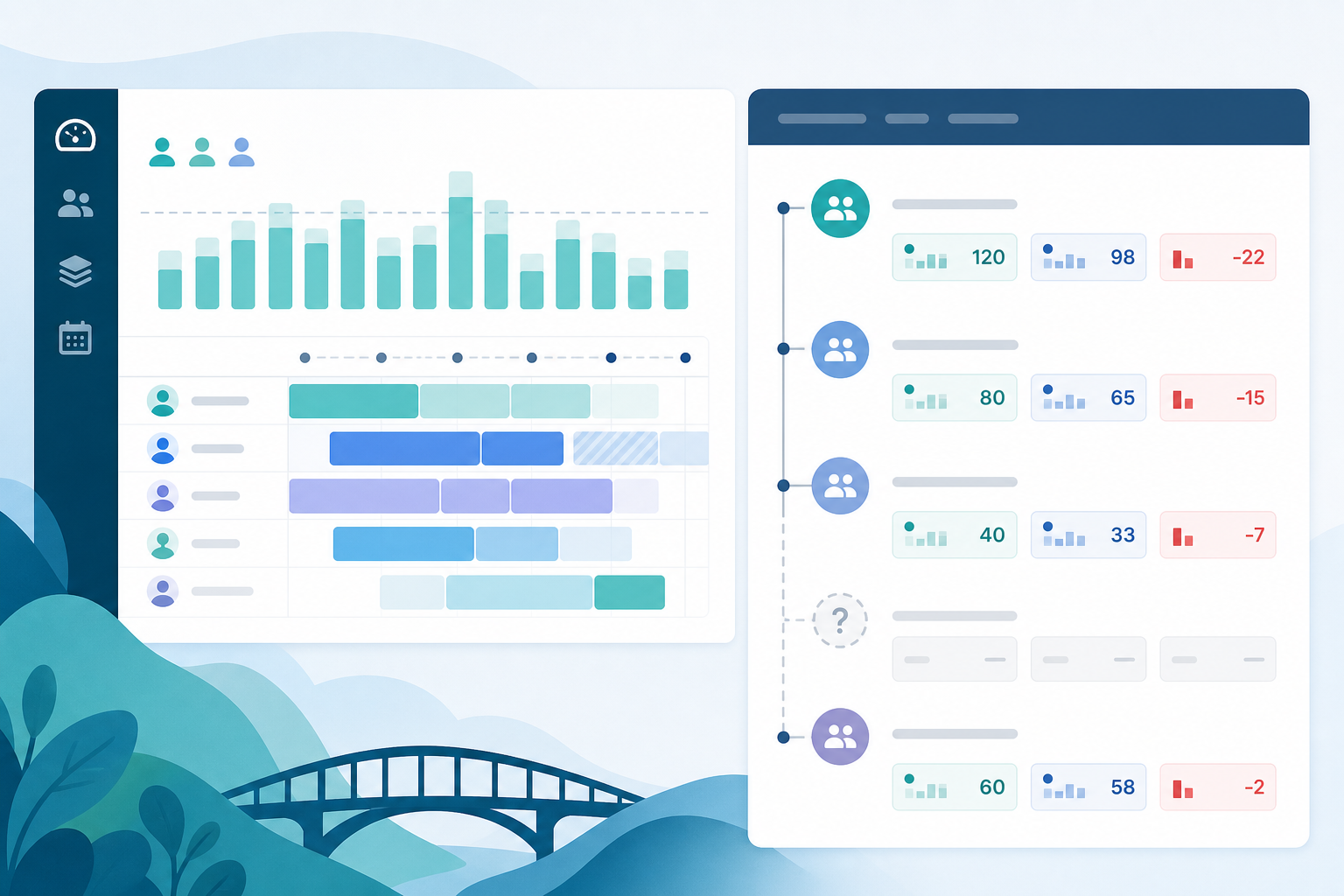
The shortlist looked perfect on paper. The steering deck still needed a spreadsheet.
A Jira admin filters the Atlassian Marketplace for Jira capacity planner apps, opens three Jira capacity planning app listings, and every overview mentions workload, allocation, and planned-vs-actual reporting. Team calendars. Skills. Utilization. Resource timelines.
Then the delivery lead asks a question the capacity board does not answer:
"For epic PAY-40 in next sprint's plan, what did we estimate, what have we logged, and which child issues explain the gap — without exporting search results again?"
That is not a scheduling question. It is an hour-reconciliation question at epic scope. Many Jira resource planner evaluations assume one install covers both jobs.
This buyer guide is a vendor-neutral checklist for what capacity planner apps typically aggregate — and the rollup gaps they commonly leave for another tool, native export, or manual math. It is an evaluation checklist, not an app ranking.
For the capacity-vs-budget split in depth, see Tempo Planner vs Jira capacity. For why unreliable rollups break capacity models, see Jira capacity planning without reliable time rollups. If you arrived from a broader time-tracking search, see Jira time tracker apps: 8 questions before you install one.
Quick Answer
If you only verify four things before a trial:
- People and periods — availability, leave, allocation, and workload aggregates
- Planned-vs-actual scope — resource/team level vs epic/project delivery scope
- Hierarchy and estimate rules — subtasks, parent/child estimates, done issues
- Second-manager reproducibility — another lead can rerun the same reports on real data
Jira capacity planner apps excel at the first and often the second at the people layer. They commonly skip hour truth at the scope you defend in steering meetings — epic baseline vs logged with child breakdown, remaining estimate at parent scope, and permission-aligned hierarchy totals.
Two Layers Behind Every Capacity Evaluation
Every Atlassian Marketplace capacity shortlist hides two layers:
Layer 1 — People and periods
"Who has bandwidth next sprint, where are we overallocated, and how does planned work compare with availability?"
Layer 2 — Hour truth at plan scope
"For the epics and projects in that plan, do estimate, logged time, remaining work, and variance reconcile at the container level we reference in reviews?"
Capacity planners, native Jira Plans capacity views, and tools such as Capacity Planner by Tempo and ActivityTimeline are built around Layer 1. Layer 2 often still requires native search export, a rollup-focused app, or manual reconciliation — even when Layer 1 looks excellent in demo.
Fix Time Data Before You Trust Capacity Output
Capacity planning becomes fragile when the plan consumes inconsistent Jira time data. Before a planner trial, inspect one real epic or release and answer:
- Are original estimates present before work starts?
- Are time spent values logged on the same level the plan references, or only on children and subtasks?
- Are remaining estimates maintained after meaningful progress?
- Are done issues still carrying remaining estimate?
- Do parent and child issues both carry original estimates, creating double-counting risk?
- Can a non-admin delivery lead see the same worklogs and totals as the Jira admin?
If those answers are weak, the planner may produce clean utilization charts while the underlying delivery scope still cannot defend planned versus actual effort. Fix the estimate and worklog hygiene first, or budget a separate rollup/reporting layer in the evaluation.
Capacity Planning Is Not Budget Variance Reporting
Tempo Capacity Planner, Jira Plans capacity, ActivityTimeline, and similar tools can be strong fits when the question is who has availability and what work is allocated over time. That does not mean they automatically replace a stakeholder report that asks:
"For this epic or project, what was planned, what was spent, what remains, and which child work explains the variance?"
Planner-level planned-versus-actual is usually a people and allocation conversation. Budget variance at delivery scope is an issue hierarchy conversation. A good procurement trial should test both jobs separately instead of assuming a resource-planning view can serve as the final budget report.
Aggregates vs Gaps at a Glance
| Planning question | Usually aggregated by capacity planners | Commonly skipped or weak |
|---|---|---|
| Who is available next sprint? | Team/person availability, leave calendars | — |
| Where are we overallocated? | Workload bars, utilization warnings | — |
| What work is scheduled against whom? | Issue-to-person allocation over periods | — |
| Planned vs logged at people level | Resource/team utilization when timesheet data exists | Epic/project budget defense |
| Hour baseline at epic scope | Sometimes via linked planning totals | Named child breakdown, audit trail |
| Remaining work forecast | Planning rollups in suite tools | Remaining estimate at parent scope |
| Subtask-heavy logging | Depends on vendor rules | Often invisible to board-scoped inputs |
| Estimate rule enforcement | — | Parent vs child conventions |
| Non-admin hour visibility | Varies | Permission-aligned hierarchy totals |
If your recurring report needs rows in the right column, a capacity planner alone may not be enough — even when the left column looks excellent in demo.
What Buyers Mean by "Jira Capacity Planner"
Marketplace searches for Jira capacity planning app return overlapping categories:
- Resource and capacity planners — schedule who works on what
- Native Jira Plans capacity — team capacity in Premium/Enterprise, not a separate Marketplace install
- Adjacent tools — timesheets, billing, issue-sidebar rollups, status analytics — that share keywords but solve different jobs
In this article, "capacity planner" means the resource planning category: people, periods, allocation, and workload — not epic budget variance panels or timesheet governance.
See Why timetracker Marketplace apps solve different problems for the broader category map.
What Capacity Planners Typically Aggregate
Use this as a must-have checklist when reading listing pages and running trials. Exact feature names vary by vendor; the underlying aggregates are similar.
People, teams, and periods
- Team membership and roster boundaries
- Individual and team availability by day, week, or sprint
- Leave, holidays, and non-working time (vendor-dependent depth)
- Skills, roles, or seniority attributes when the product supports them
- Multi-team or cross-project views for PMO-style planning
Work allocation and workload shape
- Assigning issues or work packages to people across a timeline
- Workload bars, heat maps, or utilization percentages
- Overallocation warnings when planned work exceeds available hours
- Drag-and-drop or calendar-based rescheduling
- Filtering by project, team, issue type, or saved scope
Planned effort at the scheduling layer
- Original or planned hours attached to scheduled work items
- Sum of planned allocation vs available capacity by person or team
- Carry-over or unscheduled backlog visibility in planning views
- Scenario or draft planning before commitments harden
Planned vs actual at resource level
When the app integrates with native Jira worklogs or a companion timesheet product:
- Logged hours per person or team over a period
- Planned allocation compared with logged time at resource level
- Utilization or variance at the people layer — not necessarily at epic delivery scope
Atlassian's time tracking documentation says Jira stores logged time on work items. Capacity planners consume that data differently than issue-sidebar budget rollup tools.
Portfolio or cross-team shape (sometimes)
- Initiative or multi-project timelines when paired with hierarchy tools or Jira Plans
- Dependency or sequencing views in broader planning suites
Prior site research on Tempo and ActivityTimeline indicates meaningful admin setup for teams, calendars, and permissions — not always zero-config. Budget that before procurement.
Common Rollup Gaps Capacity Planners Skip
These gaps appear when delivery leads try to defend hour budgets from a capacity planner alone.
Epic or project estimate vs logged with child breakdown
Capacity views answer "who is overloaded next week." Steering calls often need "for epic PAY-40, baseline vs logged vs variance — and which stories explain it." See Why Jira worklogs look complete until you try to roll them up.
Remaining estimate at parent scope
Many planners surface planning totals or resource utilization; they do not always roll remaining estimate to the epic or project container your stakeholder names. See Jira remaining estimate reporting.
Subtask and board-scoped blind spots
Atlassian's sprint report documentation says subtask estimates are not included and reports are board-specific. See Jira subtasks and sprint time reports.
Mixed estimate levels without enforced rules
Write the rule before trusting any aggregate:
"Original estimate comes from parent issues only, unless the parent estimate is empty — then roll up from children."
See original estimate vs time spent in Jira.
Logging below the plan reference
Teams log on stories, tasks, and bugs — not on the epic the capacity plan names. Installing a Jira resource planner does not automatically fix that data-shape mismatch.
Permission-sensitive totals
Atlassian's time tracking administration documentation notes permission requirements for logging and viewing work. Test with non-admin viewers during trial.
Finance-grade audit trail at delivery scope
Resource utilization charts help PMOs. Finance and client steering often need reproducible baseline-vs-logged pairs with issue names and export quality a second manager can rerun.
Before You Filter Marketplace Results
Three prep steps save trial time:
- Name both layers — the resource question and the hour-reconciliation question.
- Write your estimate rule — parent-only, child-only, or hybrid; share with every team feeding the plan.
- Sample one in-flight epic — compare parent time fields, child sums, and what your capacity tool shows before you expand the model.
Eight Questions for Capacity Planner Listings
1. Which aggregates drive the workload model?
Confirm whether availability, leave, skills, and allocation are native to the app or require companion products. Tempo Capacity Planner typically sits inside the Tempo platform and may require Tempo Core — verify current packaging on the Marketplace listing.
2. At which scope does planned-vs-actual operate?
Resource level, team level, issue level, epic level, or project level? A healthy utilization chart does not automatically answer epic PAY-40's budget defense.
3. Which Jira time fields feed the model?
Original estimate, planned hours, time spent, remaining estimate — clarify which fields are read, which are written, and whether the app becomes the time tracking provider or reads native worklogs.
4. How are subtasks, bugs, and done issues treated?
Inclusion rules should be documented enough that a second manager can audit them.
5. Does it enforce or assume estimate rules?
What happens when both parent and child carry original estimates?
6. What happens when logging lives below plan scope?
If developers log on subtasks and the plan references epics, does the tool reconcile totals or only schedule issue objects?
7. What admin setup and companion apps are required?
Teams, calendars, skills, Tempo Timesheets, Financial Manager — map dependencies before you treat one listing as the full answer.
8. Can a second manager reproduce the steering report?
Pick epic PAY-40 (or your largest real epic). Run the hour-reconciliation report twice — admin and delivery lead — without private filters or export cleanup.
For data handling, scale, and procurement signals, continue with Before you install a Jira time tracking app, ask these 12 questions.
Native Jira Plans vs Marketplace Planners
Jira Software Premium and Enterprise include Jira Plans with native capacity features.
According to Atlassian's Plans estimate rollup documentation, Plans can roll up estimates dynamically and respond to logged work on child issues. Native Jira capacity planning overlaps Marketplace planners on team capacity, cross-team views, and planning rollups.
It does not automatically replace operational budget variance reporting at delivery scope. See Jira Plans rollups vs project reporting.
When to stay native: you already have Premium/Enterprise Plans and the pain is primarily scheduling.
When a Marketplace planner may still help: you need richer resource models, leave/skills calendars, or suite integration — verify the aggregate checklist in trial.
Suite Dependencies and Admin Surface Area
Capacity planners are rarely isolated installs. Prior site research indicates Tempo splits timesheet governance, resource planning, and financial reporting across products; ActivityTimeline combines planning and time tracking with a larger configuration surface.
Before procurement:
- List required companion apps and hosting tabs (Cloud vs Data Center)
- Review Privacy & Security tabs — third-party providers may store data with the vendor
- Assign an owner for team structure, calendars, and allocation hygiene
At the time of research on July 23, 2026, specific pricing, version, rating, and install counts for named listings were not re-verified in a live Marketplace session. Verify current listing details before procurement.
Common Misfits
Capacity planner for budget-only pain — months of team setup for a report that needed hierarchy budget math.
Ignoring rollup quality while scaling allocation — green workload bars while epic totals require manual reconciliation. See Jira capacity planning without reliable time rollups.
Assuming resource-level planned-vs-actual replaces epic explanation — utilization charts in steering while finance asks for named child issues behind variance.
Conflating planning rollups with defended baselines — Jira Plans dynamic rollups help roadmap shape; they are not always a reproducible baseline-vs-logged pair with your written estimate rule.
What to Verify Before Installing
Copy this checklist into evaluation notes:
- Aggregate coverage — availability, leave, allocation, workload, and overallocation for a real team
- Planned-vs-actual scope — documented at resource, team, epic, or project level
- Hour reconciliation — if needed: baseline, logged, variance, and child breakdown at epic or project scope
- Time field sources — native worklogs vs provider replacement; read vs write behavior
- Subtask and done-issue rules — match your delivery workflow and Atlassian board limits
- Estimate rule behavior — test an epic with mixed parent/child estimates; no double counting
- Logging location vs plan scope — reconcile when logging lives on children and plans reference parents
- Permissions — non-admin viewers see aligned totals on shared reports
- Export quality — stakeholder-ready output without Friday spreadsheet cleanup, if exports matter
- Companion apps — Tempo Core, Timesheets, Financial Manager, or equivalent dependencies identified
- Hosting match — Cloud vs Data Center tab matches your environment
- Second-manager test — another lead reproduces scheduling and hour reports without private setup knowledge
If items 3, 6, or 12 fail on a real epic such as PAY-40, fix rollup visibility or add the right adjacent tool before you scale the capacity model.
Where TimePillar Fits
TimePillar is not a Jira capacity planner. It does not schedule people, model leave calendars, or replace Tempo Planner, ActivityTimeline, or Jira Plans capacity for workload bars.
It is Backlog Bridge's product for explainable time rollups inside Jira at issue level — epic, project, or parent. The narrow fit for capacity evaluations: after you schedule in a resource planner, open the epic or project the plan references and confirm estimate, logged time, variance, and child-work visibility match what the capacity model assumes.
According to the vendor's public product page and prior site research on the Marketplace listing, TimePillar adds a live rollup panel on the Jira issue sidebar using native Jira time fields. The vendor claims zero configuration; trial on a real multi-level epic before trusting it for executive validation.
One caution from prior public-source review on this site: TimePillar's materials support estimated time, logged time, and variance. I did not find public support for a remaining-estimate rollup. If your capacity model depends on forecast variance using remaining estimate, verify that in a trial.
At the time of research on July 23, 2026, Marketplace pricing, rating, and install count for TimePillar were not re-verified in a live session. Verify current listing details before procurement.
Install With Aggregates and Gaps in Mind
A Jira capacity planner install should answer whether the app aggregates the people-and-period inputs your PMO needs — and whether it skips the hour-reconciliation inputs your delivery lead still exports manually.
Run the checklist. Name the gaps. Trial on real epics and real teams. Match scheduling tools to scheduling questions and rollup tools to budget questions — or run both tracks honestly when both apply.
When the capacity board and the hour totals tell the same story, Jira resource planning stops being guesswork dressed in green bars.
See TimePillar Jira time rollups for vendor-published setup and feature details.