Diagram Lens logo
Confluence Cloud No user limits Forge macro

BacklogBridge Diagram Lens for Confluence

Mermaid diagrams in Confluence that stay readable when the diagram gets big.

Diagram Lens is a Confluence Cloud macro for source-first Mermaid diagrams. It keeps editable diagram source close to the Confluence page while adding wide inspection, search, minimap navigation, themes, and export tools for real documentation work.

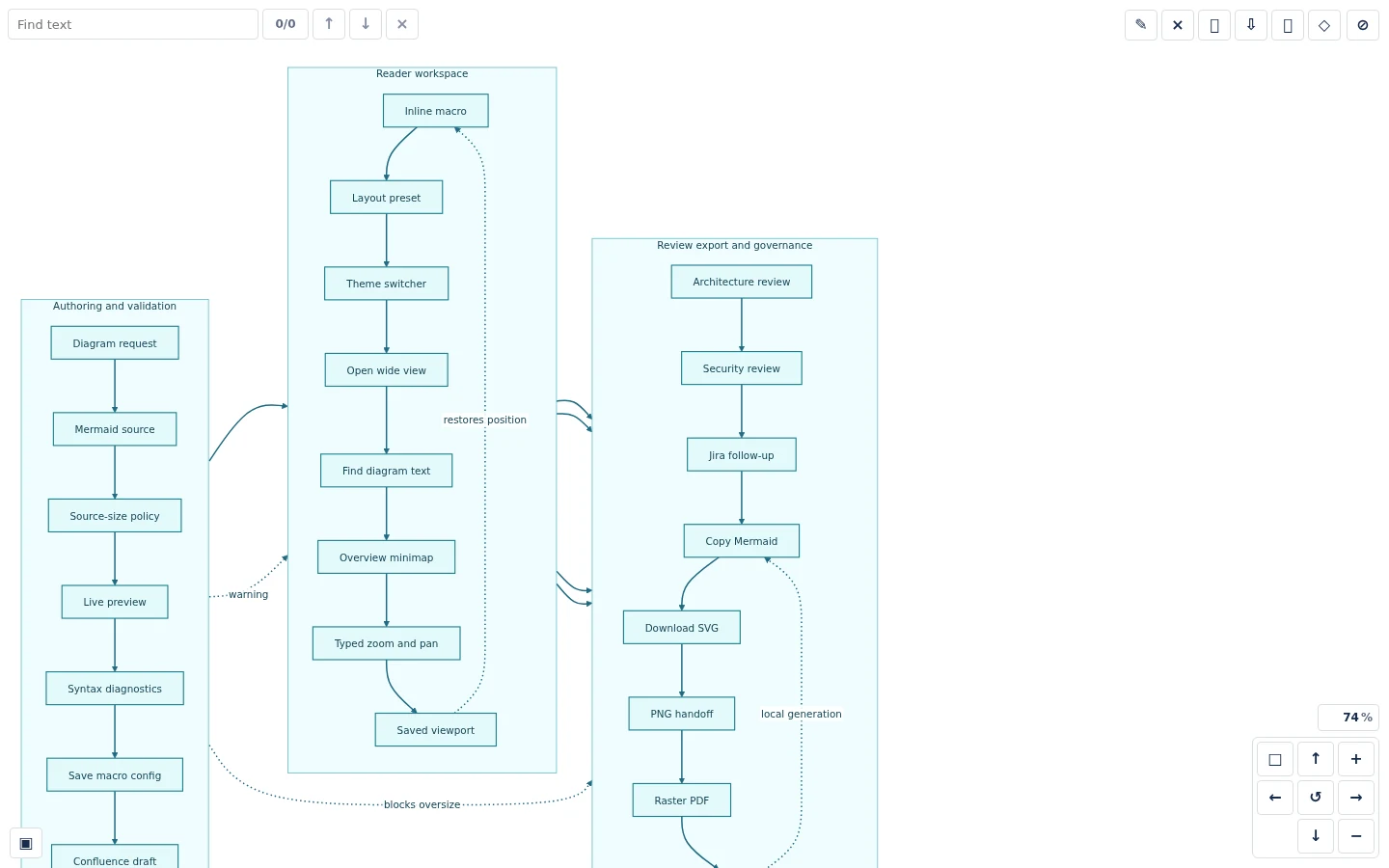
Diagram Lens wide reader showing a long Mermaid workflow with pan and zoom controls.
Mermaid
Source-first diagrams
Client-side
Rendered in Forge Custom UI
storage:app
Current Forge scope
No egress
Declared in current manifest
Why Diagram Lens

Text-based diagrams should not become unreadable diagrams.

Mermaid is useful because the source is reviewable, searchable, and easy to keep with the surrounding documentation. The problem starts when an architecture map or workflow grows wider than the page.

Diagram Lens keeps the source-first workflow and adds a reader built for large diagrams. Teams can inspect rendered diagrams without leaving Confluence or maintaining a separate diagramming account.

Diagram Lens Confluence macro showing page-view controls for layout, theme, search, and export.
Features

Built around how teams actually read and change diagrams.

Diagram Lens focuses on the editing, inspection, search, and handoff steps that make Mermaid diagrams useful in Confluence.

01

Confluence-native Mermaid macro

Create Mermaid diagrams as Confluence macros, keep the source editable inside Confluence, and let readers inspect the rendered diagram from the page.

  • Embed Mermaid diagrams in Confluence Cloud pages.
  • Keep diagram source close to the documentation it explains.
  • Adjust layout and theme from page view without reopening the editor.
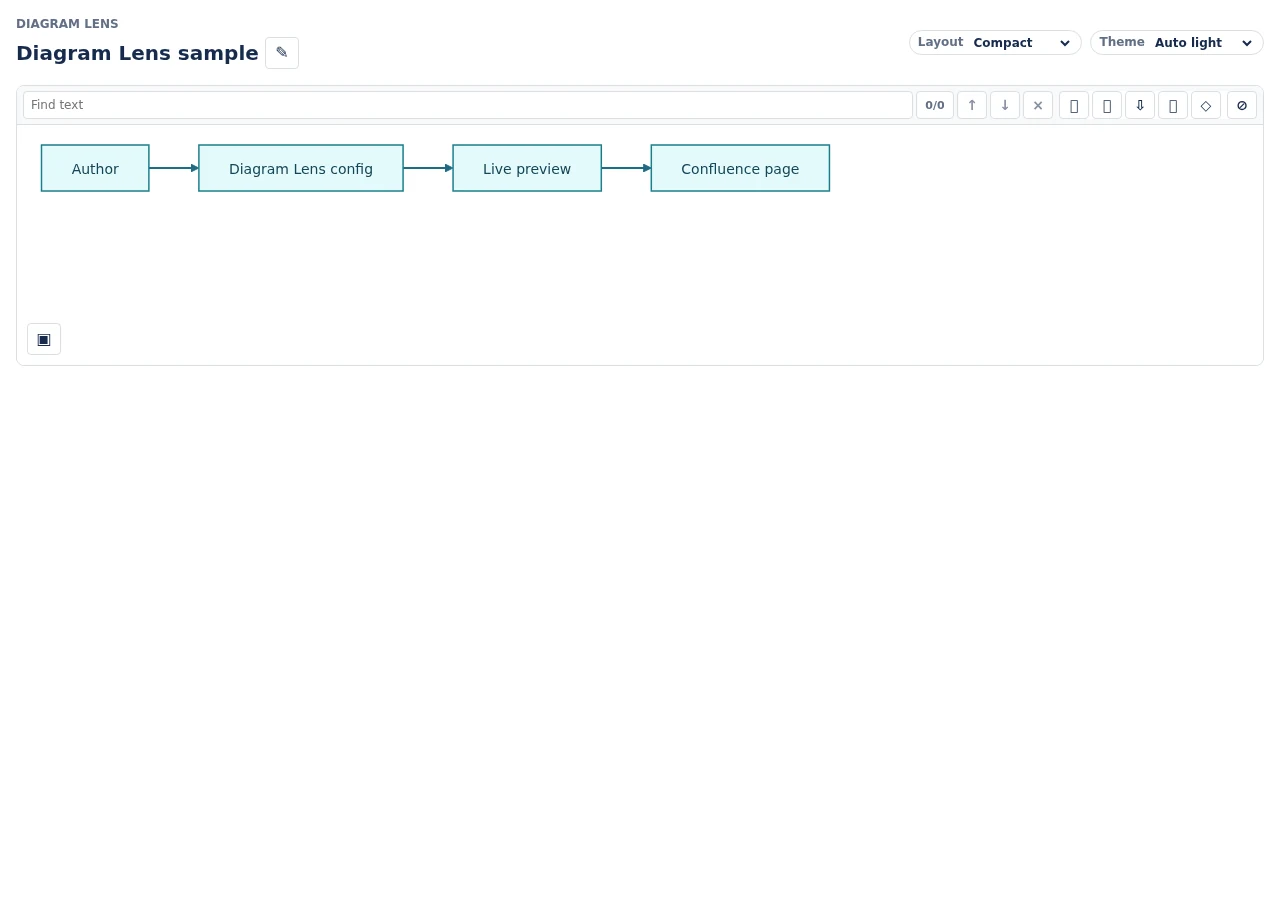
Diagram Lens Confluence macro showing page-view controls for layout, theme, search, and export.
02

Source editor and live preview

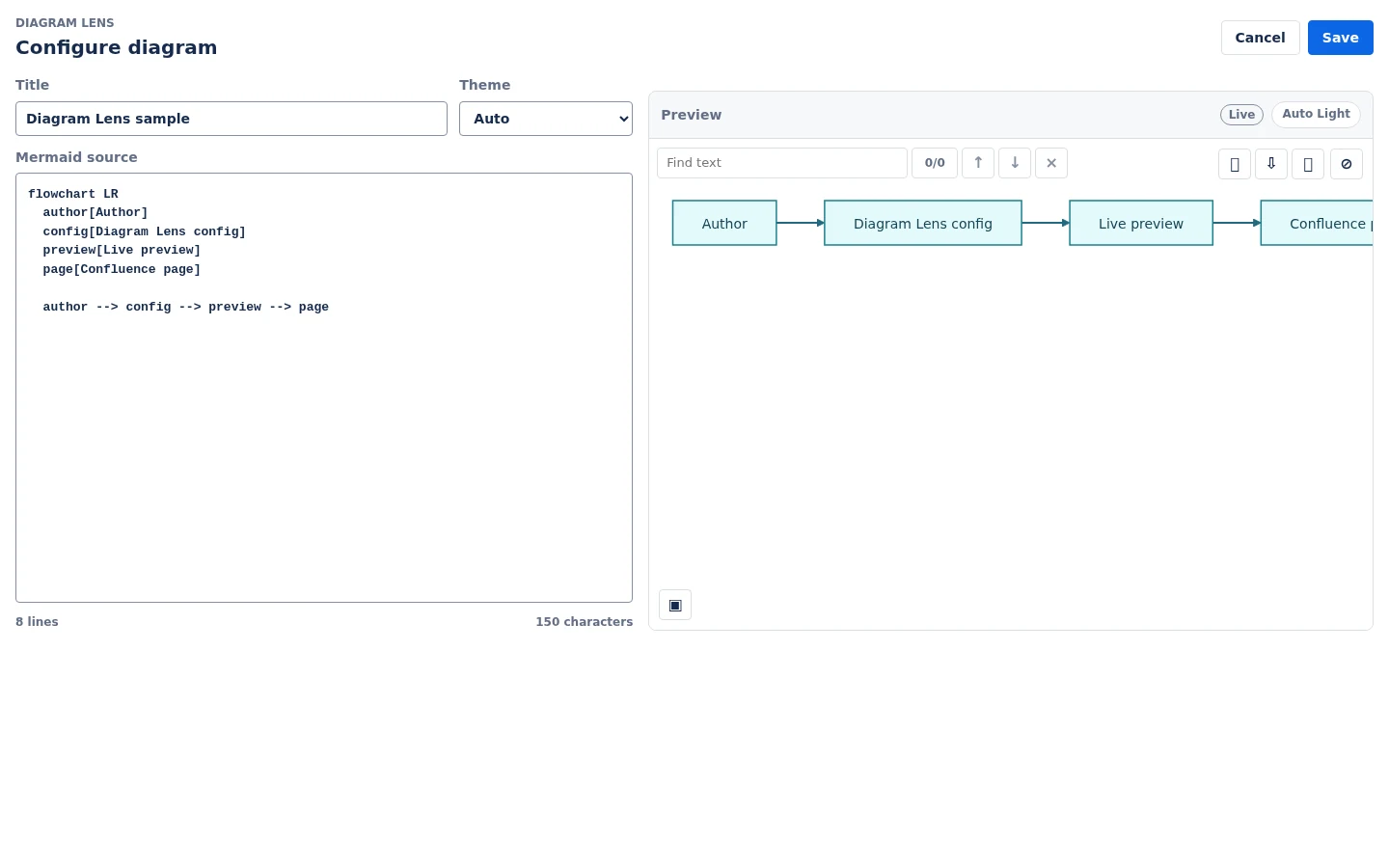
Paste or edit Mermaid source, set a title and theme, and review the rendered result beside the source before saving the macro.

  • Source-first Mermaid authoring.
  • Live preview after source, title, or theme changes.
  • Line and character counts help authors understand source size.
Diagram Lens source editor with Mermaid text on the left and a live rendered preview on the right.
03

Large-diagram reader

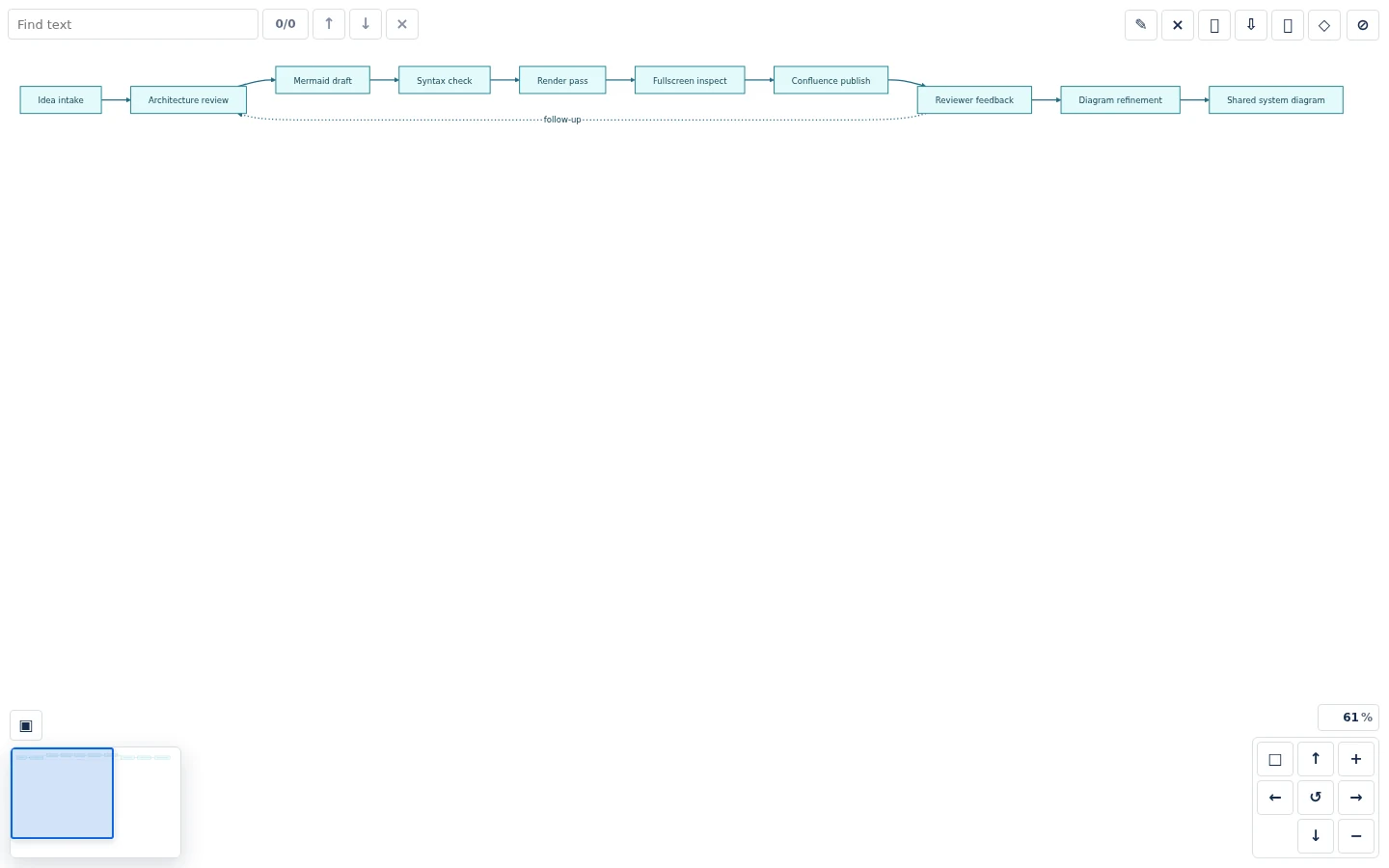
Open a wide reader when architecture maps and process diagrams outgrow the Confluence page. Reviewers get pan, zoom, fit, reset, typed zoom, and movement controls.

  • Wide reader for diagrams that need more room.
  • Pan, zoom, fit-to-view, reset, and typed zoom percentage.
  • Saved per-macro viewport state for zoom and position.
Diagram Lens wide reader showing a long Mermaid workflow with pan and zoom controls.
04

Search and minimap navigation

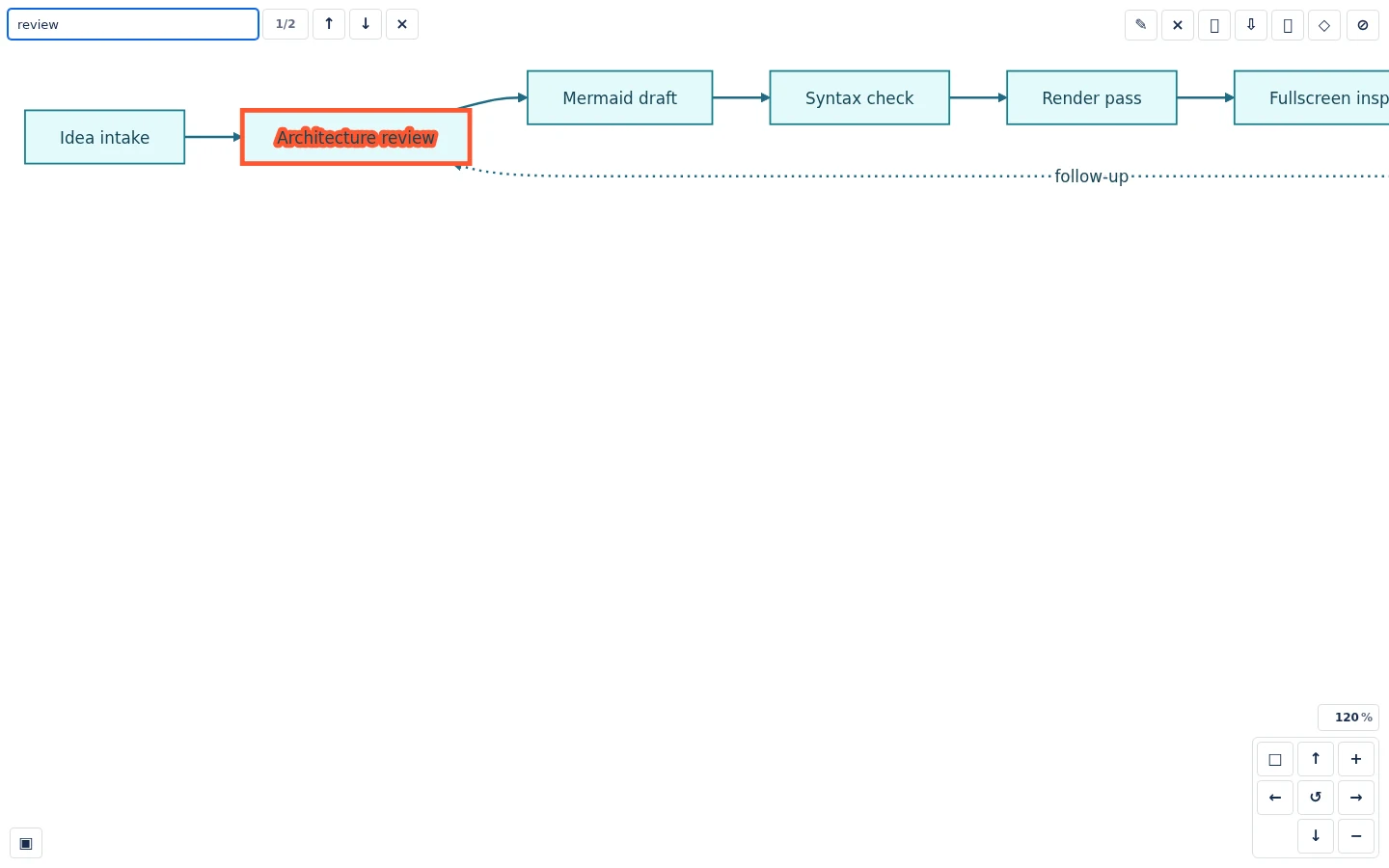
Search visible SVG text, jump between matches, and use the minimap to keep context while moving through large rendered diagrams.

  • Search labels inside rendered diagrams.
  • Highlight selected search matches.
  • Use a minimap with a live viewport rectangle.
Diagram Lens search highlighting a matching label inside a rendered Mermaid diagram.
Diagram Lens minimap navigator showing the current viewport inside a large diagram.
05

Export and handoff

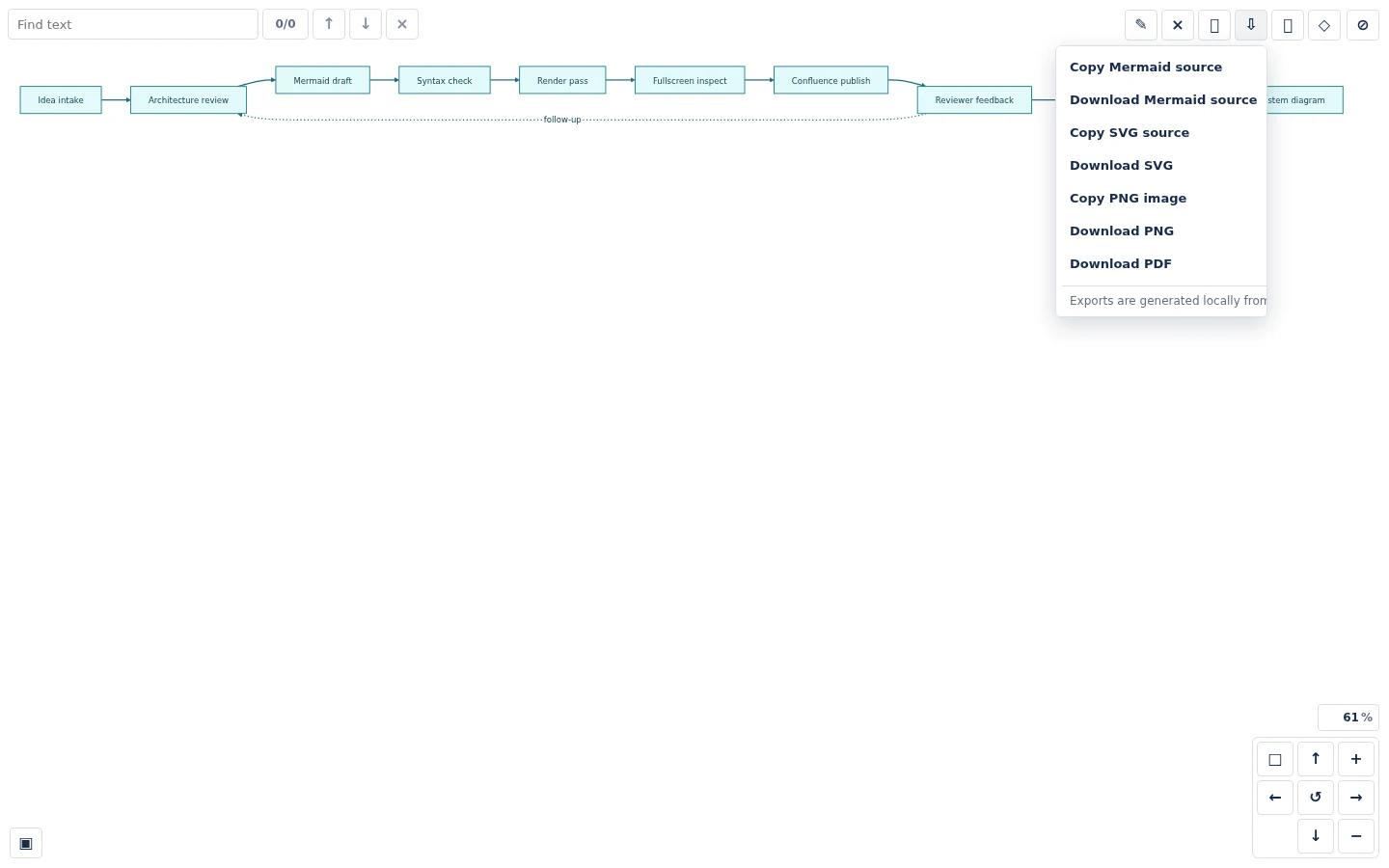
Copy or download Mermaid source and SVG, and use best-effort browser-side PNG, PDF, and clipboard export paths for review handoff.

  • Copy or download Mermaid source.
  • Copy or download sanitized SVG.
  • Generate PNG, raster PDF, and clipboard image output where browser and Forge permissions allow it.
Diagram Lens export menu with Mermaid, SVG, PNG, and PDF options.
06

Trust and safeguards

The launch architecture is designed without an external diagram account, vendor-hosted backend, external analytics, AI service, or remote Mermaid renderer.

  • Current manifest uses only the storage:app Forge scope.
  • Current manifest declares no external egress.
  • Mermaid renders client-side inside Forge Custom UI with strict security controls and sanitized SVG output.
Diagram Lens source editor with Mermaid text on the left and a live rendered preview on the right.
Export notes

Clear expectations for diagram handoff.

SVG and Mermaid source are the primary reliable export paths. PNG, raster PDF, and clipboard image copy are best effort and can depend on browser support, Forge iframe permissions, canvas limits, and diagram size.

Diagram Lens is a source-first Mermaid editor. It does not include visual drag-and-drop editing, AI generation, or repository sync.

Trust

Security, Privacy and Atlassian Marketplace Trust

Diagram Lens is designed for a no-vendor-backend launch model with client-side Mermaid rendering, Forge hosted storage, and strict SVG sanitization.

Forge hosted storage

Diagram Lens stores app-owned diagram configuration in Atlassian Forge hosted storage using the storage:app scope.

No external egress declared

The current manifest declares no external egress, and the launch model does not plan a vendor-hosted backend, analytics, AI service, or remote Mermaid renderer.

Strict Mermaid rendering

Diagram Lens uses strict Mermaid settings, blocks risky patterns, and sanitizes rendered SVG before display and export.

Marketplace links

Public pages for listing review.

These pages are intended for the Atlassian Marketplace listing, customer review, and public trust documentation for Confluence Cloud Forge app / Confluence macro.

Frequently Asked Questions About Diagram Lens

Answers for Confluence teams evaluating Mermaid editing, storage, egress, export behavior, and launch trust boundaries.

What is Diagram Lens?

+

Diagram Lens is a Confluence Cloud Forge macro for reading, editing, inspecting, searching, and exporting Mermaid diagrams inside Confluence.

Does Diagram Lens require an external diagram account?

+

No external diagram account is required. Mermaid source is rendered client-side inside Atlassian Forge Custom UI.

Where is diagram configuration stored?

+

Diagram Lens stores app-owned diagram configuration in Atlassian Forge hosted storage using the storage:app scope.

Does Diagram Lens send diagrams to a remote renderer?

+

Diagram Lens does not use a remote Mermaid renderer, external analytics, AI service, or vendor-hosted backend.

Can Diagram Lens export every large diagram as PNG or PDF?

+

SVG and Mermaid source are the primary reliable export paths. PNG, raster PDF, and clipboard image export are best effort and can depend on browser support, Forge iframe permissions, canvas limits, and diagram size.