The shortlist starts with a keyword and ends with the wrong install.
A Jira admin searches the Atlassian Marketplace for Jira timetracker apps, filters for time tracking, and opens five Jira time tracker apps that all sound interchangeable. Worklogs. Reports. Dashboards. Timesheets. Timers. Rollups.
Then the project manager states the real requirement:
"For epic DEL-20, what did we estimate, what have we logged, where is the variance, and which child issues explain the total — without exporting to Excel again?"
That question does not map to every listing in a Jira time tracking Marketplace search. Some products automate capture. Some govern weekly submissions. Some plan team capacity. Some measure workflow aging. A smaller set focuses on live rollups of native Jira time fields.
This buyer guide maps the categories so you match app type to reporting job — not to the keyword you typed first. It is a category map, not an app ranking.
For shortlist questions and trial gates, see Jira time tracker apps: 8 questions before you install one. For timesheets vs rollups in depth, see Jira timesheets vs Jira time tracking.
Quick Answer
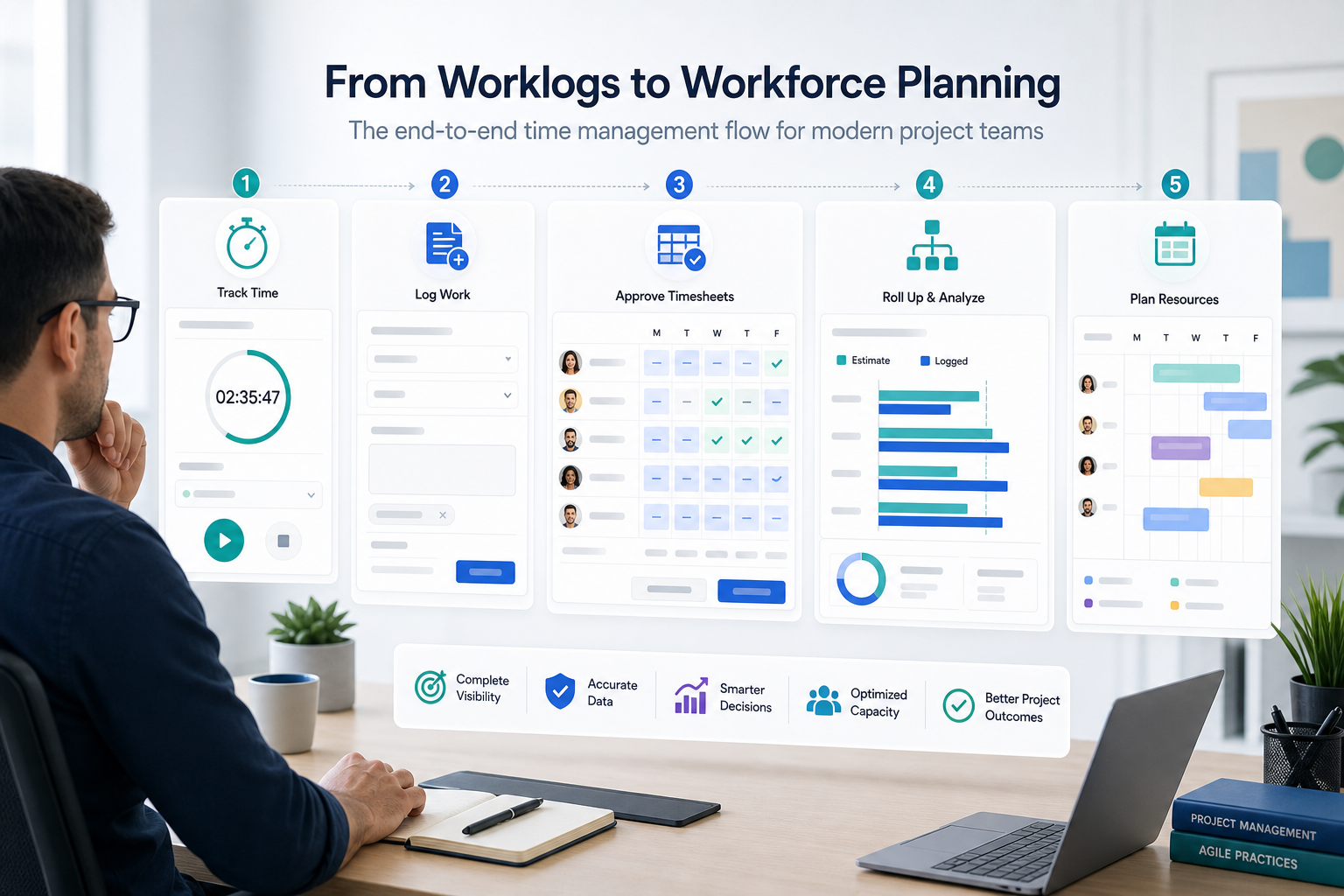
Four core Jira reporting apps categories hide behind similar Marketplace labels:
- Timers and capture — "Can we log time faster and more completely?"
- Logging UX — "Can we reduce friction in Jira's worklog panel without changing reporting?"
- Timesheets and governance — "Who submitted time, who approved it, and can we lock the period?"
- Rollups and hierarchy reporting — "What is the epic or project total, variance, and child breakdown right now?"
Pick the category that matches the report you keep rebuilding. Then shortlist apps inside that category only.
When Marketplace Labels Collide
Vendors compete for the same queries. A listing can mention worklogs, dashboards, timesheets, and reporting whether the primary job is capture, governance, or rollups.
That is why Jira timetracker results feel interchangeable until you name the recurring stakeholder question. The useful split is not "which app has the longest feature list." It is which reporting job you are hiring the app to do.
Three prep steps before you filter results:
- Name the recurring report — sprint review, client steering update, billing close, or capacity plan.
- Write your estimate rule — for example, original estimate on the parent story; subtasks explain execution unless the parent estimate is empty.
- Check native paths first — Jira already stores worklogs and estimates. Atlassian supports exporting search results to CSV and Excel. If the only gap is hierarchy math, you may need a rollup app — not a full timesheet suite.
What Native Jira Already Covers
Atlassian's time tracking documentation describes issue-level logging: users record time on a work item, and the panel shows logged time and remaining time on that issue.
Native Jira time tracking includes worklogs, estimate fields when configured, admin-controlled permissions, JQL time fields, and search exports. Marketplace apps extend capture, governance, or hierarchy reporting — or replace part of the capture path as a third-party provider.
Atlassian's time tracking administration documentation notes that Marketplace apps can extend capabilities and that third-party providers may store data with the app developer. Know which layer you are adding before you install.
Category 1: Timers and Automated Capture
Primary question: "Can we log time more completely with timers, calendars, or background capture?"
Timer and automated capture apps focus on how hours enter Jira. They reduce missed logging, suggest entries from calendars, or run timers while work happens.
Clockwork Pro is a common example in this cluster. Public Marketplace and documentation materials emphasize automated tracking, manual timers, calendar integration, billable hours, cost rates, and billing-period controls — often alongside timesheet reporting.
Buy this category when missed logging, billable classification, or billing-period discipline is the pain.
Verify during trial: provider model (native worklogs vs app as time tracking provider), billing periods, rates, uninstall behavior, and whether capture changes affect existing dashboards.
Do not assume a timer app answers epic-level estimate vs logged variance in one sidebar view.
Category 2: Logging UX and Worklog Extensions
Primary question: "Can developers log time more easily without changing how we report?"
This cluster improves the logging experience inside Jira: faster entry panels, bulk updates, templates, or validation rules. Marketplace pages often blur this with Category 1 because both mention "logging."
Ask finalists directly:
- Does the app require logging through its panel, or does it enhance Jira's native worklog flow?
- If you uninstall later, where do worklogs live?
- Does it add validation that helps data quality, or process steps that slow logging?
- Does it read native worklogs for any reporting features, or only store entries separately?
Buy this category when logging friction is the problem and your reporting process already works.
Do not assume better logging UX produces hierarchy rollups, timesheet approvals, or billing locks. Verify the primary job on the listing and in sandbox — labels overlap.
Category 3: Timesheets and Governance
Primary question: "Who submitted time, who approved it, and can we lock the period?"
Timesheet apps govern organizational time — not just seeing logged hours.
Common capabilities include weekly submission, manager approval, closed periods, accounts, billable flags, and payroll or invoicing integrations.
Tempo Timesheets is the established example. Tempo documentation covers approvals, closed periods, permissions, and accounts — and Tempo Timesheets requires the Tempo Core companion app. At the time of prior verified research on this site (June 2026), the Tempo Cloud listing showed Cloud Fortified status and a large install count; verify current pricing and editions before procurement.
WorklogPRO Timesheets for Jira and Timesheet Tracking for Jira appear in buyer shortlists for traditional worklog and timesheet reporting. Their current Marketplace details were not fully verified in prior research runs on this site — confirm listings before comparing feature by feature.
Buy this category when finance or PMO needs approval trails and period locks.
Do not assume a timesheet suite replaces live epic rollup visibility without verifying hierarchy reporting in trial.
Category 4: Rollups and Hierarchy Reporting
Primary question: "What is the current estimate, logged total, variance, and child breakdown at project or epic scope?"
Rollup Jira reporting apps answer delivery and budget visibility — not payroll governance or automatic capture.
They typically aggregate native original estimate and time spent across child work, show spent variance, explain which issues drive totals, and export PDF or CSV for reviews.
Consider epic DEL-20 again. Finance may need week-ending timesheet approvals. The project manager needs DEL-20's estimate compared with logged work and a child-issue breakdown for the steering deck. Same epic. Different categories.
Native paths get partway there: JQL lists rows; exports feed spreadsheet formulas. That breaks down when the same rollup is rebuilt every cycle — see Why Jira worklogs look complete until you try to roll them up. Jira Plans can roll up estimates for planning conversations but may not replace the operational report a PM sends before a client call — see Jira Plans rollups vs project reporting.
Buy this category when worklogs exist but hierarchy math is the recurring pain.
Verify during trial: inclusion rules for subtasks, stories, epics, and projects; parent vs child estimates; variance fields; remaining estimate if forecast variance matters; permission alignment; export parity.
Do not assume a rollup panel provides timesheet approvals or billing locks.
Adjacent Categories in the Same Search
Marketplace filters also surface apps that are not primary answers to worklog budget rollups:
| Adjacent category | Primary question | Example direction | Not a substitute for |
|---|---|---|---|
| Resource planning | "Who has capacity and how does planned compare with logged?" | ActivityTimeline | Epic variance rollups |
| Status analytics | "Where does work wait in the workflow?" | Time in Status | Estimate vs logged reporting |
Verify current listings for any named example. This table is a category map, not a ranking.
Five Categories at a Glance
| Category | Primary question | Typical buyer | Example Marketplace direction | Verify carefully |
|---|---|---|---|---|
| Timers and capture | "Can we log time faster and more completely?" | Developers, ops | Clockwork Pro | Provider model, billing periods, rates |
| Logging UX | "Can we reduce logging friction in Jira?" | Scrum teams | Various worklog extensions | Native vs app-only entry; uninstall path |
| Timesheets and governance | "Can we submit, approve, and lock time?" | Finance, PMO | Tempo Timesheets; verify WorklogPRO / Timesheet Tracking | Approvals, period close, integrations |
| Rollups and reporting | "What is the epic/project total with child breakdown?" | Project managers, delivery leads | Rollup-focused apps such as TimePillar | Hierarchy rules, variance fields, exports |
| Adjacent (planning / status) | "Who has capacity?" or "Where does work wait?" | PMO, process owners | ActivityTimeline, Time in Status | Not worklog budget rollups |
Match Category to Your Reporting Job
Before you shortlist apps, write the question you need answered every week:
- Is the pain missed logging? → timer/capture category
- Is the pain slow logging in the issue view? → logging UX category
- Does time need approval before it counts? → timesheet category
- Is the pain manual hierarchy math on existing worklogs? → rollup category
- Is the question workflow aging rather than hours logged? → status analytics category
Two Categories at Once?
If finance needs period locks and delivery needs epic rollups, one keyword search will not prove one app covers both jobs.
Options:
- Two focused apps — timesheet governance plus rollup reporting — with clear ownership of each workflow
- One suite that explicitly documents both jobs in vendor docs and trial — not inferred from shared Marketplace tags
- Native export plus one app — when only one layer is missing
Do not install a large timesheet platform because the PM also mentioned "reporting," or a rollup panel because finance typed "timesheet" in search. Name both jobs on paper first.
Marketplace Checks by Category
Word pricing, ratings, and install counts as time-sensitive: "The listing showed at the time of evaluation..."
Timer and capture apps
- Provider model: native worklogs vs time tracking provider replacement
- Timers, calendars, automation, billable flags, rates, billing periods
- Uninstall and data retention behavior
- Privacy & Security tab and requested scopes
Timesheet apps
- Submission and approval workflow
- Period close behavior
- Accounts, integrations, companion apps
- Cloud vs Data Center on the exact listing tab you use
Rollup reporting apps
- Hierarchy levels included: subtask, story, epic, project, filter
- Parent vs child estimate rules when both are populated
- Fields at parent scope: original estimate, time spent, remaining estimate, variance
- Permission alignment for non-admin viewers
- Export formats and on-screen vs export parity
For security and provider-model review across categories, see Before you install a Jira time tracking app, ask these 12 questions.
Security signals (all categories)
- Marketplace Privacy & Security tab and vendor privacy policy
- Whether data is calculated in place or copied to vendor storage
- Cloud Fortified or Bug Bounty participation where visible — signals to investigate, not guarantees
- SOC 2, ISO, GDPR, or DPA claims only when explicitly published by the vendor
Common Category Misfits
Timesheet suite for a rollup problem
Symptom: the PM exports child worklogs weekly to calculate epic variance; finance has no approval requirement.
Risk: long rollout for a report that needed hierarchy math, not period governance.
Rollup app for a billing problem
Symptom: finance needs locked periods and billable rates; the PM also needs epic totals.
Risk: rollup visibility without approval trails — possibly two categories, not one app.
Timer app for a reporting problem
Symptom: logging improves but the steering deck still rebuilds epic totals in Excel.
Risk: better capture without the rollup view stakeholders expect.
Worklog rollup for workflow aging
Symptom: leadership asks where work waits; buyers shortlist worklog rollup apps.
Better fit: status-duration analytics.
Where TimePillar Fits
TimePillar belongs in Category 4: rollups and hierarchy reporting, not timer capture, logging UX, or timesheet governance.
Public Marketplace and product materials describe live project and epic rollups of estimated vs logged time, variance, child-work visibility, and PDF/CSV export from the Jira issue context — with low setup and native field reads according to vendor claims. At the time of prior verified research on this site (June 2026), the TimePillar Marketplace listing described Jira Cloud rollups; the product page also mentions Data Center — verify your hosting path before rollout. Prior public-source review on this site did not find support for remaining-estimate rollups at parent scope; verify in trial if forecast variance matters.
Evaluate TimePillar when the recurring question is:
"Can I open this epic or project and see current estimate, logged time, variance, child breakdown, and export — without rebuilding a spreadsheet first?"
Trial elsewhere when the recurring question is approvals, locked periods, billable rates, automatic capture, or workflow aging.
Before choosing, verify hierarchy rules, permissions for non-admin viewers, export quality, and performance on a real large project. Prior Marketplace research noted a small install base and limited review signals at that time — use trial evidence, not install counts alone.
For app-level comparison once category is clear, see TimePillar vs Jira time tracking Marketplace apps.
Start With the Job, Not the Keyword
Jira timetracker and Jira time tracker apps share Marketplace vocabulary because vendors compete for the same queries. The useful split is reporting job:
- Faster or more complete logging → timer/capture or logging UX
- Submitting and approving time by period → timesheet category
- Defending epic or project estimate, logged, variance, and child breakdown → rollup category
Name the recurring report. Match the category. Then compare individual listings within that category using verification, permission checks, and a reproducible trial on real data.
That is how buyers get the capability they need instead of the label on the search box.
See how Jira time tracking reports with TimePillar fit the rollup category when estimate, logged time, variance, and child-work visibility are the gap — and compare that narrow job against timesheet and capture tools before you install.