The PM opened DELIV-88 and scrolled past three comment threads. Someone had pasted https://files.company.com/.../client-acme/specs six weeks ago. The folder moved to client-acme/2026-release last sprint. Nobody updated the ticket.
"Can someone drop the folder link again?"
That question is the hidden cost of issue file linking by URL paste. Jira carries the work. Nextcloud carries the deliverables. When the only bridge is a comment link, context goes stale the moment someone renames a directory.
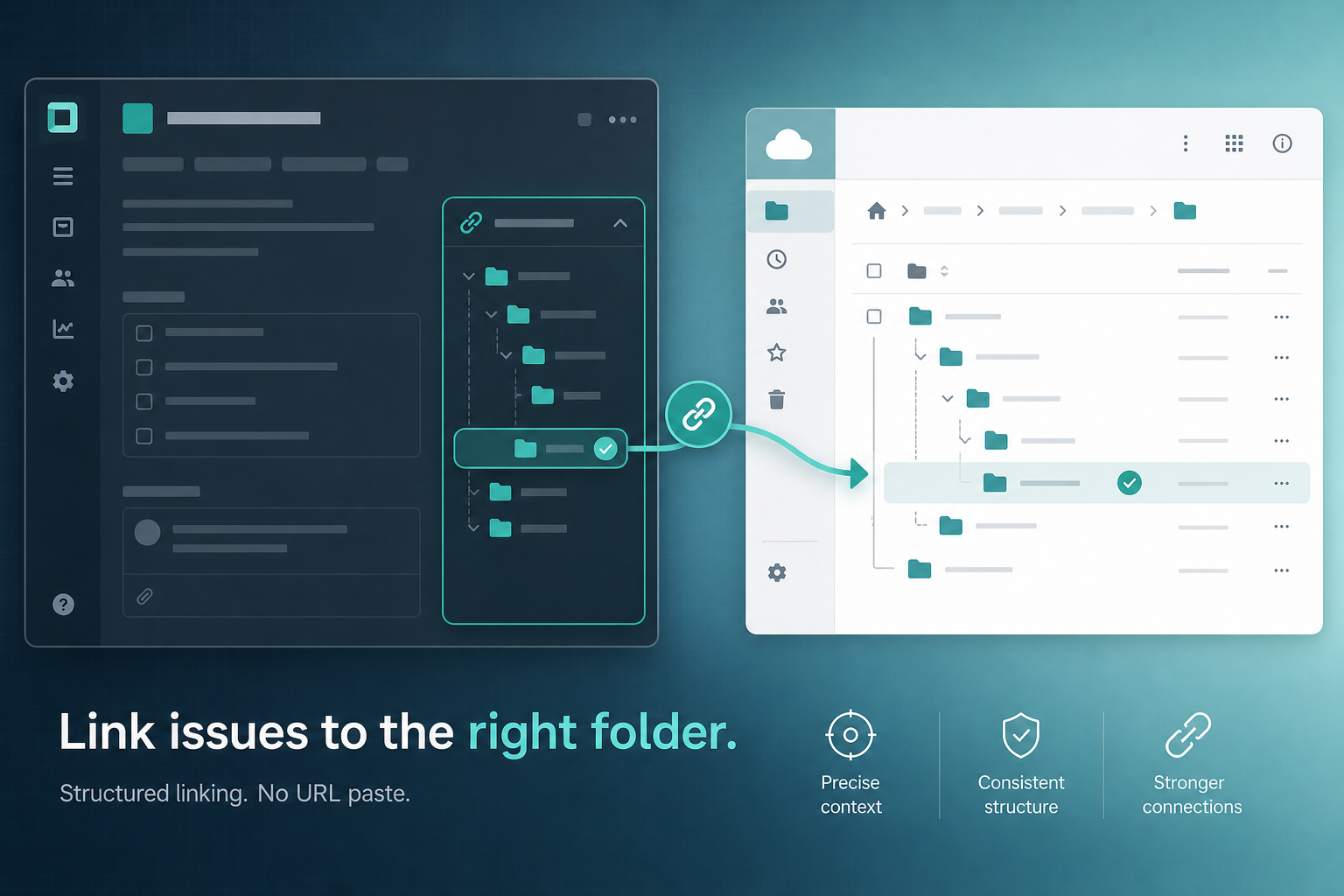
If your site runs Nextcloud for Jira, you can link Nextcloud folder to Jira issue from the Nextcloud files panel in the issue sidebar — browse to an existing project directory or optionally auto-create a Jira/ISSUE-KEY folder — without copying URLs into descriptions or comments.
This how-to walks through manual folder linking from the issue panel, optional auto-create, and when delivery teams should standardize Jira issue folder paths per issue.
Quick answer
To link a Nextcloud folder without copy-paste URLs:
- Confirm a Jira admin has connected your site to Nextcloud (HTTPS URL, service account, app password, test connection, save when Connected).
- Open the Jira issue and find the Nextcloud files panel in the sidebar.
- Choose manual link to browse and select an existing Nextcloud project folder — or use auto-create if your team policy gives each issue its own
Jira/ISSUE-KEYdirectory. - Confirm the linked folder path appears on the issue.
- Use Refresh after uploads and Change folder when scope moves — not another URL in a comment.
What you are trying to accomplish
You want durable folder context on the ticket — not a link that breaks when someone reorganizes Nextcloud.
When delivery teams open an issue, they should see:
- Which Nextcloud project files directory belongs to this ticket
- A browsable file list from that folder
- Actions to refresh, relink, or open in Nextcloud
That is structured issue file linking. It replaces the habit of pasting folder URLs into comments, which do not refresh, do not stay in one place, and contradict the panel when both exist on the same ticket.
What the Nextcloud Files Panel Needs to Show
For the workflow to beat copied URLs, the issue panel should make the current folder state obvious:
- linked folder path, so reviewers know which directory is authoritative
- file list, so users can inspect the folder before uploading another copy
- refresh action, because files can change directly in Nextcloud
- change-folder action, for moved client directories or corrected links
- open-in-Nextcloud action, for native sharing, editing, sync, and permission checks
If users still have to search comments for the latest URL, the integration has not replaced the old workflow. It has only added another place to look.
Who does what
| Role | Responsibility |
|---|---|
| Jira admin | Install app, configure HTTPS connection, approve egress, test before save |
| Nextcloud admin | Service account, app password, folder permissions, group-folder policy |
| Delivery lead / PM | Folder taxonomy; manual link vs auto-create Jira/ISSUE-KEY policy |
| Issue viewers | Link folders per team rules; refresh after uploads; avoid URL paste |
Requirements before linking works
Site-level (admin, once)
Public vendor documentation from Nextcloud for Jira describes these prerequisites:
- Install and configure the app on Jira Cloud
- Enter HTTPS Nextcloud URL, service account, and app password
- Run test connection and save only when status shows Connected
- Approve customer-managed egress so Forge can reach your Nextcloud domain
For full admin connection steps, see How Jira Admins Connect Nextcloud to Jira Cloud. For credential design, see Nextcloud App Passwords for Jira Integrations.
Issue-level (each ticket)
- Each issue links its folder independently — public product copy describes per-issue folder mapping; do not assume child issues inherit an epic's linked path without verifying in sandbox
- The Nextcloud service account must be able to read the directory you plan to link
- Your team should know whether this issue type uses manual link or auto-create — mixed habits create conflicting paths
If every panel on every issue errors at once, fix site connection before debugging individual folder paths.
Manual link vs URL paste vs auto-create
| Approach | How it works | Failure mode |
|---|---|---|
| URL paste | Copy Nextcloud link into description or comment | Link goes stale after rename or move |
| Manual panel link | Browse and select existing folder from issue panel | Wrong folder without taxonomy rules |
Auto-create Jira/ISSUE-KEY | Panel maps per-issue directory (verify UI in sandbox) | Folder sprawl without PM cleanup policy |
Before: comment contains https://files.company.com/.../client-acme/specs (broken after rename).
After: panel shows linked path Clients/Acme/2026-release/specs with refresh and change-folder actions — no URL to maintain in comment threads.
Step-by-step: manual link from the issue panel
Use manual link when deliverables already live in a shared Nextcloud project folder — one client directory, one release tree, one design package serving multiple issues.
Public product copy describes linking from the Nextcloud files panel on each Jira issue. Exact button labels may vary — verify in sandbox — but the workflow is:
- Open the Jira issue where folder context is missing or wrong.
- Locate the Nextcloud files panel in the issue sidebar (Forge issue panel location).
- If no folder is linked, use the panel action to link a folder — browse directories the integration can read from Nextcloud.
- Navigate to the existing project folder your team agreed is authoritative — for example
Clients/Acme/2026-release/specs. - Confirm the link — the panel should show the linked folder path on the issue.
- Verify the file list loads files from that directory.
- Click Refresh if a teammate just uploaded — the list reflects Nextcloud at load time, not live sync on every open.
Manual link fits when:
- Multiple issues on the same client share one deliverable tree
- PMs already maintain folder taxonomy in Nextcloud
- You want epics and stories pointing at the same project directory — link each issue explicitly; do not assume inheritance
Document who may link folders. Unrestricted linking without rules recreates "some issues linked, some not" confusion quickly.
Step-by-step: auto-create Jira/ISSUE-KEY folders
Backlog Bridge's public product page describes optional auto-create of Jira/ISSUE-KEY folders — for example Jira/DELIV-88 when the issue key is DELIV-88.
Use auto-create when:
- Every ticket should own its own directory
- You want predictable paths without browsing
- Onboarding templates expect
Jira/<issue-key>/as the upload target
Typical workflow (verify exact UI and whether auto-create is enabled for your site in sandbox):
- Open the issue and the Nextcloud files panel.
- Choose the auto-create or equivalent action if your team policy enables it.
- Confirm the panel shows a path like
Jira/DELIV-88. - Upload deliverables to that folder in Nextcloud — the panel lists them after Refresh.
Auto-create is a team policy choice, not a universal default. Shared client folders often fit manual link better. Per-issue asset drops fit auto-create better.
When to standardize folder paths per issue
Folder path standardization is a delivery decision PMs and Nextcloud admins should publish before rollout — not something each developer picks per ticket.
| Situation | Recommended pattern | Example path |
|---|---|---|
| Shared deliverables across epic + stories | Manual link to one client folder; link each issue | Clients/Acme/2026-release |
| Each issue owns distinct assets | Auto-create per issue key | Jira/DELIV-88 |
| Program with client root + issue subfolders | Hybrid — epic manual, stories auto-create | Epic → client root; stories → Jira/DELIV-88 |
| Low volume, ad hoc files | Manual link or attachments | Case-by-case |
"Should this epic share the client folder or get its own ISSUE-KEY directory?"
Answer that before linking fifty stories inconsistently.
Worked example: Epic PAY-200 links manually to Clients/PayCo/implementation. Stories PAY-201 through PAY-210 also link manually to the same folder because specs and SOWs are shared. Bug PAY-215 gets auto-create Jira/PAY-215 because reproduction assets are issue-local. That hybrid works only when the PM publishes the rule — otherwise PAY-216 lands in a random client subtree.
Folder taxonomy checklist for delivery leads
- [ ] Name the system of record for client deliverables (Nextcloud folder, not Jira attachments)
- [ ] Define which issue types get manual link vs auto-create
- [ ] Document whether epics and child issues share one folder or split paths — and link each issue explicitly
- [ ] Assign who creates top-level client directories in Nextcloud
- [ ] Publish naming rules — avoid
finalfolder names that multiply silently - [ ] Plan cleanup for auto-created folders when issues are deleted or merged
For the broader attachments vs linked-folders decision, see Jira Attachments vs Nextcloud Linked Folders.
After linking: keep the mapping current
Once linked, use Refresh after uploads, Change folder when scope moves, and Open in Nextcloud when editing belongs in the file server. Change folder updates the issue mapping — it does not move files between directories.
When you adopt panel linking, clean stale URL comments on active issues so reviewers know the sidebar path is authoritative.
For full control detail — linked folder display, file list, refresh, change folder, open in Nextcloud — see What Is the Nextcloud Files Panel on a Jira Issue?.
Common pitfalls
Linking before connection works
If every panel errors, fix site connection and egress before debugging folder paths.
Wrong folder picked under pressure
Without taxonomy rules, someone links Clients/Acme/old-project because it was easy to find. Publish folder naming before rollout.
Assuming auto-create replaces PM discipline
Jira/ISSUE-KEY folders multiply. Without cleanup policy, Nextcloud fills with orphan directories tied to closed tickets.
Assuming epic link covers child issues
Each issue maps its own folder in public product copy. Link stories explicitly or verify inheritance behavior in sandbox — do not rely on epic linkage by default.
Permission boundary confusion
Jira issue access and Nextcloud folder ACLs are separate. Test with the same user personas you use for client reviews.
Service account cannot read linked path
Panel shows empty list despite linked path — often Nextcloud ACL on the service account. Fix in Nextcloud, then refresh.
Mixed URL paste and panel linking
Stale comment URLs contradict the linked folder. Remove or update old links when structured linking goes live.
Five steps to validate linking in sandbox
Run before org-wide folder policy rollout:
- Connect sandbox Nextcloud in admin settings with test credentials
- Manual link test — link an existing folder with several files; confirm path and file list
- Auto-create test — if enabled, create
Jira/TEST-1; confirm path pattern - Refresh test — upload a file in Nextcloud; refresh panel; confirm new file appears
- Change folder test — relink to a second directory; confirm path updates
Also test with a user who can browse the Jira issue but lacks Nextcloud access — confirm Open in Nextcloud behavior matches your security expectations.
Admin and security considerations
Folder linking exposes directory paths and file names on issues viewers can open. Treat that as a visibility decision.
- Which Jira roles can see linked folder paths on issues they browse?
- Does auto-create write under a path the service account owns?
- Are client folder names sensitive — should they appear in Jira sidebars?
- Who may use Change folder — unrestricted relinking can break audit trails
Public vendor copy mentions HTTPS-only connections, blocked private/metadata hosts as SSRF mitigation, and Forge secret storage for credentials. Admins should read Marketplace privacy materials if procurement requires them.
No Atlassian Marketplace listing URL was provided in editorial metadata for this article, and listing details were not verified at the time of writing (July 2026). Search Marketplace for "Nextcloud for Jira" or vendor "Backlog Bridge" and verify current pricing, hosting, scopes, privacy tab, and install signals before installation.
Do not infer SOC 2, ISO, GDPR, DPA, or Cloud Fortified status without explicit published evidence.
When to use a different approach
Stay with URL paste when volume is low, admin setup is not justified, and you accept stale link risk.
Stay with Jira attachments when files are small, issue-scoped, and rarely shared across tickets.
Use manual link only when every issue shares a well-maintained client folder — skip auto-create.
Fix folder taxonomy first when the pain is duplicate specs across epics — linking tools show one folder per issue; they do not replace delivery-wide directory decisions.
Link from the panel, not the comment thread
Delivery teams live in Jira issues. When Nextcloud project files live on your file server, link Nextcloud folder to Jira issue from the Nextcloud files panel — manual browse to the project directory or optional auto-create — instead of copy-paste URLs that go stale after the next rename.
Standardize Jira issue folder paths with your PM and Nextcloud admin before linking at scale. Refresh after uploads. Change folder when scope moves. Clean stale comment links when the sidebar becomes authoritative.
Verify vendor claims and auto-create behavior in sandbox before production folder paths appear in issue sidebars.
See how Nextcloud for Jira describes issue folder linking, manual and auto-create options, and the Nextcloud files panel for teams running both systems.
For admin connection setup, read How Jira Admins Connect Nextcloud to Jira Cloud. For panel controls after linking, read What Is the Nextcloud Files Panel on a Jira Issue?.