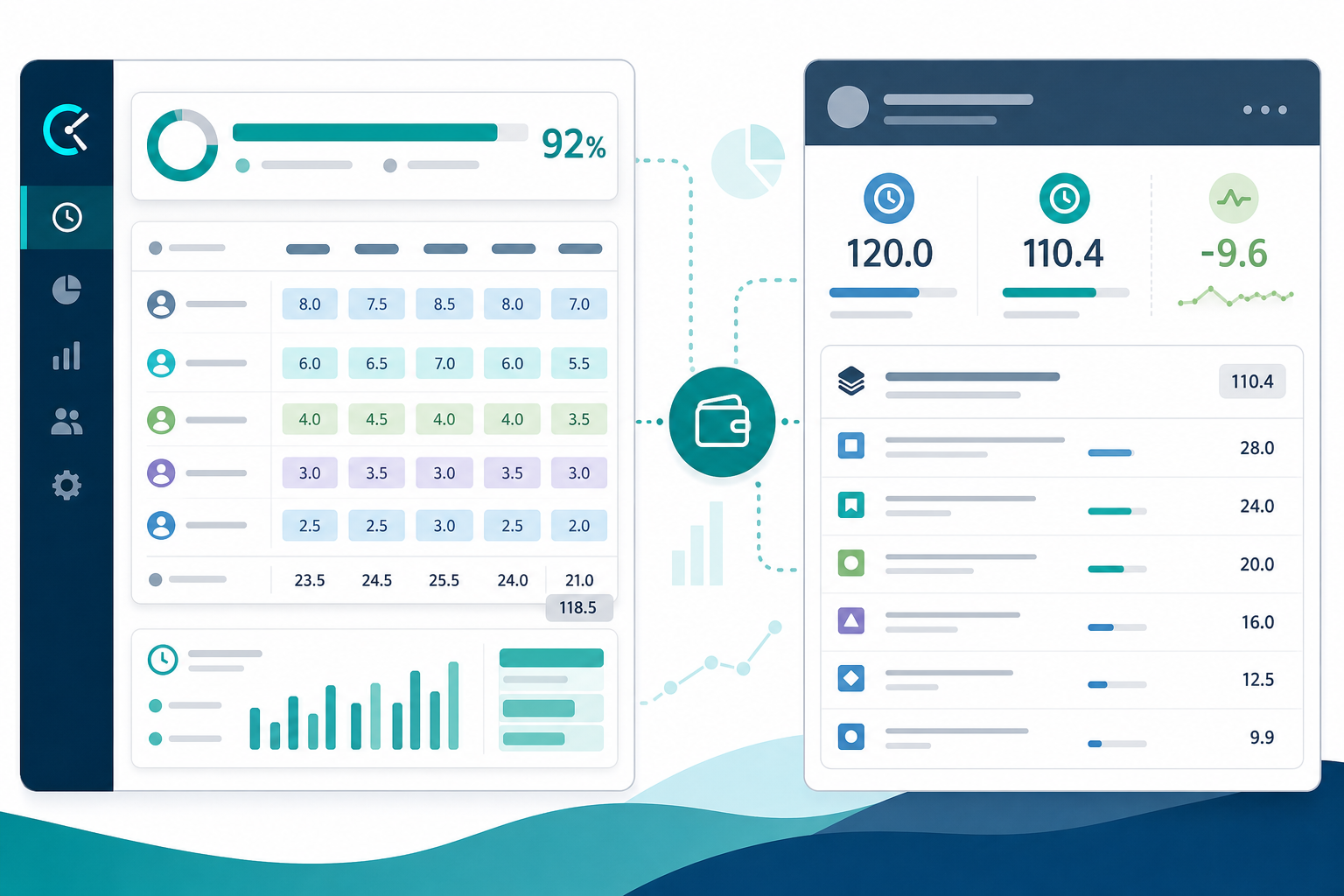
The steering deck almost worked.
Developers tracked time in Clockify. The Jira board showed delivery progress. Finance had billable hours in Clockify reports. Then the project manager opened epic DEL-45 for the client update and the question landed where integrations rarely advertise it:
"Are we still inside budget on this epic — and can you show me the child issues behind the total from Jira?"
Clockify answered a budget question in Clockify. Jira still could not defend the epic rollup from one native screen.
That gap is why Clockify Jira evaluations fail when teams treat integration as budget reporting solved. Syncing time into Jira is not the same job as producing trustworthy Jira budget reporting at project or epic scope.
This buyer guide explains what external time tracker integrations typically feed Jira, where rollups still break down, and what project managers should verify before they rely on Clockify for stakeholder budget conversations inside Jira.
Quick Decision Flow
- If budget truth lives in Clockify and stakeholders accept Clockify exports → Clockify + Jira sync may fit; document which reports come from which system.
- If stakeholders expect epic or project estimate, logged time, variance, and child breakdown from Jira → test Jira rollup paths after sync; integration alone is rarely enough.
- If worklogs are already in Jira and the pain is hierarchy totals → evaluate rollup category tools such as TimePillar, not more capture tooling.
Two Budget Views: Clockify Workspace vs Jira Hierarchy
Project managers often inherit two reporting surfaces after adopting an external time tracker Jira setup.
Clockify-side reporting answers questions inside the Clockify workspace:
- How many hours did the team log this week?
- Which Clockify projects or clients are over budget?
- What are billable vs non-billable totals by person or task?
- Do Clockify budget views show the team on track for the client?
Jira-side reporting answers a different set of questions:
- For epic DEL-45, what was the original estimate, what is logged, what remains, and what is the variance?
- Which stories and subtasks explain the epic total?
- Can a second manager reproduce the same numbers from Jira without opening Clockify?
Clockify public materials center budgets, rates, and time reports in Clockify — verify current plan features on vendor docs. Jira holds issue worklogs, original estimates, and remaining estimates when teams maintain them — but Jira does not automatically roll child worklogs into the epic total most steering meetings expect. See Why Jira worklogs look complete until you try to roll them up.
Before comparing vendors, name which surface your recurring stakeholder report lives on.
What Clockify + Jira Integration Typically Synchronizes
Clockify is a standalone time tracker with a documented Jira integration — not a Jira Marketplace app like Clockwork Pro or Tempo Timesheets. Public Clockify help materials describe connecting a Jira Cloud site, importing Jira projects and issues, tracking time against Jira issues from Clockify clients, and pushing logged time to Jira as worklogs when configured.
Verify every claim below on current Clockify Jira integration help before procurement — this research run did not live-fetch vendor pages (July 5, 2026).
Typical integration outcomes buyers expect:
- Jira projects and issues appear as Clockify projects or tasks for time entry
- Time logged in Clockify can sync to Jira worklogs on the linked issue
- Teams continue using Jira for delivery tracking while capturing hours in Clockify
What the integration does not automatically guarantee:
- Original estimates, remaining estimates, or forecast variance kept aligned between Clockify budgets and Jira fields
- Epic or project hierarchy totals visible in Jira from synced worklogs alone
- One unified budget number that finance, PMs, and clients all read from the same screen
- Identical report shapes in Clockify time reports and Jira steering decks
Integration success means data movement. Jira time tracking integration success for budget reporting means the right fields are populated in Jira with scope rules your PM can defend.
What Jira Project Budget Reporting Actually Requires
Atlassian's time tracking documentation describes issue-level logging: worklogs on work items, with logged time and remaining time visible on the issue.
For budget conversations, project managers usually need at least three native fields read together at the right scope:
- Original estimate — baseline planned effort
- Time spent — hours logged in worklogs
- Remaining estimate — forecast of work left
Forecast variance at issue scope follows:
time spent + remaining estimate - original estimate
See original estimate vs time spent in Jira for why spent variance alone misses early warnings.
At hierarchy scope — epic, parent story, project filter — Jira also needs:
- Consistent logging on the issue levels your scope rules include (stories, subtasks, bugs)
- Agreement on whether parent, child, or both carry estimates
- A repeatable aggregation path: export math, planning rollup, or dedicated Jira worklog reporting tool
JQL finds issues with logged time. It does not return hierarchy sums — see Can JQL show time spent in Jira?.
Native Jira dashboard gadgets help with flow and status visibility. They rarely replace explainable time rollups by epic with child breakdown.
So even when Clockify sync populates Jira worklogs correctly, the PM may still lack epic-level estimate, logged, variance, and child breakdown in one Jira view.
Where Sync and Integration Limits Break Budget Rollups
These are the failure modes project managers report after "the integration works."
Dual system of record
Hours may be authoritative in Clockify for billing while Jira worklogs lag, differ, or miss edits made only in one system. Steering updates built from Jira then disagree with finance's Clockify export.
Example: Clockify shows a client project at 92% of budget. Epic DEL-45 in Jira shows 140 hours logged against a 120-hour original estimate with no child breakdown on the epic screen. Both can be "correct" in their own system while the steering conversation stalls.
Hierarchy scope mismatch
Teams log on stories and subtasks. Stakeholders ask about epics. Synced worklogs sit on child issues while the epic field stays empty or misleading — the pattern in Why your Jira epic always shows 0 hours.
Estimate fields not in sync
Clockify project budgets and Jira original estimates are separate concepts. A green Clockify budget does not prove Jira forecast variance is acceptable if estimates were never aligned or maintained in Jira.
Remaining estimate drift
Native remaining estimate supports forecast reads when updated honestly. External capture that pushes logged time without matching remaining-estimate discipline can leave Jira's forecast fields stale. See Jira remaining estimate reporting.
Timing and mapping delays
Batch sync, failed webhooks, renamed issues, or moved projects can produce worklogs that look complete issue-by-issue but fail periodic rollup audits.
Permission and visibility gaps
Clockify totals may include hours Jira viewers cannot see on restricted issues — or Jira rollups may omit contractor worklogs depending on Browse and Work On Work Items permissions.
Reporting location confusion
Finance closes the month from Clockify. Delivery leads report sprint health from Jira. Nobody agreed which system owns budget truth for the client steering deck.
Quick Comparison: Clockify Reports vs Jira-Native Budget Reads
| Dimension | Clockify workspace reporting | Jira-native budget read (with synced worklogs) |
|---|---|---|
| Primary location | Clockify dashboards and exports | Jira issue fields, search exports, rollup tools |
| Best for | Team time capture, Clockify budgets, billable totals by Clockify project | Delivery variance tied to Jira issues, epics, and stakeholders who live in Jira |
| Hierarchy epic rollup | Clockify project or client views — verify mapping to Jira epics | Requires export math or rollup tooling; not automatic in native Jira |
| Original / remaining estimate | Clockify budget features — verify link to Jira estimate fields | Native fields on issues when maintained |
| Stakeholder deck from Jira alone | Unlikely without Jira-side rollup path | Possible with discipline or rollup app |
| Dual-system risk | Lower when Clockify is declared system of record | Higher when teams assume sync replaces Jira reporting design |
External Tracker vs In-Jira Marketplace App
Architecture matters for Jira budget reporting evaluations.
External tracker (Clockify) + sync
- Users often capture time in Clockify first
- Jira receives worklogs when sync runs
- Budget and billing features primarily live in Clockify
- Admin surface spans two vendors, two privacy policies, two export habits
In-Jira Marketplace apps (Clockwork Pro, Tempo Timesheets, rollup tools)
- Capture and reporting closer to the Jira issue context
- Some apps become the time tracking provider — changing where users log
- Rollup apps such as TimePillar read native Jira fields without replacing Clockify
Clockify may be the right capture choice for teams standardized on Clockify across clients and tools. It is a weaker default when the buyer problem is only defended epic totals inside Jira and worklogs already exist.
See Jira timesheets vs Jira time tracking for the category map.
When Clockify + Jira Fits Budget Reporting
Clockify alongside Jira is a reasonable direction when recurring questions sound like:
"Can we keep Clockify as the time system our team already uses and still push hours to Jira for delivery visibility?"
"Does finance need Clockify budgets, billable rates, and client time reports more than epic rollups inside Jira?"
"Will stakeholders accept Clockify exports for budget truth while Jira owns delivery status?"
In those cases, treat Jira as the issue system of record and Clockify as the time and billing workspace — with explicit documentation of which reports come from which system.
When Rollup Gaps Remain After Sync
Re-evaluate the architecture when recurring questions sound like:
"Can I open this epic in Jira and defend estimate, logged time, variance, and child breakdown without Clockify?"
"Why does every steering meeting still export Jira to Excel after we integrated Clockify?"
"Which number is official when Clockify and Jira disagree?"
Those questions point to a Jira rollup gap, not a Clockify capture gap. Syncing worklogs does not replace hierarchy aggregation, scope rules, or live rollup panels in Jira.
See the five Jira time reports project managers ask for for the manual rebuild pattern.
Where Rollup Tools Fit When Worklogs Are Already in Jira
If Clockify sync keeps Jira worklogs current, the remaining pain is often hierarchy visibility — not capture. Rollup category tools read native Jira time fields on issues where synced worklogs land.
TimePillar public materials position live project and epic rollups of estimated vs logged time, variance, child visibility, and PDF/CSV export from the Jira issue sidebar — according to Marketplace and product page claims. Prior research on this site did not find public support for remaining-estimate rollups; verify if forecast variance at parent scope matters.
TimePillar does not sync with Clockify directly and does not replace Clockify-side budgets. It addresses the Jira steering-deck question when hours already appear in Jira worklogs — including hours pushed from Clockify.
See TimePillar vs Jira time tracking Marketplace apps for category context.
What to Verify Before Relying on Clockify for Jira Budget Reporting
Integration and sync
- Sync direction: Clockify to Jira, Jira to Clockify, or both — on current vendor docs
- Which issue types and hierarchy levels sync
- Whether edits in one system overwrite the other
- Delay, failure handling, and reconciliation process
- Behavior when issues move, rename, or archive
Jira field alignment
- Do Jira original estimates exist where your scope rules expect them?
- Are remaining estimates maintained after synced logs arrive?
- Can you compute forecast variance at issue scope from Jira fields alone?
Hierarchy reporting in Jira
- Can you produce epic or project totals with child breakdown from Jira without weekly spreadsheet rebuilds?
- Do subtasks, parent estimates, and done issues follow documented scope rules? See Jira subtasks sprint reporting gap.
Dual-system governance
- Which system owns budget truth for clients and executives
- How finance reconciles Clockify billing exports with Jira delivery reports
- Uninstall or vendor change rollback: where historical hours live
Security and privacy
- Clockify integration permissions, scopes, and data retention on current vendor docs
- Jira permissions for worklog visibility on synced entries
- Separate privacy review for Clockify and Atlassian — procurement should treat this as a dual-vendor data flow, not a single install decision
- Do not infer SOC 2, GDPR, or compliance status without explicit published claims from each vendor
Run Before you install a Jira time tracking app, ask these 12 questions adapted for the external-tracker model: the reporting job, hierarchy rules, and reproducibility still apply.
Recommendation by Use Case
Choose Clockify + Jira sync when the recurring question is:
"Can we capture and bill time in Clockify while keeping Jira issues updated with logged hours?"
Choose Jira-native rollup discipline or a rollup app when the recurring question is:
"Can I defend epic or project estimate, logged time, variance, and child breakdown from Jira for the steering deck?"
Choose in-Jira capture apps such as Clockwork Pro or Tempo when the recurring question is:
"Can we govern timesheets, billing periods, or in-Jira capture without maintaining a separate time system?"
Clockify and Jira can work together. They do not automatically answer the same budget question in the same place.
Name the Report Before You Name the Integration
Clockify Jira integration helps teams log time against Jira issues and push worklogs into Jira when configured. That is valuable for delivery alignment.
Jira budget reporting for project managers still requires the right native fields, hierarchy scope rules, and often a Jira-side rollup path — because synced worklogs alone do not produce defended epic totals in the views stakeholders expect.
Name the recurring report. Decide whether budget truth lives in Clockify, Jira, or both with explicit reconciliation. Test hierarchy rollups in Jira after sync — not only issue-level logging completeness.
If worklogs are in Jira and the gap is rollup visibility, see how Jira time tracking reports with TimePillar fit the hierarchy category before you treat Clockify sync as the full reporting answer.