The refund escalation policy lived in a Confluence page with four levels of nested bullets.
During a live ticket, a support agent asked whether enterprise customers get the same grace period as standard accounts. The answer was in bullet 3.2.1 — unless bullet 2.4 applied, in which case skip to 3.3. The page had been updated last month. Nobody on the shift had written it.
"The policy is documented. Why do we still ping the team lead for every edge case?"
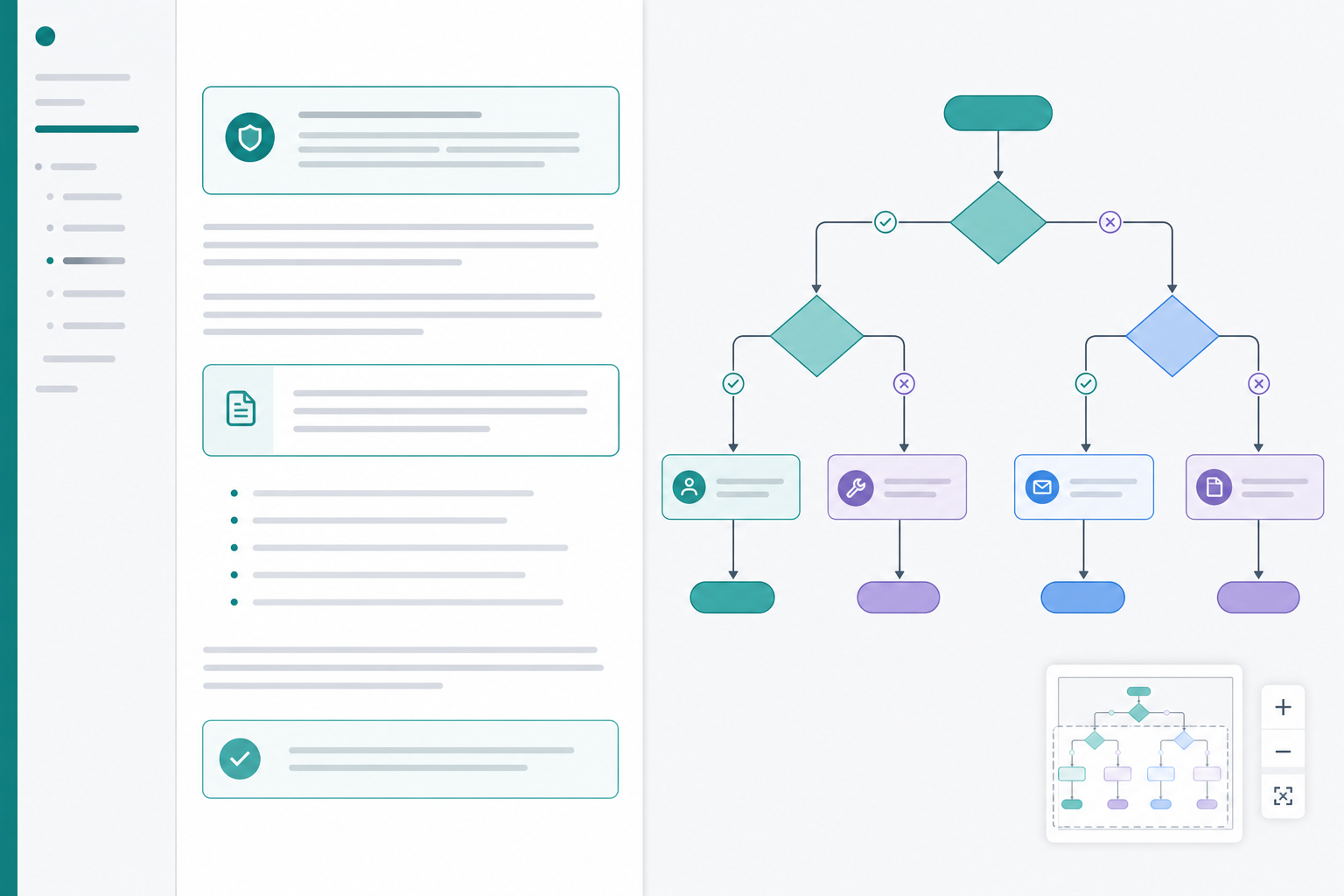
Product and support teams hit this wall when Confluence decision documentation hides branching logic inside indentation. A decision tree Confluence diagram makes if/then paths visible — and keeps Mermaid source editable beside the policy text reviewers already maintain.
This use-case article explains when that tradeoff is worth it, how to write decision-node patterns with clear labels, and how to keep diagram source reviewable next to policy prose.
Quick Answer
| Responsibility | Bulleted list | Mermaid decision tree |
|---|---|---|
| Linear steps | Strong | Overkill |
| Two-level if/then | Usually fine | Optional |
| Three+ branching levels | Hard to scan | Strong |
| Reconnecting branches | Easy to misread | Explicit paths |
| Parallel criteria (AND/OR) | Ambiguous nesting | Sequential or split diamonds |
| Policy review by structure | Difficult | Diff-friendly source |
| Live ticket lookup | Page search / Ctrl+F | Search diagram labels + prose |
- Keep bullets for short, linear rules. Two decision levels or fewer, with no reconnecting branches, rarely need a diagram.
- Use
flowchart TDwhen branching logic is the product. Top-down fits triage, eligibility checks, and escalation paths agents read under time pressure. - One question per diamond; policy detail in prose. Short labels and
|Yes|/|No|edge text keep decision nodes readable. - Open wide reading for deep trees. Search and minimap help agents follow paths without memorizing bullet numbering.
BacklogBridge Diagram Lens for Confluence is one macro with source editing, live preview, wide reader, search, and minimap. Verify the current Marketplace listing before install.
When Bulleted Lists Are Enough
Nested bullets work when the policy is genuinely linear:
- verify account email
- confirm purchase date within 30 days
- issue refund
- close ticket
Use this threshold before investing in a branching logic diagram:
| Signal | Bullets likely enough | Consider a decision tree |
|---|---|---|
| Decision depth | 0–2 levels | 3+ levels |
| Branch reconnects | Never | Loops back to review or escalate |
| Parallel criteria | One simple gate | Multiple AND/OR gates |
| Agent navigation | Read top to bottom once | Jump between conditional paths |
| Review focus | Wording only | Structure and wording |
| Page length | Fits one screen | Agents scroll-hunt numbered sections |
Bullets are faster to write, easier to paste into ticket templates, and fine for policies that do not branch often. The cost appears when numbering carries structure agents should see — not read into.
When Mermaid Beats A Bulleted List
Switch to a Mermaid flowchart decision when reviewers report these symptoms:
| Symptom | What is happening | What a decision tree fixes |
|---|---|---|
| "Skip to section 3.4 unless 2.1 applies" | Numbering carries structure | Branches are visible paths |
| Agents memorize paths instead of reading | Bullets hide topology | Diamonds show decision order |
| One branch changed; others drifted | Partial bullet rewrites | Stable node IDs target edits |
| Two criteria must both pass | Nested bullets blur AND logic | Sequential diamonds show gates |
| Either criterion triggers escalation | OR logic buried in prose | Labeled edges name each path |
| Escalation loops back to review | Footnotes explain loops | Edges show return paths |
The Mermaid documentation describes diagrams defined as text and code. For if/then guidance, a flowchart makes branching inspectable instead of buried in indentation.
Backlog Bridge's Mermaid chart tips guide recommends flowchart TD for workflows and decision trees and flowchart LR for architecture-style maps.
Same rule as bullets vs tree (micro-example)
Bullets:
- If account verified → check purchase type
- If trial → decline
- If paid → check window
- If inside window → refund
- If outside window → escalate if enterprise, else decline
Tree: the same logic as an explicit path agents walk top-to-bottom. The tree does not add new policy — it exposes structure bullets force agents to reconstruct.
Decision-Node Patterns
Mermaid decision nodes use diamond syntax. Pair them with labeled edges, action steps, and terminal outcomes.
flowchart TD
    start([Ticket opened]) --> step_verify["Verify account"]
    step_verify --> decision_eligible{Eligible for refund?}
    decision_eligible -->|No| outcome_decline["Decline with policy link"]
    decision_eligible -->|Yes| decision_window{Within grace window?}
    decision_window -->|No| decision_enterprise{Enterprise tier?}
    decision_window -->|Yes| outcome_refund["Process refund"]
    decision_enterprise -->|Yes| step_escalate["Escalate to billing lead"]
    decision_enterprise -->|No| outcome_decline
    step_escalate --> outcome_review["Lead review"]
    outcome_decline --> terminal_closed([Closed])
    outcome_refund --> terminal_closed
    outcome_review --> terminal_closed
| Pattern | Syntax | Use for |
|---|---|---|
| Decision gate | decision_id{Question?} | Yes/no or choose-one branches |
| Action step | step_id["Short action"] | Verify, assign, document |
| Outcome | outcome_id["Outcome label"] | Refund, decline, escalate |
| Terminal | terminal_id([Closed]) | End states |
| Edge label | `--> | Yes |
| Return loop | edge back to earlier step_ | Re-review after escalation |
Use role prefixes: decision_, step_, outcome_, exception_, terminal_. Quote labels when text contains punctuation or Mermaid keywords such as end.
AND vs OR with sequential diamonds
- AND logic: stack diamonds in series — both must pass before the next outcome. Example: verified account then eligible purchase type then inside window.
- OR logic: one diamond with multiple labeled edges, or separate edges from one step to different outcomes when any condition triggers the same action.
- Avoid one diamond asking two unrelated questions — split into two nodes so prose maps cleanly.
Label Clarity: Diamonds Ask; Prose Answers
Bad — entire policy crammed into the diamond:
decision_refund{Is the customer within 30 days unless enterprise with active SLA except trial accounts?}
Good — diamond asks one question; prose owns exceptions:
decision_window{Within grace window?}
Then under Grace window rules in prose:
- Standard accounts: 30 days from purchase
- Enterprise: see linked SLA page; may escalate via
step_escalate - Trial accounts: ineligible — follow
outcome_decline
| Element | Belongs in the diagram | Belongs in prose |
|---|---|---|
| Branch structure | Yes | — |
| One-line question per gate | Yes | — |
| Thresholds and dates | Short hint only | Full rule text |
| Tool links and macros | — | Yes |
| Legal citations | — | Yes |
| Ticket template text | — | Yes |
Edge labels name the branch (|Yes|, |No|, |Escalate|). This keeps Mermaid flowchart decision source diff-friendly and the policy searchable as normal page text.
Subgraphs For Tier Or Product Splits
When one page serves multiple audiences, subgraphs group branches without mixing tiers in one undifferentiated column.
flowchart TD
    start([Request received]) --> decision_product{Which product line?}

    subgraph tier_standard["Standard tier"]
        decision_product -->|Standard| decision_std_eligible{Meets standard criteria?}
        decision_std_eligible -->|Yes| outcome_std["Standard handling"]
        decision_std_eligible -->|No| outcome_std_decline["Standard decline path"]
    end

    subgraph tier_enterprise["Enterprise tier"]
        decision_product -->|Enterprise| decision_ent_contract{Active contract?}
        decision_ent_contract -->|Yes| outcome_ent["Enterprise handling"]
        decision_ent_contract -->|No| outcome_ent_escalate["Account manager escalation"]
    end
Each subgraph should match an H3 section in prose. If the combined tree exceeds roughly 15–25 nodes, split rare branches to child pages — see splitting guidance in Mermaid Diagram Governance in Confluence.
Page Layout: Policy Prose Beside The Tree
Use a consistent layout so structure and wording stay aligned during review:
| Order | Section | Contents |
|---|---|---|
| 1 | Purpose and scope | Audience, products covered, out of scope |
| 2 | Owner and review metadata | Owner, last reviewed, linked legal pages |
| 3 | Overview decision tree | TD diagram with main gates |
| 4 | Branch detail | H3 per major outcome; prose references node IDs |
| 5 | Exception pages | Child pages for rare branches |
| 6 | Change log | What changed in prose and diagram source |
Place the Mermaid macro directly under the policy summary — not on a separate attachments page agents skip during tickets.
Map each H3 detail section to outcome or decision IDs so comments like "Update enterprise grace period for decision_enterprise" are actionable.
Keeping Source Reviewable Next To Policy Text
Policy pages fail when prose updates but the diagram does not — or vice versa.
| Practice | Why it matters |
|---|---|
| Stable node IDs across edits | Diffs show structural changes, not renamed boxes |
| Update prose and diagram in one change | Prevents branch drift after policy tweaks |
| Reference node IDs in page comments | Precise review without box-position language |
| Split subtrees beyond ~15–25 nodes | Overview tree plus child-page detail |
| Export Mermaid source for release snapshots | Audit outside Confluence when compliance asks |
| Record owner and last reviewed date | Rotation does not orphan policies |
Forge macros such as Diagram Lens commonly store diagram configuration in app-owned storage with storage:app. Page history typically captures diagram changes alongside surrounding prose when authors save the macro — but history is not a substitute for review discipline.
For naming standards, forbidden syntax, and splitting rules, see Mermaid Diagram Governance in Confluence.
Navigating Deep Trees During Live Support
Support trees with many decision nodes exceed the Confluence page column quickly. Page-wide layout helps prose tables; it does not replace diagram-level navigation when branches stack deep.
| Symptom | What is happening | What helps |
|---|---|---|
| Agent scrolls past the diamond they need | TD stack taller than viewport | Wide view + fit + pan |
| Author narrates while scrolling | Layout knowledge is not in the diagram | Minimap + search |
| Multiple product lines on one page | Parallel branches look similar | Subgraphs + distinct prefixes |
| Agent uses Ctrl+F on prose only | Structure lives in the macro | Search rendered diagram labels |
Diagram Lens public pages describe a source editor with live preview, wide reader with pan/zoom/fit/reset, search across rendered SVG text, and minimap navigation. Diagram Lens support docs recommend starting from a small known-good diagram and using the syntax error panel when render fails. The same authoring loop applies to any preview-capable Mermaid macro.
For export workflows, see Exporting Mermaid Diagrams From Confluence. SVG and Mermaid source are the primary reliable export paths per Diagram Lens public pages; PNG and PDF are best effort.
Worked Example: Refund Eligibility
Policy summary in prose:
Refunds require verified account ownership and eligible purchase type. Standard accounts must be within the published grace window. Enterprise accounts may escalate to billing when outside the window.
Prose section to node mapping:
| Prose section | Node IDs | Reviewer question answered |
|---|---|---|
| Account verification steps | decision_verified, outcome_verify | What if identity is unclear? |
| Purchase type rules | decision_type, outcome_decline | Which SKUs are excluded? |
| Grace window | decision_window, outcome_refund | What counts as inside window? |
| Enterprise escalation | decision_enterprise, outcome_escalate | When does lead review apply? |
Matching tree skeleton:
flowchart TD
    start([Refund request]) --> decision_verified{Account verified?}
    decision_verified -->|No| outcome_verify["Send verification steps"]
    decision_verified -->|Yes| decision_type{Eligible purchase type?}
    decision_type -->|No| outcome_decline["Decline with policy cite"]
    decision_type -->|Yes| decision_window{Within standard window?}
    decision_window -->|Yes| outcome_refund["Process refund"]
    decision_window -->|No| decision_enterprise{Enterprise account?}
    decision_enterprise -->|No| outcome_decline
    decision_enterprise -->|Yes| outcome_escalate["Escalate to billing lead"]
Agents follow the rendered path during tickets. Reviewers edit grace-window thresholds in prose and adjust decision_window labels only when the question itself changes.
Common Pitfalls
| Pitfall | Better approach |
|---|---|
| Duplicating policy text inside every diamond | One question per node; detail in prose |
| Replacing bullets with an unreadable mega-tree | Overview tree + linked detail for rare branches |
| Two questions in one diamond | Split into sequential decision nodes |
| Display names used as node IDs | Stable ID + short label |
| Numbered bullets and diagram both primary | Pick one navigation model; cross-link sections |
| HTML labels or click syntax from tutorials | Plain labels for predictable Confluence rendering |
| Skipping preview after adding a branch | Preview after each decision gate |
| Treating page search as diagram navigation | Use macro search for structure; prose search for wording |
Backlog Bridge's knowledge-base page notes that Diagram Lens-safe examples avoid source-defined interactivity and raw markup patterns — appropriate for shared support spaces.
Admin Checks Before Rollout
Atlassian's Manage your apps documentation says Confluence apps are usually installed from Marketplace through Connected Apps and require site admin access.
At the time of research on July 21, 2026, I did not find an official Atlassian Marketplace listing for BacklogBridge Diagram Lens for Confluence through available public sources in sibling editorial research. Search Marketplace again before install.
| Check | Why it matters for decision docs |
|---|---|
| Listing name, vendor, Cloud compatibility | Wrong app or hosting model blocks rollout |
| Install scopes and egress | Policy source may name internal tiers and queues |
| Source-size limits | Deep trees with many branches hit limits sooner |
| Sanitization behavior | Plain labels are safer than HTML or click syntax |
| Data classification for allowed spaces | Stored Mermaid may describe customer handling rules |
The public Diagram Lens security page describes client-side rendering, storage:app scope, no external egress declared in the current manifest, and strict Mermaid sanitization. The privacy page says app-owned diagram configuration is stored in Atlassian Forge hosted storage.
Do not infer SOC 2, ISO, Cloud Fortified, GDPR/DPA, or procurement approval without explicit published evidence.
See Mermaid Macro Security in Confluence for a fuller macro security review.
What Diagram Lens Is Not Trying To Be
The Diagram Lens product page describes a source-first Mermaid editor. It states that it does not include visual drag-and-drop editing, AI generation, or repository sync. Mermaid renders client-side inside Forge Custom UI; the launch model does not use a remote Mermaid renderer or vendor-hosted diagram backend.
That makes Diagram Lens a fit for teams that want editable Mermaid decision trees beside Confluence policy prose — not for teams whose primary requirement is canvas diagramming, AI-generated diagrams, or Git-backed diagram sync.
When To Use A Different Approach
- Linear checklists stay in bullets — no diagram tax for three-step rules.
- Full operational runbooks with phased subgraphs — see How to Document Business Processes in Confluence With Mermaid Flowcharts.
- Workshop sketches may fit canvas tools — see Mermaid vs draw.io and Gliffy in Confluence.
- Very large read-only maps may need a dedicated reader — see Mermaid Diagrams in Confluence: Why Big Diagrams Need a Reader.
Trial Checklist
Test with one real support or product policy your team reopens every quarter — not a toy two-diamond sketch.
- Pick a policy page agents currently struggle to navigate as nested bullets.
- Draft policy summary prose: purpose, owner, scope, last reviewed date.
- Sketch branching logic on paper — count decision levels and reconnecting paths.
- If three or more levels or reconnecting branches exist, build a TD decision tree macro.
- Add one question per diamond; put thresholds and links in prose sections below.
- Preview after each decision gate; fix syntax with the macro error panel if available.
- Change one branch rule in prose and update the matching node or edge label.
- Open wide view and search for two outcome names agents use on calls.
- Ask a second agent to follow a rare branch without author guidance.
- Export Mermaid source; test SVG if compliance needs snapshots outside Confluence.
- Try PNG or PDF only if those formats matter, using your largest expected tree.
- Record Marketplace, scope, privacy, and classification questions before production use.
If the second agent can follow the rare branch without a guided screen share, the tree-plus-prose workflow is doing real work.
Final Recommendation
Match format to complexity: bullets for shallow if/then rules, a decision tree Confluence diagram when branching logic is what agents need to see under time pressure.
Use diamond decision nodes with short questions, labeled edges, stable prefixed IDs, and policy detail in prose beside the macro. Split deep subtrees before the page becomes a numbered-bullet problem wearing a diagram costume. When trees grow tall, wide reading, search, and minimap help support teams navigate paths without memorizing section numbers.
If your team already keeps Mermaid in Confluence and wants source editing plus reader tools for policy decision trees, Diagram Lens is worth a focused trial — after you verify the current Marketplace listing, install prompt, and export behavior on your deepest real tree.
For deeper Mermaid authoring patterns, see Backlog Bridge's Mermaid chart tips guide.