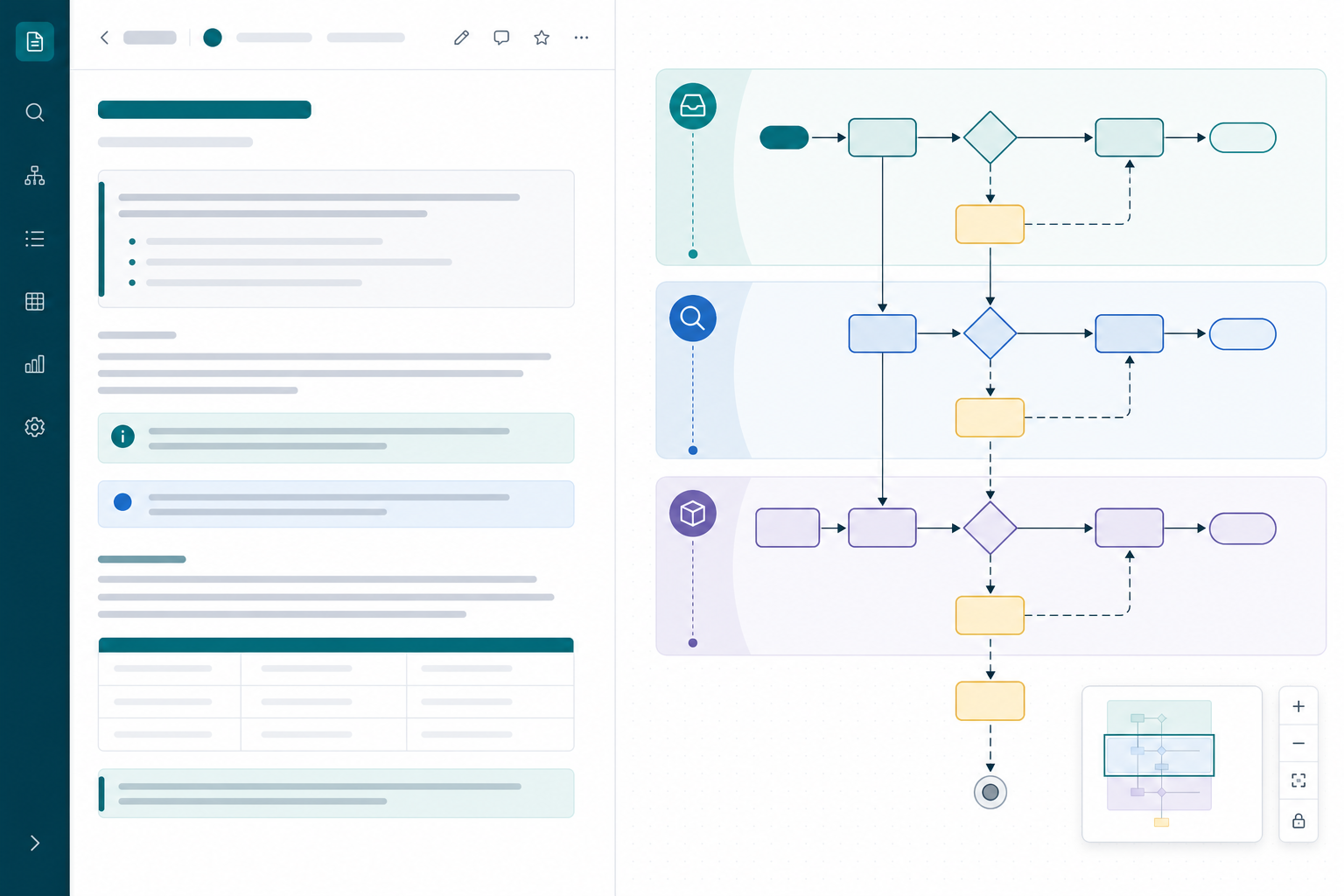
The vendor onboarding runbook had seventeen steps in prose and a flowchart that stopped after step six.
During the quarterly review, someone asked what happens when finance rejects a setup request. The answer was split across a bullet list, a footnote, and a callout the author forgot to update last quarter. The Mermaid flowchart on the same page showed the happy path only.
That is a common Confluence process documentation failure: the page looks complete, but prose and diagram disagree — and reviewers cannot follow exception paths without the author on the call.
"The steps are all on the page. Why do we still need a walkthrough?"
This how-to shows process owners and technical writers how to keep Mermaid flowchart Confluence source editable beside operational runbooks — and when wide reading helps reviewers follow long paths.
Quick Answer
| Responsibility | Prose on the page | Mermaid flowchart |
|---|---|---|
| Context | Roles, tools, SLAs, links, forms | — |
| Structure | — | Steps, decisions, branches, handoffs |
| Exceptions | Detail tables, escalation contacts | Branch paths with stable node IDs |
| Maintenance | Last reviewed, owner, change log | Diff-friendly source with prefixed IDs |
- Use
flowchart TDfor most business workflows. Top-down fits approval chains, onboarding, triage, and runbooks that read step-by-step. - Use stable IDs and short labels. IDs stay constant; labels name the step; detail lives in prose below the macro.
- Use subgraphs for phases. Intake, review, fulfillment — not one flat list of twenty boxes.
- Open wide reading for long paths. When decision branches stretch past the page column, search and minimap help reviewers who did not write the diagram.
BacklogBridge Diagram Lens for Confluence is one macro with source editing, live preview, wide reader, search, and minimap. Verify the current Marketplace listing before install.
What You Are Trying To Accomplish
You want Confluence process pages where:
- Mermaid source stays editable as text beside runbook prose
- reviewers can follow happy path and exception branches without a live author
- updates to one step do not force a page rewrite
- operational runbooks stay maintainable after the original author rotates
The outcome is documentation where the diagram and the prose reinforce each other instead of drifting apart.
Requirements
| Requirement | Why it matters |
|---|---|
| Confluence Cloud space for process docs | Diagrams live beside SOPs and runbooks |
| Team naming convention for node IDs | Stable edits and precise review comments |
| Mermaid macro with preview and save | Catches syntax errors before publish |
| Page template for prose + diagram | Consistent structure across teams |
| Admin approval for Marketplace macros | Site admins install through Connected Apps |
Recommended Page Template
Use a consistent heading order so authors know where prose ends and structure begins:
| Order | Section | Contents |
|---|---|---|
| 1 | Purpose and scope | Who the runbook serves, in/out of scope |
| 2 | Owner and review metadata | Owner, last reviewed, linked policy pages |
| 3 | Overview flowchart | TD diagram with phased subgraphs |
| 4 | Phase detail | H3 per subgraph; prose references node IDs |
| 5 | Exception runbooks | Child pages linked from prose and comments |
| 6 | Change log | What changed in prose and diagram source |
Map each H3 phase section to a subgraph ID prefix so reviewers jump between rendered diagram and prose predictably.
Step 1: Choose TD vs LR
The Mermaid flowchart syntax docs describe flowcharts made of nodes and edges with orientations such as top-down and left-to-right. For flowchart TD syntax in process docs:
| Process shape | Orientation | Example |
|---|---|---|
| Approval chain, checklist, triage | flowchart TD | Request → review → approve/reject |
| Handoff across teams top-to-bottom | flowchart TD | Intake → ops → finance → close |
| Wide system map with parallel actors | flowchart LR | Overview only; split detail runbooks |
| API call order | sequenceDiagram | Not a flowchart — use a sequence guide |
The Mermaid documentation describes diagrams defined as text and code. Backlog Bridge's Mermaid chart tips guide recommends flowchart TD for workflows and decision trees and flowchart LR for architecture-style maps.
Confluence layout controls can widen the page column. That helps prose tables. It does not replace diagram-level navigation when a TD flowchart grows many branches deep or wide.
Step 2: Write Flowchart TD Source With Stable IDs
If you are starting from written requirements, use the requirements-to-Mermaid worked example to connect each generated relationship to a numbered rule before reviewing the flowchart.
Start with a skeleton: start node, one decision, two branches, terminal nodes.
flowchart TD
    start([Start request]) --> step_intake["Log intake ticket"]
    step_intake --> decision_valid{Valid submission?}
    decision_valid -->|No| exception_return["Return to requester"]
    decision_valid -->|Yes| step_assign["Assign reviewer"]
    step_assign --> decision_approved{Approved?}
    decision_approved -->|No| exception_escalate["Escalate to lead"]
    decision_approved -->|Yes| step_fulfill["Fulfill request"]
    step_fulfill --> terminal_done([Closed])
    exception_return --> terminal_done
    exception_escalate --> step_assign
| Pattern | Syntax | Use for |
|---|---|---|
| Process step | step_id["Short label"] | Standard actions |
| Decision | decision_id{Question?} | Branch points |
| Terminal | terminal_done([Closed]) | End states |
| Exception | exception_id["Short label"] | Reject, retry, escalate |
| Edge label | `--> | Yes |
Use role prefixes: step_, decision_, handoff_, exception_, role_. Quote labels when text contains punctuation or Mermaid keywords such as end.
Step 3: Group Phases With Subgraphs
Subgraphs express runbook phases better than one undifferentiated column of boxes.
flowchart TD
    subgraph phase_intake["Intake"]
        start([Start]) --> step_log["Log ticket"]
        step_log --> decision_complete{Complete?}
    end

    subgraph phase_review["Review"]
        decision_complete -->|No| exception_return["Return to requester"]
        decision_complete -->|Yes| step_review["Reviewer check"]
        step_review --> decision_approved{Approved?}
    end

    subgraph phase_fulfill["Fulfillment"]
        decision_approved -->|Yes| step_fulfill["Complete setup"]
        step_fulfill --> terminal_done([Closed])
    end

    decision_approved -->|No| exception_escalate["Escalate to lead"]
    exception_return --> terminal_done
    exception_escalate --> step_review
Each subgraph should match an H3 section in prose. If you need more than 15–25 nodes, split into an overview diagram plus detail runbooks on child pages — see Architecture Diagrams in Confluence for splitting patterns that apply equally to process maps.
Step 4: Keep Labels Short; Put Detail In Prose
Bad — entire runbook crammed into labels:
step_finance["Finance reviews invoice in NetSuite, checks PO match, emails approver if over 5k"]
Good — label names the step; prose below explains tools and SLAs:
step_finance["Finance review"]
Then under Finance review in prose:
- Tool: NetSuite
- SLA: 2 business days
- Escalation: PO mismatch → follow
exception_pobranch on a linked child runbook page
This keeps the Mermaid flowchart Confluence source diff-friendly and the runbook searchable as normal page text.
Link child pages from prose and page comments — not only from crowded box labels. Edge labels such as |No| name the branch; prose owns the procedure.
Step 5: Author, Preview, And Navigate Long Paths
After an admin installs an approved Mermaid macro:
- Paste the TD skeleton with phased subgraphs.
- Add decision branches in small batches; preview after each batch.
- Confirm quoted labels render when text contains punctuation or keywords.
- Save, reopen, and confirm stored configuration matches preview.
When wide reading helps TD process diagrams
Top-down diagrams fail in predictable ways once exception paths multiply:
| Symptom | What is happening | What helps |
|---|---|---|
| Exception branch disappears below the fold | TD stack is taller than the viewport | Wide view + fit + pan |
| Reviewer asks "where is escalation?" | Too many similarly shaped decision nodes | Search for label text |
| Author narrates while scrolling | Layout knowledge is not in the diagram | Minimap + repeatable navigation |
| Horizontal subprocess breaks page width | TD diagram includes wide LR-style branch | Split subprocess to child page |
"Where does finance rejection connect back to review?"
Without search or minimap, the reviewer scans boxes. With search, they navigate by the language already in standups.
Diagram Lens public pages describe a source editor with live preview, line and character counts for source size, wide reader with pan/zoom/fit/reset, search across rendered SVG text, and minimap navigation. The same authoring loop applies to any preview-capable Mermaid macro.
Diagram Lens support docs recommend starting from a small known-good diagram and using the syntax error panel for line, column, and token details when render fails.
If a source edit fails, use the tested Mermaid troubleshooting examples to isolate the statement. They also show a diagram that parses successfully but draws the wrong connector.
Step 6: Review And Maintain Runbooks
| Practice | Why it matters |
|---|---|
| Reference node IDs in page comments | "Update SLA text for step_finance" |
| Update prose and diagram in the same change | Prevents happy-path-only drift |
| Compare page versions before major process changes | Catches unintended diagram edits |
| Export Mermaid source for release snapshots | Audit outside Confluence |
| Record owner and last reviewed date | Rotation does not orphan runbooks |
| Split exception runbooks to child pages | Keeps overview diagram readable |
Forge macros such as Diagram Lens commonly store diagram configuration in app-owned storage with storage:app. Page history typically captures diagram changes alongside surrounding prose when authors save the macro — but history is not a substitute for review discipline.
For export workflows, see Exporting Mermaid Diagrams From Confluence. SVG and Mermaid source are the primary reliable export paths per Diagram Lens public pages; PNG and PDF are best effort and can depend on browser support, diagram size, and Forge iframe permissions.
Common Pitfalls
| Pitfall | Better approach |
|---|---|
| Prose and diagram disagree | Single owner updates both in same change |
| Display names used as node IDs | Stable ID + short label |
| One diagram for every exception | Overview + linked detail runbooks |
| Duplicating runbook text inside every box | Prose owns detail; diagram owns branches |
| Skipping preview on large edits | Preview after each phase or branch batch |
| HTML labels or click syntax from tutorials | Plain labels for predictable Confluence rendering |
| Browser zoom instead of diagram reader | Wide view + search for long TD paths |
| Treating page wide layout as diagram navigation | Use reader tools when branches exceed the column |
Backlog Bridge's knowledge-base page notes that Diagram Lens-safe examples avoid source-defined interactivity and raw markup patterns — appropriate for shared process spaces.
Admin Checks Before Rollout
Atlassian's Manage your apps documentation says Confluence apps are usually installed from Marketplace through Connected Apps and require site admin access.
At the time of research on July 20, 2026, I did not find an official Atlassian Marketplace listing for BacklogBridge Diagram Lens for Confluence through available public sources in sibling editorial research. Search Marketplace again before install.
| Check | Why it matters for process docs |
|---|---|
| Listing name, vendor, Cloud compatibility | Wrong app or hosting model blocks rollout |
| Install scopes and egress | Runbook source may name internal systems and queues |
| Source-size limits | Long runbooks with many branches hit limits sooner |
| Sanitization behavior | Plain labels are safer than HTML or click syntax |
| Data classification for allowed spaces | Stored Mermaid may describe internal workflows |
The public Diagram Lens security page describes client-side rendering, storage:app scope, no external egress declared in the current manifest, and strict Mermaid sanitization. The privacy page says app-owned diagram configuration is stored in Atlassian Forge hosted storage.
Do not infer SOC 2, ISO, Cloud Fortified, GDPR/DPA, or procurement approval without explicit published evidence.
See Mermaid Macro Security in Confluence for a fuller macro security review.
What Diagram Lens Is Not Trying To Be
The Diagram Lens product page describes a source-first Mermaid editor. It states that it does not include visual drag-and-drop editing, AI generation, or repository sync. Mermaid renders client-side inside Forge Custom UI; the launch model does not use a remote Mermaid renderer or vendor-hosted diagram backend.
That makes Diagram Lens a fit for teams that want editable Mermaid source beside Confluence runbook prose — not for teams whose primary requirement is canvas diagramming, AI-generated diagrams, or Git-backed diagram sync.
When To Use A Different Approach
- Call-order questions fit sequence diagrams — see How to Document API Flows in Confluence With Mermaid Sequence Diagrams.
- Workshop sketches may fit canvas tools — see Mermaid vs draw.io and Gliffy in Confluence.
- Very large read-only maps may need a dedicated reader — see Mermaid Diagrams in Confluence: Why Big Diagrams Need a Reader.
- Governance at scale needs naming and safe-default standards — see Mermaid Diagram Governance in Confluence.
Trial Checklist
Test with one real operational runbook your team reopens every quarter — not a toy three-box sketch.
- Create a Confluence page from your process template.
- Write overview prose: purpose, owner, scope, last reviewed date.
- Insert Mermaid macro with TD skeleton and two phased subgraphs.
- Add three decision branches including one exception path.
- Add H3 phase sections in prose referencing node IDs.
- Preview after each branch; fix syntax with the macro error panel if available.
- Change one step label and the matching prose paragraph; confirm both stay aligned.
- Open wide view and search for two step names from standups.
- Ask a second reviewer to follow the exception path without author guidance.
- Export Mermaid source; test SVG if handoff requires it.
- Try PNG or PDF only if those formats matter, using your largest expected diagram.
- Record Marketplace, scope, privacy, and classification questions before production use.
If the second reviewer can follow the exception branch without a guided screen share, the prose-plus-diagram workflow is doing real work.
Final Recommendation
Confluence process documentation stays maintainable when Mermaid flowcharts own structure and prose owns context — with stable IDs, flowchart TD orientation for most workflows, and subgraphs for phases.
When paths grow long, wide reading, search, and minimap help reviewers follow branches without a guided screen share. If your team already keeps Mermaid in Confluence and wants source editing plus reader tools for operational runbooks, Diagram Lens is worth a focused trial — after you verify the current Marketplace listing, install prompt, and export behavior on your longest real diagram.
For deeper Mermaid authoring patterns, see Backlog Bridge's Mermaid chart tips guide.