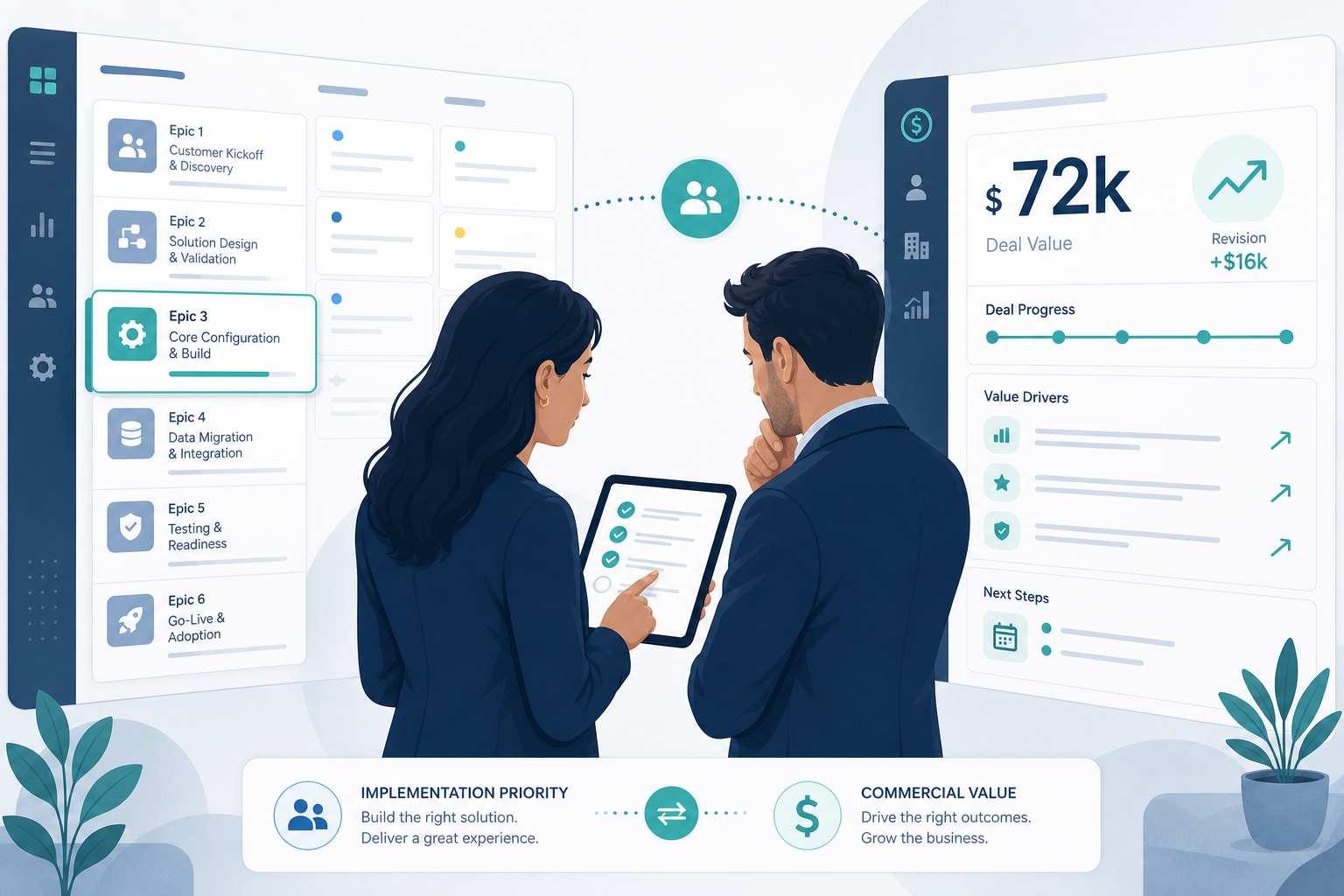
Sprint planning opens with the onboarding queue sorted by deal amount Jira issue descriptions show largest-first.
The implementation manager starts ONB-118 because the epic still lists USD 72,000 from handoff day. The tech lead pushes back: the customer is blocked on legal, tier in the description is wrong, and a smaller account that is actually ready waits third in line. Finance joins the thread and asks whether sprint capacity still matches contract value — but the epic description never updated when sales added a scope line item in Pipedrive.
That is the tension behind Pipedrive deal value in Jira. Commercial numbers can give delivery useful CRM value delivery context — or they can distort prioritization when they are stale, visible to the wrong people, or treated as a budget substitute.
"Should the biggest deal always go first — or the customer who is actually ready?"
Without a written answer, Pipedrive revenue Jira visibility becomes an unofficial priority score nobody agreed to.
Quick Answer
- Show deal value when delivery uses it under explicit PM–sales rules — onboarding order, escalation, capacity for high-touch accounts — and when value stays current after CRM changes.
- Limit or hide value when it drives shadow prioritization, exposes commercial data to contractors or broad Jira access, or sits frozen in description text while Pipedrive moved on.
- Align before you automate. Value informs delivery; it should not replace readiness checks, tier/SLA context, or Jira hour-budget signals.
Quick Decision Flow
- If delivery needs commercial context inside the issue view and CRM value changes after handoff → show value with a live panel plus change comments, not description-only.
- If portfolio dashboards must filter by current deal size → verify whether value maps to a native Jira custom field in your integration trial; do not assume JQL from sidebar panels alone.
- If engineers or contractors should not see revenue → restrict projects/roles or omit value from Jira entirely.
- If prioritization is readiness-based → pair value with tier, SLA, and stage — value alone is an incomplete sort key.
- If sponsors track hour budgets → use Jira estimates and logged time for effort variance; treat Pipedrive value as commercial size, not delivery burn.
What Deal Value Is — and Is Not
Pipedrive deals store value and currency as standard attributes. Deals keep changing after Won — scope add-ons, discounts, and currency adjustments are normal.
In Jira, that number is CRM revenue context for the linked customer work. It is not:
- Original estimate or remaining work on stories
- Logged time or approved implementation hours
- Proof that delivery is on budget
| Signal | Question it answers | Typical owner |
|---|---|---|
| Pipedrive deal value | How large is the commercial relationship? | Sales, finance |
| Jira original estimate | How much effort did we plan? | Delivery team |
| Jira time spent | How much effort did we consume? | Delivery team |
| Sponsor hour/cost budget | What spend is approved for this delivery slice? | PM, finance |
Conflating columns causes the wrong meeting arguments. For hour-budget inspection before sprint commitment, see Backlog Grooming Hides a Budget Problem Until Sprint Commitment.
When Deal Value Helps Delivery Prioritization
Pipedrive deal value in Jira helps when teams name the decision it supports:
- Onboarding queue ordering when multiple customers are ready and senior capacity is finite — not when deals are still blocked upstream.
- Executive steering when leadership asks which active implementations represent the largest commercial relationships this quarter.
- Scope-change awareness when value revisions signal add-ons, seat expansions, or contract amendments delivery must absorb.
- Staffing calls when implementation managers assign experienced leads to complex, high-touch accounts — paired with tier and SLA fields, not value alone.
In each case, freshness matters as much as visibility. A number from handoff week misleads sprint planning when sales updated Pipedrive yesterday.
Workshop prompt for PM and sales alignment:
"If a USD 20,000 deal is ready to start and a USD 80,000 deal is waiting on legal, which Jira epic should enter the next sprint — and does anyone on the team know that rule?"
If the room cannot answer, deal value on issues will invent a rule through behavior.
When Deal Value Creates Noise and Wrong Incentives
Stale snapshots beat current CRM
Description text mapped at create is a handoff snapshot. Post-handoff value changes do not reach delivery unless a panel, comment, or field update layer exists. Teams sort and plan against fiction — the pattern in The Sales-to-Delivery Handoff Gap.
Shadow priority scores
When boards implicitly sort by dollar figures in summaries or descriptions, teams learn that inflating visible commercial context — or lobbying sales to bump value — affects queue position. That is a process failure enabled by unclear rules.
Permission leakage
Deal value on broadly permissioned onboarding projects exposes Pipedrive revenue Jira data to contractors, offshore partners, or engineering roles that never needed CRM access. Panels and comments inherit issue read permissions.
False budget proxy
Sponsors hear dollar value and assume delivery hours align. Unless your sales process encodes implementation effort into CRM, deal value does not tell you whether logged time fits an approved hour budget. For velocity vs hours confusion, see Jira Velocity Tracks Story Points — Not Hours.
Competing prioritization frameworks
Cost-of-delay, WSJF, and dependency-based ordering already struggle when inputs are fuzzy. Adding raw CRM value without agreement often reduces prioritization to "largest deal wins" — which may not match strategy, readiness, or customer risk.
Duplicate surfaces without purpose
Showing value in description, sidebar panel, custom field, and repeated comments trains people to distrust all of them. Pick surfaces by question: snapshot, current state, reporting, or history.
Four Surfaces for Deal Value
| Surface | When data reflects CRM | Best for | Weak for |
|---|---|---|---|
| Description at create | Handoff moment | Readable day-one narrative | Current value; JQL filters |
| Live deal panel | When linked issue opens (vendor: fetch on open) | "What is value now?" in the issue view | Dashboards; automation conditions |
| Native Jira custom field | Last create or verified update | JQL, portfolio views, automation | Change history unless paired with comments |
| Deal-update comment | Each logged change event | Audit trail; before → after | Quick current-state read in long threads |
Backlog Bridge's public Pipedrive Integration for Jira product page describes value at issue create, in the live panel, and in deal-update comments — for example: "Pipedrive deal updated: Value: 5000 USD → 6000 USD". Vendor copy does not describe automatically rewriting native Jira custom fields on every CRM edit. Treat field-update behavior as unverified unless your sandbox trial confirms it.
For panel behavior, see Why Delivery Teams Need a Live Pipedrive Panel Inside Every Jira Issue. For comment vs field trade-offs, see When a Pipedrive Deal Changes, Should Jira Get a Comment or a Field Update?.
Which Issue Types Should Show Value?
A practical default for sales-led delivery:
- Onboarding epics or parent delivery tickets — yes, when alignment rules call for commercial context at portfolio review.
- Child stories and tasks — usually no; value on every subtask adds noise and widens permission exposure.
- Internal engineering work without a CRM deal — never; do not copy value fields into unrelated issue types via loose automation rules.
Document the issue-type boundary in your handoff runbook alongside minimum fields from Mapping Pipedrive Custom Fields into Jira Issue Descriptions.
PM and Sales Alignment Checklist
Before enabling value in Jira:
- Queue policy — Does value sort the backlog, inform discussions only, or stay invisible to engineers?
- Readiness gate — Won status and tier populated before delivery accepts work — value alone is insufficient.
- Freshness path — How CRM value changes reach delivery: live panel, comments, scheduled review, or all three.
- Visibility matrix — Which Jira projects, roles, and contractors may see commercial numbers.
- Pairing fields — Value plus tier, SLA, and region; see custom-field mapping guide above.
- Escalation rule — When value changes mid-delivery, who re-plans capacity — PM, sales, or joint?
Publish answers where implementation managers can find them. Automation without policy recreates the sprint-planning argument from the intro.
Configure and Validate Value in Sandbox
Follow vendor-described admin tabs after alignment is written — Connection, Automation Rules, Webhook & Status per public product materials.
Test A — Create-time value
- Sandbox deal with known value and currency.
- Trigger linked Jira issue creation.
- Confirm description shows expected value formatting.
Test B — Value change comment
- Update deal value in Pipedrive.
- Confirm Jira comment with before → after text — product page example pattern: value revision from 5000 to 6000 USD.
- Confirm description snapshot behavior matches expectations.
Test C — Live panel current state
- Reopen linked issue after CRM edit.
- Confirm panel shows updated value while description remains unchanged unless separately updated.
Test D — Permissions
- Open issue as implementation manager, contractor, and read-only role.
- Confirm who sees value in description, panel, and comments.
Test E — Custom field reporting (if needed)
- If portfolio dashboards require JQL by deal size, verify whether value maps to a native Jira custom field at create or update.
- Do not assume panel data is queryable.
Document webhook health indicators — silent failures look like "sales updated CRM; delivery never knew." See Pipedrive Jira Webhook Setup Checklist.
Common Pitfalls
Sort by description value. Largest pasted number wins; readiness loses.
Description-only mapping. Week-two scope add-ons invisible until someone opens CRM.
Value without tier. Dollar figure without package context misleads technical scoping.
Panel as JQL substitute. Sidebar UI does not replace structured fields for reporting.
Comment thread as dashboard. Finance scrolls twenty comments hunting today's value.
Show value on every issue type. Noise and permission sprawl on child tasks.
Treat CRM value as hour budget. Steering meetings confuse commercial size with effort variance.
What Jira Admins Should Verify Before Rollout
Behavior
- Which surfaces show value — description, panel, custom field, comments?
- Which Pipedrive value changes post comments vs update fields vs panel-only refresh?
- What happens when webhook delivery fails?
Access
- Which project roles see commercial value on linked issues?
- Should external collaborators have panel access?
Procurement
- Pipedrive API token custody, rotation, and least-privilege scope.
- Vendor privacy materials and Marketplace security tab if required.
The site product page links to an Atlassian Marketplace listing for Pipedrive Integration for Jira. Listing details such as pricing, ratings, review counts, privacy tab contents, and exact Forge scopes were not verified via live fetch at the time of writing (July 2026). Confirm current Marketplace metadata before installation.
When to Limit or Skip Deal Value in Jira
- Shared delivery projects with external collaborators who should not see revenue
- Fixed-fee or margin-sensitive work where commercial numbers belong in finance systems only
- Early pipeline stages where value is forecast, not contractual
- Teams already gaming story-point priority — adding dollars worsens incentives
- Low change rate after handoff and small onboarding volume — manual CRM review may suffice until scale demands automation
Inform Prioritization — Do Not Outsource It to a Number
Pipedrive deal value in Jira earns its place when PM and sales agree what commercial context delivery needs, who may see it, and how it stays current after CRM edits.
It fails when a stale deal amount Jira issue field becomes a hidden sort key, a permission problem, or a stand-in for hour budgets and readiness checks.
Write the alignment rules first. Choose surfaces by question — snapshot, current state, reporting, history. Pair value with tier and SLA. Verify integration behavior in sandbox before production pipelines carry commercial data into issue views.
See how Pipedrive Integration for Jira describes create-time value mapping, live deal panels, and deal-update comments including value revisions.
For why context disappears between systems, read The Sales-to-Delivery Handoff Gap.