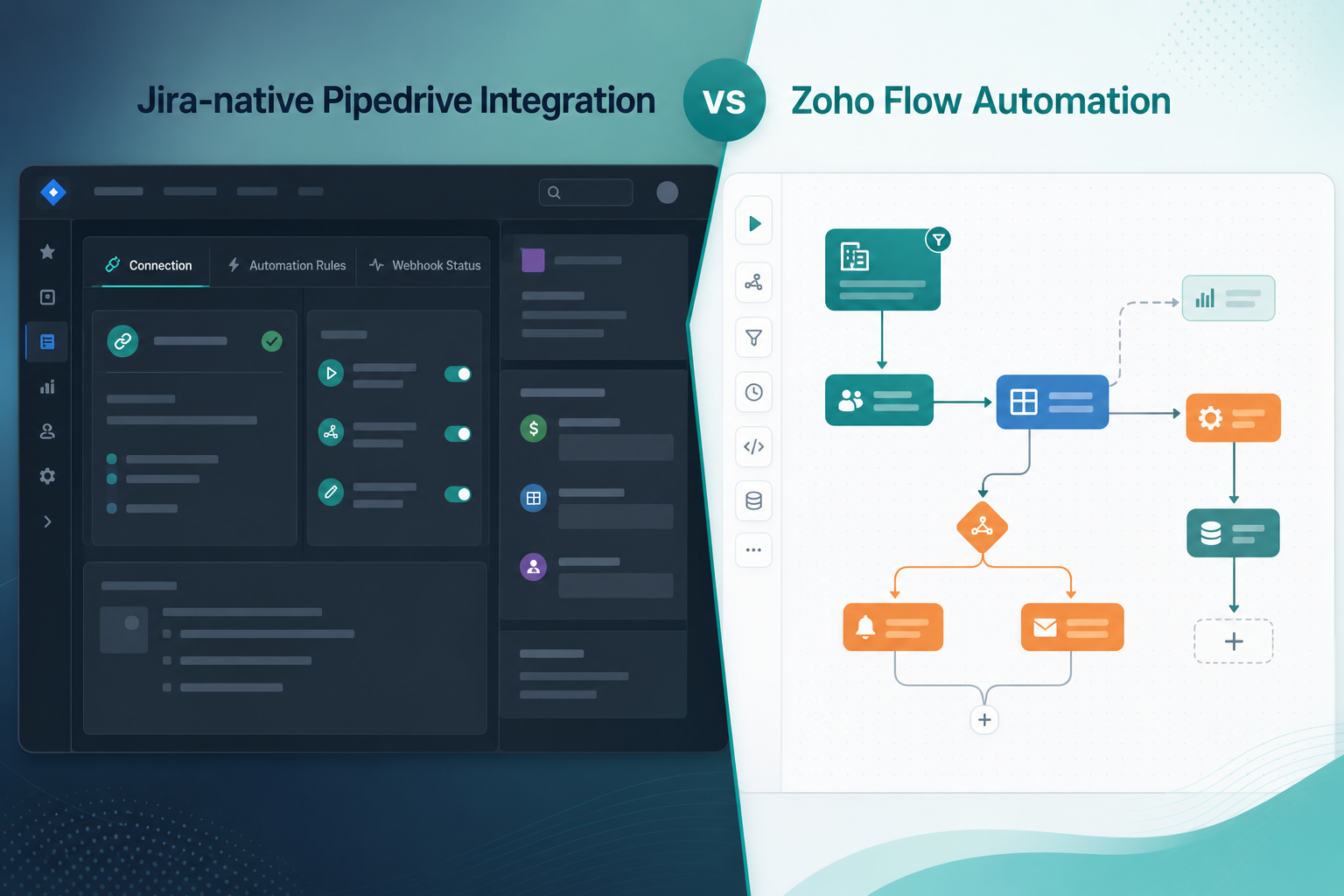
The Jira admin and the operations lead sat in the same evaluation with different success criteria.
The admin wanted won deals to become onboarding epics inside an existing delivery project — with live CRM context inside every linked issue and webhook health visible in Jira admin, not buried in another dashboard. Ops already ran Zoho Flow for invoice routing, Slack alerts, and a handful of Zoho Books automations. They pointed to a template that promised deal-won to Jira project creation as proof the Pipedrive Jira Zoho Flow path was already solved.
"We already pay for Zoho — why install another Jira app?"
Because the two options optimize for different centers of gravity. One is a Jira-native handoff product. The other is a multi-app flow builder where Pipedrive and Jira connectors live outside Jira. This iPaaS vs Jira app comparison is about which job you are hiring software to do — not which brand wins a feature checklist.
The question was not "can Zoho Flow connect Pipedrive and Jira?" It was whether a Zoho Flow CRM Jira flow should be your primary Pipedrive Jira cloud integration path, or whether a purpose-built native Jira Pipedrive app removes more manual work for the teams who actually live in Jira every day.
For the general connector overview rather than this Zoho Flow comparison, see Pipedrive Integration for Jira features and setup.
Quick Decision Flow
- If delivery teams need live CRM context inside the Jira issue view and Jira admins want webhook health in Jira admin → evaluate Pipedrive Integration for Jira (Forge app).
- If the team already standardizes on Zoho Flow or Zoho One, needs cross-app orchestration, and a one-way or simply designed two-way flow is enough → evaluate Zoho Flow Pipedrive Jira automation first.
- If you have no existing Zoho Flow practice and no owner for flow maintenance → evaluate the Forge app or an iPaaS you already operate. See Zapier vs a dedicated Pipedrive–Jira connector or Building Pipedrive–Jira Sync with n8n vs Installing a Jira Marketplace App.
- If deal volume is low or requirements are unusual → tighten manual handoff before buying either path. See The Sales-to-Delivery Handoff Gap.
This is a comparison by workflow, not a ranking.
Start With the Handoff Job
Before comparing products, write the question your team needs answered:
"When a deal is won — or reaches our handoff stage — what must happen in Jira, and who needs to see CRM context afterward?"
| If the recurring question is… | You are optimizing for… |
|---|---|
| "Create the right Jira epic with the right fields every time" | Reliable deal→issue creation |
| "Why does the Jira description still show last week's deal value?" | Live CRM context inside Jira |
| "Sales keeps asking for status — can Jira update Pipedrive?" | Reverse visibility to CRM |
| "Automation is on — why didn't the epic appear?" | Observable webhook or flow health |
| "We need a new Jira project for every won deal" | Project provisioning automation |
| "We need this flow to also update Zoho Books and notify Slack" | Cross-app orchestration in one platform |
Different answers point to different tooling. The Forge app is positioned around the first four rows in an existing delivery project. Zoho Flow is strongest when the fifth and sixth rows matter as much as CRM↔Jira sync — but verify whether marketed templates create a project, an issue, or both.
Platform facts both paths share: Pipedrive documents webhooks for deal change events. Jira Cloud's REST API supports creating issues and adding comments. Jira also exposes project APIs — relevant when evaluating deal-won → project marketing versus deal-won → epic in a known board. Neither Pipedrive nor Jira natively bridges the other — an app, flow platform, or custom middleware sits in the middle.
What the Native Forge App Is
Pipedrive Integration for Jira by Backlog Bridge is described on the public product page as a Jira Cloud integration configured through three admin tabs:
- Connection — Pipedrive company domain and API token shared across rules
- Automation Rules — trigger on deal created, pipeline stage reached, or deal won; target Jira project, issue type, and selected field mapping
- Webhook & Status — register the Pipedrive webhook and monitor health indicators
Vendor copy also describes:
- Auto-created Jira issues pre-filled with deal title, value, currency, stage, close date, contact, owner, source, labels, latest activity note, and selected custom fields
- A live Pipedrive panel in the Jira issue sidebar — deal data fetched when the issue is opened per vendor description
- Jira status changes logged as Pipedrive activities on linked deals
- Pipedrive deal updates posted as Jira comments on linked issues
That pattern maps to a purpose-built native Jira Pipedrive app: configuration, monitoring, and contextual CRM UI live inside Jira admin and the issue view. Treat every vendor claim as a sandbox trial hypothesis — not procurement evidence.
No Atlassian Marketplace listing URL was provided in editorial metadata for this article, and listing details were not verified at the time of writing (July 2026). Search Marketplace for the app name and verify current pricing, hosting, scopes, and privacy tabs before installation.
What Zoho Flow Is in This Context
Zoho Flow is Zoho's integration and workflow automation platform. You build flows in the Zoho Flow web UI: a Pipedrive trigger (for example, deal won or pipeline stage changed) and Jira Software Cloud actions (for example, create issue, create project, update issue, or add comment).
Zoho Flow connects apps without installing a Jira Marketplace product. Pipedrive and Jira are both commonly supported connector categories on multi-app integration platforms. Exact trigger names, action fields, template library contents, and plan limits were not verified in this research run — verify the current integration catalog on zoho.com/flow before designing production flows.
Topic guidance for this article notes that Zoho Flow markets deal-won to Jira project creation. That may fit agencies provisioning a customer project per win. Many delivery teams instead need a repeatable epic or issue inside an existing project — confirm which Jira API action your template or flow step actually calls before procurement.
Typical Zoho Flow Pipedrive Jira patterns teams search for:
- Create Jira issue or epic when a deal moves to a stage or is marked won
- Create Jira project when a deal is won — verify permissions, naming rules, and scheme defaults
- Add Jira comment when deal value or owner changes
- Separate flow with Jira trigger → Pipedrive action for reverse updates
- Fan-out to Zoho apps — Books, Desk, or CRM updates in the same flow when the org runs on Zoho One
Zoho Flow strengths for this use case: branching logic, multi-app orchestration in one automation catalog, and natural fit when finance or ops already standardizes on Zoho Flow for non-Jira workflows — even when sales CRM remains Pipedrive. Zoho Flow trade-offs: configuration and error history live in Zoho Flow, not Jira admin; there is no vendor-described live CRM sidebar inside the Jira issue view; two-way sync usually means multiple flows and explicit deduplication design.
"The Zoho template creates a whole new Jira project — but delivery wanted one onboarding epic on the shared implementation board."
That complaint usually means the team solved provisioning without solving repeatable handoff inside an existing project — or the opposite. Clarify which model you need before comparing tools.
Flows vs Admin-Native Rules
The structural difference is where Pipedrive Jira cloud integration logic lives after procurement.
| Aspect | Forge app | Zoho Flow |
|---|---|---|
| Rule ownership | Jira admin tabs | Zoho Flow editor |
| Who edits triggers | Jira administrator | Ops / automation owner with Zoho Flow access |
| Visibility to delivery | Issue panel + Jira fields/comments | Jira fields/comments only |
| Sharing model | Jira project permissions | Zoho Flow workspace / flow sharing — verify current product behavior |
| Best when ops center is… | Jira | Zoho automation platform |
Neither model is inherently better. The fit question is whether your organization wants handoff logic inside Jira admin or inside a flow catalog ops already maintains — and whether marketed project creation matches how delivery actually plans work.
Quick Comparison
| Dimension | Pipedrive Integration for Jira (Forge) | Zoho Flow |
|---|---|---|
| Configuration location | Jira admin tabs | Zoho Flow web UI |
| Primary fit | Pipedrive↔Jira handoff inside Jira | Multi-app flow automation |
| Live deal panel in issue view | Vendor claims sidebar panel — verify in trial | Not native; comments/fields only |
| Forward automation health | Vendor claims Webhook & Status dashboard in Jira admin | Execution history and alerts in Zoho Flow |
| Two-way sync | Vendor describes built-in status→activity and deal→comment paths | Typically multiple flows + maintenance |
| Project vs issue creation | Automation Rules target project + issue type | May offer project or issue actions — verify catalog |
| Cross-app orchestration | Focused on CRM↔Jira | Strong — Zoho stack, Slack, sheets, etc. in same flow |
| Credential model | Pipedrive token in Jira Connection tab | Separate Pipedrive and Jira connections in Zoho Flow |
| Pricing model | App/Marketplace pricing — verify manually | Zoho subscription / flow limits — verify zoho.com/flow plans |
| Jira install required | Yes — Forge app install path | No Jira app; OAuth/API via Zoho Flow |
| Typical owner | Jira admin / ops | Ops / finance automation owner |
Feature Comparison
Deal-won or stage-changed → Jira work creation
Both paths can react when a Pipedrive deal is won or reaches a handoff stage.
The Forge app routes events through vendor-described webhook processing and Automation Rules — see Which Pipedrive Pipeline Stage Should Trigger Jira Issue Creation? and How to Auto-Create Jira Issues from Pipedrive Deals. Zoho Flow maps trigger payload fields to Jira actions field by field in a flow.
Where the Forge app may fit better: repeatable onboarding epics in a known delivery project with linked records, field checklists oriented to handoff, and admin UI aimed at Jira owners rather than flow builders.
Where Zoho Flow may fit better: spinning up a new Jira project per customer, branching on custom field values, or fanning out to Zoho Books and Slack in the same automation — if current connectors support your design.
Live deal context after handoff day
Copy-paste descriptions go stale. Week-two value revisions and contact swaps are the everyday failure mode — see Why Delivery Teams Need a Live Pipedrive Panel Inside Every Jira Issue.
Vendor copy describes a Forge issue panel that fetches current deal data when a linked issue is opened. Zoho Flow can write Jira comments or update fields when deals change — see When a Pipedrive Deal Changes, Should Jira Get a Comment or a Field Update? — but it does not render live CRM UI inside the Jira sidebar.
If "open Jira and see current deal value without opening Pipedrive" is a hard requirement, weigh the Forge panel claim heavily in trial. If occasional comment updates are enough, Zoho Flow may suffice.
Reverse visibility to sales
Vendor copy describes Jira status transitions creating Pipedrive activities automatically. Zoho Flow can approximate this with a Jira trigger flow and Pipedrive create-activity action — see Sync Jira Status Changes Back to Pipedrive for the workflow design questions.
The difference is packaging versus assembly. The Forge app vendor story is bidirectional sync in one product. Zoho Flow's story is "you can build it" — often as separate flows with filters to control noise and duplicates.
Failure detection
Silent webhook failure is the common forward-path outage — see Pipedrive Webhooks for Jira: An Admin Setup Checklist. Vendor copy describes last event received, last processed deal, and last created issue on a Jira admin tab.
Zoho Flow exposes failed executions in flow history and optional email or Slack notifications. That helps — if someone with Zoho Flow access monitors it. Jira admins who do not log into Zoho Flow may learn about failures from sales before automation owners do.
Admin, Setup, and Maintenance
| Admin task | Forge app | Zoho Flow |
|---|---|---|
| Initial install | Jira app install — verify Marketplace or vendor path | Connect Pipedrive + Jira accounts in Zoho Flow |
| Pipedrive API token | Jira admin Connection tab | Zoho Flow Pipedrive connection |
| Webhook registration | Vendor describes one-click from Jira admin | Managed by Zoho Flow trigger subscription |
| Rule changes | Edit Automation Rules in Jira admin | Edit flow steps in Zoho Flow UI |
| Token rotation | Update Connection tab same day — see Pipedrive API Tokens and Jira Admins | Update Zoho Flow connection; test flow |
| Pipeline or field changes | Re-verify rules and mappings in Jira admin | Edit field mapping in each affected flow |
| Project vs issue target changes | Edit Automation Rules project and issue type | Edit Jira action step; confirm project-create vs issue-create |
| Monitoring owner | Jira admin / ops | Ops or automation owner with Zoho Flow access |
| Sandbox validation | Test deals + Webhook & Status tab | Flow test runs + execution history |
Maintenance over time: sales teams rename pipeline stages, add custom fields, and rotate API tokens. On the Forge path, those changes point back to Jira admin tabs and the webhook checklist. On the Zoho Flow path, they point to flow editor sessions and connection retests — possibly across multiple flows if you built reverse sync separately.
People cost: a packaged Jira app may reduce ops time to maintain flows; an existing Zoho Flow practice may make a new Jira app feel redundant — especially if finance or ops already owns Zoho automation and Jira admins only manage projects.
Pricing and Operational Cost
Neither pricing model was verified at the time of writing (July 2026). Do not treat prices as permanent.
Forge app: check Atlassian Marketplace or the vendor contact path for current subscription, trial, and user-tier pricing before procurement.
Zoho Flow: pricing and execution limits typically depend on Zoho subscription tier — verify current plans on zoho.com/flow. A multi-step flow (filter → create issue → Zoho Books update → Slack message) may consume more than one execution unit per deal event. High deal volume or frequent deal updates can make usage math material. Compare projected monthly flow usage against app subscription cost for your actual trigger frequency.
Also compare people cost: ops time to design and maintain flows versus Jira admin time to manage Automation Rules and webhook health.
Security and Privacy Notes
Both paths move CRM commercial data into Jira and may write delivery signals back to Pipedrive.
Verify before production on either path:
- Who can view deal value, contacts, and notes on Jira issues, comments, or panels?
- Where are Pipedrive and Jira credentials stored and who can rotate them?
- What privacy statements apply — Marketplace Privacy & Security tab, vendor policy, Zoho data processing terms?
- Does your procurement process require Marketplace listing, DPA, or specific compliance badges — and does either path satisfy that today?
The Forge app setup requires a Pipedrive API token in Jira configuration per vendor copy. Zoho Flow stores connections in its platform and processes data during flow runs. I did not verify SOC 2, GDPR, Cloud Fortified, or Bug Bounty claims for either path in this article. A human reviewer should verify before publishing procurement guidance.
Recommendation by Use Case
Evaluate the Forge app first when:
- Delivery teams need live Pipedrive context inside Jira issues, not only create-time description text
- Jira admins want forward webhook health visible in Jira admin, not only in an external dashboard
- The workflow center is deal → Jira epic/issue in an existing project → sales visibility back with minimal cross-app branching
- Ops ownership sits with Jira administrators more than central Zoho automation owners
Evaluate Zoho Flow first when:
- The organization already standardizes automation on Zoho Flow or Zoho One and adding one CRM↔Jira flow fits existing ops
- The workflow needs custom multi-app orchestration — especially fan-out to other Zoho apps — in the same automation
- Project-per-customer provisioning or lightly designed two-way create/update behavior matches your handoff model — and live in-Jira CRM panels are not required
- An ops or finance team already monitors flow failures with discipline
The Forge app may be more than you need when:
- You only need a single create-issue flow, already have Zoho Flow, and nobody requires in-Jira deal panels or Jira-side webhook dashboards
Zoho Flow may be insufficient when:
- Delivery's recurring pain is stale CRM snapshots in Jira and sales visibility depends on Jira-native context
- Jira admins need integration health inside admin and cannot rely on a separate Zoho Flow owner
- Marketed project creation does not match your epic-in-existing-project handoff model without heavy flow redesign
- Reverse sync, deduplication, and comment noise require more design work than your team will maintain in multiple flows
Consider manual process or custom middleware when:
- Deal volume is low, or requirements exceed both packaged options — custom webhook endpoints offer control at higher build and monitoring cost
What to Verify Before Installing
Forge app trial checklist
- Trigger timing (created, stage, won) matches your sales process
- Custom Pipedrive fields map correctly into created issues
- Live panel shows the fields delivery uses in week two — not only at create
- Webhook & Status tab timestamps advance on sandbox deal tests
- Reverse activity logging noise level is acceptable to sales
- Jira permission boundaries match who should see commercial data
- Marketplace listing (if used) matches hosting, pricing, and privacy requirements
Zoho Flow trial checklist
- Current Pipedrive triggers and Jira actions on zoho.com/flow support your site and issue types — verify catalog, do not rely on article examples
- Flow or template creates the right Jira object — project vs epic/issue — for your delivery model
- Field mapping covers required custom Pipedrive fields
- Two-way design handles duplicates on webhook or flow retries
- Execution volume and plan limits fit budget at expected deal activity
- Error notifications reach an owner who will act before sales escalates
- Token rotation runbook updates Zoho Flow connections on the same schedule as CRM credential changes
- Jira project-create permissions and scheme defaults behave as expected if you use deal-won → project patterns
Confirm behavior with reproducible sandbox deals — not slide-deck claims.
The Buying Question
The practical comparison is not Forge app vs Zoho Flow in the abstract.
It is the handoff product question versus the flow platform question.
If the recurring pain is won deals arriving in Jira without context, stale commercial fields after handoff, and silent forward automation failures, a native Jira Pipedrive app with admin-side monitoring and an in-issue panel claim deserves a structured sandbox trial.
If the recurring pain is "connect Pipedrive and Jira inside flows our ops team already runs on Zoho," live CRM UI inside Jira is optional, and deal-won → project or cross-Zoho orchestration matches your model, a Pipedrive Jira Zoho Flow path built as flows may be enough — provided someone owns flow health, plan limits, and field mapping over time.
Write the handoff checklist first — trigger, minimum fields, project vs issue target, change path, reverse path. Then choose the tool that removes the most manual work without creating a larger process than your team will actually maintain.
See how Pipedrive Integration for Jira approaches live deal context, trigger-based issue creation, webhook status monitoring, and two-way updates. For the process both paths must satisfy, read The Sales-to-Delivery Handoff Gap.